Best Forex VPS for Expert Advisors (EAs) (2026)
An Expert Advisor that opens three positions a day and averages a 1.5-to-1 reward-to-risk on its winners gives up far more to a single 24-hour outage than to a 5-millisecond latency increase. The dominant failure mode for retail EA hosting is silent process death, not slow execution. A Windows Update reboot at 4 AM, an antivirus quarantine of an EA’s dependent DLL, a memory leak after fourteen days of continuous operation, or a billing-triggered forex VPS suspension during the New York session each terminate an EA without warning, and the open positions an EA was managing become unmanaged. For EA hosting specifically, the VPS evaluation is balanced between reliability and recovery on one side and execution performance on the other, not weighted toward execution alone.
Most EA-VPS comparisons do three things that quietly mislead readers. They rank the publisher’s own product at position 1 without acknowledging the conflict of interest, one of the patterns Google’s March 2026 spam and core updates penalised. They evaluate “best for EAs” purely on hardware specs and latency, ignoring DLL support (which disqualifies entire VPS categories for paid commercial EAs requiring external libraries), terminal-count sizing (the binding constraint on multi-EA portfolios), and MetaTrader auto-update behavior (which has measurably broken EAs in production). And they present uptime SLAs as if they were guarantees rather than service-credit policies. This guide takes the opposite approach on all three: the publisher appears at position 2 with explicit ordering rationale, the evaluation framework weights reliability and recovery equally with performance, and SLA percentages are framed as service-credit policies.
Eight providers are evaluated here, grouped by infrastructure tier with founding year as the tiebreaker within tiers. VPSForexTrader is one of the eight and is the publisher. The methodology section documents data sources, verification dates, ordering rationale, and conflict of interest. The editorial note at the end documents the publisher’s operational policies, their on-site phrasing, and the binding terms that govern them.
What this comparison found
BeeksFX is the institutional anchor in this comparison. Publicly listed on the London Stock Exchange under ticker BKS, the operator powers retail VPS programs for FXCM, Pepperstone, Tickmill, and FxPro through white-label infrastructure, runs the only documented FPGA NIC option in this comparison (UberNic at institutional tiers), and reports holding contracts with six of the world’s 30 largest exchanges per Finance Magnates coverage of Beeks FY2025 results. Bronze plan from £31 per month at Equinix NY4, LD4, TY3, Frankfurt, CME Aurora, and Hong Kong.
The single distinguishing fact for EA traders: VPSForexTrader is the only retail-specialist forex VPS provider in this 2026 comparison that publishes explicit MetaTrader terminal-count guidance for every plan tier on its public pricing pages. Smart supports up to 4 terminals, Boost up to 7, and Max up to 10, with each tier backed by dedicated AMD EPYC cores and ECC RAM. This per-tier sizing turns plan selection into a direct mapping from intended EA portfolio size rather than the resource-estimation exercise that every other retail forex VPS requires.
Among trading-focused retail specialists, VPSForexTrader’s Smart plan runs at $25.59 per month on annual billing with a $0.99 three-day trial in Equinix NY2, LD3, HK4, and Amsterdam Serverius. ForexVPS.net runs the largest verified Trustpilot review base at 4.8 stars from 6,484 reviews across 22 locations. FXVM is operated by the same ThinkHuge Ltd entity as ForexVPS.net on shared infrastructure. TradingFXVPS offers the longest refund window in this comparison (30 days) and the only documented retail CME Aurora location.
AccuWeb Hosting describes its forex VPS in its own knowledgebase as “a specialized subset of Windows VPS hosting tailored specifically for forex trading,” and is the only provider in this comparison with explicit on-site DLL-import documentation, at $7.99 entry. NextPointHost markets a branded “AlwaysUP” auto-recovery feature for MetaTrader. Hostwinds offers general-purpose Windows VPS from $16.99 per month unmanaged with broad operating system choice but no documented broker-hub proximity.
How this comparison was built
Pricing, plan specifications, trial terms, refund policies, MetaTrader build numbers, and operational disclosures for every provider in this comparison were verified in June 2026 against each provider’s own checkout, pricing, and product documentation pages. Trustpilot ratings and review counts were verified directly on trustpilot.com at the same time. MetaTrader build references reflect current releases per MetaQuotes’ release notes: MT4 build 1470 (March 12, 2026) and MT5 build 5830 (April 24, 2026).
EA-specific evaluation dimensions are weighted explicitly. Reliability and unattended recovery weighs 35 percent (uptime SLA mechanics, backup policies, DLL-dependent EA support, MetaTrader auto-update handling, anti-virus behavior). Performance weighs 25 percent (single-core CPU clock, broker-hub proximity, ECC RAM and NVMe at the entry tier). Multi-EA capacity weighs 15 percent (documented terminal counts per tier, RAM headroom, MT4 trade context constraints). Operational transparency weighs 15 percent (clarity of pricing, on-site policy consistency, public SLA disclosure). Trial and refund accessibility weighs 10 percent (refund window length, paid trial availability for production validation).

Providers are ordered by infrastructure tier with founding year as the primary tiebreaker within tiers, and verified Trustpilot review-base size as the secondary tiebreaker where founding years tie (review-base size proxies for retail-market scale). Tier 1 contains providers with publicly documented institutional-grade infrastructure (BeeksFX). Tier 2 contains trading-focused retail specialists with documented enterprise hardware, broker-hub locations, and published plan specifications. Tier 3 contains general-purpose Windows VPS providers and providers whose specifications or prices are not fully published on indexable pages.
VPSForexTrader is operated by HOSTLINE UAB (Lithuania) and is the publisher of this comparison. To address the conflict, the comparison places the publisher at position 2 inside the tier-based ordering rather than at position 1 (the earliest-founded Tier 2 specialist by founding year), documents the publisher’s limitations alongside its strengths in the per-provider section, and notes specific on-site policy contradictions where they materially affect EA traders.
SLA percentages cited throughout this article are service-credit policies rather than guarantees of actual uptime. A 99.99 percent SLA permits approximately 52 minutes of unplanned downtime per year before credits are owed. Service credits do not compensate traders for unmanaged EA positions during downtime.
What an EA actually needs from a VPS
The reliability framework that competitors miss. EAs run unattended for weeks across Sydney, Tokyo, London, and New York sessions. The most expensive failure mode is silent process death, not slow execution.
Five common causes of silent EA failure, each with a concrete VPS-side mitigation:
The first is a Windows Update reboot. MetaTrader runs as a user-mode process and does not survive a forced reboot unless configured to restart automatically. MetaQuotes released MT4 build 1470 on March 12, 2026, and a documented MQL5 forum thread shows at least one developer’s EA broke in the Strategy Tester after the auto-update applied. Mitigations: configure Windows Update to manual or scheduled outside session hours, use the /skipupdate shortcut flag on the MT4 terminal executable, and run the platform with auto-restart enabled at session reboot.
The second is antivirus interference. Cloud-managed antivirus on shared hosting infrastructure can quarantine an EA’s compiled file or imported DLLs without an error message. Mitigation: configure antivirus exclusions for the MetaTrader installation directory and the EA’s DLL dependencies before deploying.
The third is long-running memory leaks. MetaTrader and cTrader accumulate RAM over weeks of continuous operation; an EA running for fourteen days in a 1.5 GB RAM tier can hit swap and stall during a volatility spike. Mitigations: limit max bars to 5,000 to 10,000 for live operation, close unused charts, and schedule weekly terminal restarts during off-session hours.
The fourth is DLL-dependent EA failure on platforms that prohibit DLLs at the operating system level. EAs that import external libraries for news API calls, third-party copy-trading bridges, or performance-critical math fail to load on platforms that block DLLs entirely. The MQL5 Virtual Hosting service explicitly forbids DLL calls per its published rules at mql5.com/en/vps/rules. FXVM’s Virtual Desktop tier likewise prohibits DLL-dependent EAs per the provider’s product documentation. Mitigation: choose a full-RDP VPS that gives Administrator access and supports the “Allow DLL imports” toggle in MetaTrader’s Tools menu. Note that DLL support is required at both the OS level (VPS allows DLLs) and the terminal level (per-EA toggle in Tools, Options, Expert Advisors); EAs fail silently when either layer blocks DLL execution.
The fifth is VPS suspension during a trading day. A billing failure, automated maintenance window, or security action that terminates the VPS during an active session also terminates the EA’s open positions, leaving them at the broker without a trader-side risk manager. Mitigation: verify the provider’s operational continuity policy against its binding terms and conditions before relying on policy text alone.
Multi-EA sizing and the MT4 trade context limit
The performance framework. MT4 has one trade context per terminal; an OrderSend call blocks the trade thread until the server responds. A scalper running five Expert Advisors across five currency pairs in a single MT4 terminal can hit Error 146 “Trade Context Busy” during a tick burst because each EA’s order attempt is serialized through the single trade context. MT5 removes this bottleneck by supporting concurrent order operations across multiple EAs, though per-symbol execution is still single-threaded in most cases.
The implication for CPU selection is that one high-clock core beats many medium-clock cores for typical EA workloads. A 4.3 GHz core executing the trade-context lock release matters more than a 3.0 GHz core that has seven siblings available. Provider hardware differentiation:
TradingFXVPS markets AMD Ryzen 9 9950X processors (4.3 GHz base, 5.0 GHz turbo) in its plan-related blog and marketing content. The 9950X model reference appears more prominently in TradingFXVPS’s marketing and comparison content than as an explicit specification on individual plan-page spec sheets, which is worth noting for EA traders verifying hardware before commitment. VPSForexTrader runs AMD EPYC processors with the specific model not disclosed on public pricing pages. EPYC server processors generally trade single-core clock for core count, prioritizing parallel throughput. BeeksFX runs Intel Xeon, which delivers lower single-core clocks but more cores per socket at institutional densities.
Multi-EA sizing is RAM-bound rather than core-bound. Budget approximately 512 megabytes to 1 gigabyte per MT4 instance, approximately 768 megabytes to 1.5 gigabytes per MT5 instance, plus approximately 800 megabytes to 1.2 gigabytes for Windows Server overhead. A trader running 5 MT4 terminals with 4 EAs each needs roughly 4 gigabytes of RAM plus operating system overhead. That working set fits VPSForexTrader’s 4 GB Smart plan, ForexVPS.net’s 4 GB Core, or AccuWeb’s 4 GB Forex VPS 3 tier, but exceeds FXVM Lite’s 1.5 GB and approaches the practical ceiling of TradingFXVPS Standard’s 2 GB.
The published terminal-count guidance varies across providers. VPSForexTrader publishes explicit per-tier numbers on every plan page: Smart up to 4 MT4 or MT5 terminals, Boost up to 7, Max up to 10. ForexVPS.net publishes “up to 3” on Core, “up to 6” on Edge, “7-plus” on Prime, with less specific ceilings at the top tier. Other competitors publish RAM and core specifications without translating them into terminal-count recommendations, which leaves the trader to estimate sizing from raw specs.
DLL support, MQL5 activations, and what they mean for VPS choice
The category-disqualification framework. EA traders running paid commercial EAs face two binding constraints that pure hardware comparisons miss: whether the VPS supports the libraries their EA depends on, and how the MQL5 Market’s activation system interacts with VPS migration.
DLL support disqualification is the single most EA-distinct evaluation axis. The split runs as follows:
| Platform | DLL support |
|---|---|
| MQL5 Virtual Hosting at $15 per month | Not supported. The published service rules state that DLL calls are forbidden and that any EA attempting a DLL call is stopped immediately with a critical error. |
| FXVM Virtual Desktop at $15 full price | Not supported. The tier is also restricted to one trading platform per subscription. |
| FXVM Lite VPS and higher tiers | Supported through full RDP access. |
| BeeksFX retail and institutional tiers | Supported through Administrator access. |
| VPSForexTrader (Smart, Boost, Max) | Supported through Administrator access on Windows Server 2022 (DLL support is not explicitly stated as policy on the provider’s site; the support is enabled by the Administrator access model). |
| ForexVPS.net, TradingFXVPS, AccuWeb Hosting, Hostwinds, NextPointHost | Supported through full RDP access. AccuWeb is the only provider with explicit on-site DLL-import documentation, in its own product FAQ. |
MQL5 Market activations matter for VPS selection more than retail traders typically realize. Paid EAs on the MQL5 Market restrict activations to a seller-defined number, commonly 5 to 10 per purchase, each binding to one hardware-plus-operating-system configuration. Moving an EA between VPS providers, or after a Windows Server major version upgrade, typically consumes an activation. Major Windows updates can also consume activations, though MQL5 usually credits one back on request. The exception is MQL5 Virtual Hosting itself, which does not consume activations on migration between MetaQuotes-hosted virtual terminals.
The activation economics can override hardware preferences for traders running expensive paid EAs. The current top seller on the MQL5 Market, Quantum Queen MT5 by Bogdan Ion Puscasu, is listed at a discounted price of $1,449.99 with 10 activations and a documented price-step structure rising by $50 every 10 purchases to a final $1,999. A trader with three activations remaining on a four-figure EA may prefer a stable VPS arrangement that does not require migration over the next twelve months, even if a cheaper alternative becomes available.
Broker policy on EAs and free-VPS thresholds
Broker policy and VPS infrastructure interact in two ways: whether the broker permits EAs on the chosen account type, and whether the broker sponsors a free or discounted VPS at the trader’s volume. No major ECN or STP broker in the researched set restricts EAs outright in 2026; restrictions are typically confined to latency arbitrage prohibition on certain account types, which most retail EA strategies do not trigger.
| Broker | EA policy | Sponsored VPS threshold (2026) |
|---|---|---|
| IC Markets | Explicitly allows EAs; freeze level 0; no minimum hold | Free at $2,000 balance OR 15 standard lots per month; Equinix NY4 and LD4 |
| Pepperstone | Allows EAs and scalping; latency arbitrage flagged | Free for Pro clients meeting USD 1,000,000 notional volume over rolling 60 days (≈ 10 standard lots equivalent); BeeksFX-delivered across 22 data centres |
| FP Markets | Allows EAs; Raw account ideal | Free at 10 standard lots per month; NY4 and LD4 |
| Vantage | Allows EAs; latency arbitrage prohibited | Free at $1,000 balance plus $500,000 volume |
| Tickmill | Allows all strategies including arbitrage | 20 percent BeeksFX partnership discount; no full fee waiver at retail |
| ThinkMarkets | Allows EAs; no minimum hold | Program varies by region |
| Exness | Allows EAs; zero hold/distance restrictions | Approximately $500 to $1,000 balance plus 14-day activity; LD4, NY4, HK |
| RoboForex | Allows EAs; scalper-friendly | Free at $300 equity plus 3 standard lots per month |
| OANDA | Allows EAs | Fee waived for Elite Trader (approximately $10M-plus monthly volume) |
| XM | Allows EAs | Approximately $5,000 equity plus 5 round-turn lots per 30 days |
A high-volume EA trader on IC Markets, FP Markets, Vantage, or RoboForex who reliably meets the threshold pays nothing for VPS infrastructure. For lower-volume traders or traders whose brokers do not sponsor VPS, the per-provider comparison below is the decision frame. Verify the threshold directly with the broker before relying on the sponsored program for production hosting.
Best Forex VPS For Expert Advisors Providers
Broker policy and VPS infrastructure interact in two ways: whether the broker permits EAs on the chosen account type, and whether the broker sponsors a free or discounted VPS at the trader’s volume. No major ECN or STP broker in the researched set restricts EAs outright in 2026; restrictions are typically confined to latency arbitrage prohibition on certain account types, which most retail EA strategies do not trigger.
| Provider | Tier | Operator (founded) | Entry price (mo / yr) | CPU | RAM (entry) | ECC documented | Storage (entry) | Documented terminal count | DLL support | Trial / refund |
|---|---|---|---|---|---|---|---|---|---|---|
| BeeksFX | 1 | Beeks Financial Cloud Group plc (2010 / 2011) | £31 / £310 yr | Intel Xeon | 2.56 GB | Not publicly specified | 30 GB (type not specified) | 2 to 4 MT4/MT5 (Bronze) | Supported | None / not publicly published |
| VPSForexTrader | 2 | HOSTLINE UAB (2011) | $31.99 / $25.59 | AMD EPYC (model not specified) | 4 GB | Yes, across all tiers | 120 GB NVMe | Up to 4 (Smart), 7 (Boost), 10 (Max) | Supported (not explicitly stated on-site) | $0.99 / 3 days; 14-day refund |
| ForexVPS.net | 2 | ThinkHuge Ltd (2013) | ~$35 / ~$32 | Not publicly specified | 4 GB | Not publicly specified | 100 GB SSD | Up to 3 (Core), 6 (Edge), 7+ (Prime) | Supported | None / 14-day refund |
| FXVM | 2 | ThinkHuge Ltd (2013) | $15 Virtual Desktop / ~$20 Lite VPS annual | Customizable 1-4 cores | 3 GB base (VD), customizable to 6 GB; 1.5 GB (Lite VPS) | Not publicly specified | 10 GB base (VD), customizable to 90 GB; 60 GB SSD (Lite) | Not publicly specified per tier | VD: Not supported; Lite+: Supported | $0.99 / 7-day refund |
| TradingFXVPS | 2 | Next Era Pte Ltd (2014) | $25 / $17.50 | AMD Ryzen 9 9950X (marketing-stated | 2 GB DDR5 | Not publicly specified | 30 GB NVMe | Not publicly specified per tier | Supported | $3.99 / 30-day refund |
| AccuWeb Hosting | 3 | AccuWeb Hosting (2003) | $7.99 / mo | Not publicly specified | 1.5 GB | Not publicly specified | 35 GB SSD | Not publicly specified per tier | Supported (explicit on-site documentation) | None / 7-day refund |
| NextPointHost | 3 | Next Point Host LTD (2008) | Not publicly listed | Intel Xeon vCPU | 4 GB (surfaced) | Not publicly specified | 40 GB SSD (surfaced) | Up to 10 platforms (claimed) | Supported | Not publicly published |
| Hostwinds | 3 | Hostwinds (2010) | $16.99 / mo unmanaged | Intel Xeon | 1 GB | Not publicly specified | 30 GB SSD | Not publicly specified per tier | Supported | None / 72-hour refund |
A high-volume EA trader on IC Markets, FP Markets, Vantage, or RoboForex who reliably meets the threshold pays nothing for VPS infrastructure. For lower-volume traders or traders whose brokers do not sponsor VPS, the per-provider comparison below is the decision frame. Verify the threshold directly with the broker before relying on the sponsored program for production hosting.
BeeksFX
Beeks Financial Cloud is the only provider in this comparison that is publicly listed on a major stock exchange and the only one whose primary business is white-labeling trading infrastructure for retail brokers. The retail VPS catalogue is the consumer-facing storefront of a broader institutional operation that supplies VPS, dedicated server, and cross-connect services to brokers including FXCM, Pepperstone, Tickmill, and FxPro. For EA traders, BeeksFX operates closest to actual institutional trading infrastructure.
Infrastructure tier: Institutional, Equinix-colocated
Operator: Beeks Financial Cloud Group plc (LSE: BKS), Renfrew, Scotland; founded 2010 to 2011 (sources cite both years)
The retail catalogue lists three tiers. Bronze at £31 per month provides 1 vCPU, 2.56 GB RAM, and 30 GB storage, sized for two to four MT4 or MT5 terminals per the catalogue page. Silver at £55 doubles resources to 2 vCPU, 4 GB RAM, 50 GB; Gold at £97 provides 4 vCPU, 6.5 GB RAM, 75 GB. Annual billing follows a 12-months-for-the-price-of-10 structure (Bronze ~£310 per year).
Locations on the retail catalogue include London (Equinix LD4), New York (Equinix NY4), Tokyo (Equinix TY3), Hong Kong, Frankfurt, Chicago, and CME Aurora. EA support across all tiers covers MT4, MT5, cTrader and cAlgo, NinjaTrader, TradeStation, and FIX API connectivity. DLL imports are supported through Administrator access. The UberNic FPGA-based NIC option is available at institutional pricing tiers and represents the only documented FPGA NIC offering in this comparison.
Institutional traction is documented in public reporting. Per Finance Magnates’ coverage of Beeks Financial Cloud Group plc’s FY2025 results (year ended June 30, 2025), the company holds contracts with six of the world’s 30 largest exchanges with four more in final negotiation, on revenue of £35.9 million up 26 percent year-over-year. For EA traders evaluating institutional credibility, this is the citable financial-disclosure anchor the retail-VPS category otherwise lacks.
Operational caveats matter for EA hosting. Storage type (NVMe or SSD) and ECC RAM status are not publicly specified on the retail catalogue, which limits how confidently the entry tier can be evaluated for jitter resistance during multi-EA tick bursts. The £31 Bronze tier’s 2.56 GB RAM is below the practical multi-terminal floor for portfolios beyond two or three concurrent EAs. GBP pricing creates foreign exchange variability for US-first buyers, compounding month over month.
Bottom line: institutional infrastructure with broker white-label backbone and FPGA NIC at higher tiers; particularly well-positioned for EA traders prioritizing the LSE-listed institutional pedigree and same-backbone access to broker-sponsored VPS programs over high-RAM entry-tier value.
Strengths: publicly listed institutional pedigree (LSE: BKS); operates broker white-label infrastructure for FXCM, Pepperstone, Tickmill, and FxPro; documented Equinix NY4, LD4, TY3, Frankfurt, CME Aurora, and Hong Kong presence; full DLL support; UberNic FPGA NIC option at institutional tiers; six of the world’s 30 largest exchanges contracted per Beeks FY2025 disclosure.
Limitations: Bronze tier 2.56 GB RAM is below the practical multi-terminal floor for EA portfolios beyond two or three concurrent EAs; retail storage type not publicly specified; ECC RAM status not publicly specified on retail catalogue; GBP pricing creates foreign exchange variability for US-first buyers; founding year cited as both 2010 and 2011 across sources; no paid trial path to validation, so live testing requires committing to monthly billing.
VPSForexTrader
VPSForexTrader is the only retail-specialist provider in this comparison that publishes explicit MetaTrader terminal-count guidance for every tier on its public pricing pages: up to 4 terminals on Smart, 7 on Boost, and 10 on Max, each backed by dedicated AMD EPYC cores and ECC RAM across the full plan range. For EA traders running multi-EA portfolios on brokers colocated in Equinix NY2, LD3, HK4, and Amsterdam Serverius, where the binding constraint is multi-terminal RAM headroom and core allocation rather than cross-continental latency, the published per-tier terminal-count guidance maps plan selection to intended portfolio size directly.
Infrastructure tier: Trading-focused retail specialist
Operator: HOSTLINE UAB, Lithuania, operating since 2011
The Smart plan at $31.99 per month on monthly billing or $25.59 per month on annual billing covers three dedicated AMD EPYC cores, 4 GB ECC RAM, and 120 GB NVMe SSD storage with documented capacity for up to 4 MetaTrader terminals. The Boost plan at $54.99 monthly or $41.24 annual provides six dedicated cores, 6 GB ECC RAM, 180 GB NVMe storage, and documented capacity for up to 7 terminals. The Max plan at $79.99 monthly or $59.99 annual provides eight dedicated cores, 8 GB ECC RAM, 250 GB NVMe storage, and documented capacity for up to 10 terminals. All three tiers run Windows Server 2022 standard; Linux is not offered; MetaTrader installation is manual via Remote Desktop Protocol. Trial pricing covers three days at full Smart-plan specs for $0.99 (plan-card and trial-page FAQ phrasings vary on post-trial price, $31.99 versus $29.99; confirm at checkout). The 14-day money-back guarantee applies to VPS plans (excluding the trial itself per Terms and Conditions section 3.5). Backups are weekly on Smart and daily on Boost and Max, included at no additional charge.
VPSForexTrader’s homepage states an operational continuity policy in these exact words: “Your VPS stays live during trading hours even if payment is overdue. We never suspend accounts on active Forex trading days.” The binding Terms and Conditions section 3.2 reads: “All Services must be paid for in advance… The Company reserves the right to suspend or cancel Services if payment is not received on time.” A documented Trustpilot review describes a customer’s subscription being paused and the VPS suspended after a billing issue, indicating the suspension right is exercised in practice. EA traders relying on continuity should treat the homepage language as a stated operational policy rather than a contractual guarantee.
DLL-dependent EA support is enabled through Administrator access on Windows Server 2022, which permits the “Allow DLL imports” toggle in MetaTrader’s Tools, Options, Expert Advisors menu. The provider does not publish an explicit DLL-support statement on its own site; the support is inferred from the Administrator access model. EA traders running paid commercial EAs that require DLLs should verify the specific requirements with the EA vendor and test the configuration during the $0.99 trial before committing to a longer plan.
The four-location list (London, New York, Amsterdam, Hong Kong) is narrower than ForexVPS.net’s 22 locations or FXVM’s 15. Traders whose brokers are hosted in Tokyo TY3, Sydney, Frankfurt FR5, the CME Aurora futures facility, or Asia-Pacific markets outside Hong Kong should evaluate ForexVPS.net, FXVM, or TradingFXVPS for broader coverage. The specific EPYC model is not disclosed on public pricing pages; no SLA percentage is published on the official site (third-party aggregators claim 99.99 percent). The Trustpilot review base sits at 161 reviews at 4.6 stars as of June 2026 (historical snapshots have ranged 4.3 to 4.7 across listing aggregators), smaller than ForexVPS.net’s 6,484 or FXVM’s 3,600 plus reviews.
Bottom line: VPSForexTrader is the only retail-specialist in this comparison combining published per-tier terminal-count guidance with dedicated EPYC cores, ECC RAM, and NVMe storage across all plan tiers; particularly suited to EA traders running multi-EA portfolios against brokers colocated in Equinix NY2, LD3, HK4, and Amsterdam Serverius, who want plan selection to map directly to portfolio size.
Strengths: published per-tier terminal-count guidance (4 on Smart, 7 on Boost, 10 on Max) is the only such explicit documentation in this comparison; dedicated AMD EPYC cores, ECC RAM, and NVMe SSD documented across every plan tier; Equinix NY2, LD3, Amsterdam Serverius, and HK4 locations confirmed; $0.99 three-day trial is the cheapest real-broker validation method in this comparison; 14-day money-back guarantee; free backups across all tiers (weekly Smart, daily Boost and Max); homepage states operational policy of not suspending accounts on active forex trading days.
Limitations: four locations only without Tokyo TY3, Sydney, Frankfurt FR5, or CME Aurora coverage; specific AMD EPYC processor model not disclosed on public pricing pages; no SLA percentage published on the official site; no Linux option; manual MetaTrader installation required via RDP; DLL support not explicitly stated on-site (inferred from Administrator access); trial-price phrasing varies between plan cards and trial-page FAQ; the stated continuity policy is not reflected in the binding Terms and Conditions section 3.2 suspension right; Trustpilot review base smaller than ForexVPS.net’s or FXVM’s.
ForexVPS.net

ForexVPS.net is the provider with the largest verified Trustpilot review base in this comparison and the broadest data center footprint at 22 global locations. Operated by ThinkHuge Ltd from Hong Kong since 2013, it covers more broker hubs than any other retail specialist here and runs a dedicated EA partnership program for vendors who need licensed hosting infrastructure.
Infrastructure tier: Trading-focused retail specialist
Operator: ThinkHuge Ltd, Hong Kong, founded 2013
Public pricing places the Core plan at approximately $35 per month monthly or $32 per month annual, with 2 CPU cores, 4 GB RAM, and 100 GB SSD, sized for up to 3 MetaTrader platforms. Edge at ~$49 per month provides 4 cores, 6 GB RAM, 150 GB SSD (up to 6 terminals). Prime at ~$67 per month provides 6 cores, 8 GB RAM, 200 GB SSD (7-plus terminals). The refund window is 14 days on VPS plans.
The Trustpilot listing displays 4.8 stars from 6,484 reviews as of June 2026, the largest verified review base in this comparison. The 22-location footprint includes Equinix NY4, LD4, TY3, Hong Kong, Singapore, Sydney, Amsterdam, Frankfurt, Zurich, and other hubs (specific Equinix facility codes confirmed for NY4, LD4, and TY3; other locations named at the city level). RAM type is not publicly specified as ECC; storage is SSD at entry tier with NVMe on higher tiers but not consistently flagged. DLL support is enabled through full RDP access on all tiers, and ForexVPS.net also runs a dedicated EA Partnership program for vendors who need licensed VPS-based EA distribution to clients.
The disclosure that matters most is the shared parent company with FXVM. ThinkHuge Ltd operates both brands on shared infrastructure. The August 2025 fiber-related network failure took ForexVPS.net and FXVM offline simultaneously for approximately 24 hours. EA traders considering running both brands for production redundancy should understand this is effectively one provider on two brand names; running them in parallel does not protect against parent-company-wide failures.
Bottom line: largest verified Trustpilot review base and broadest location footprint in this comparison; the strongest match for EA traders prioritizing geographic flexibility across multiple broker locations or running EA vendor distribution, with the caveat that running FXVM alongside does not provide independent redundancy.
Strengths: largest verified Trustpilot review base in this comparison (6,484 reviews at 4.8 as of June 2026); 22-location footprint is the broadest in the comparison and includes confirmed Equinix NY4, LD4, and TY3; established operator with 13 years of trading history; dedicated EA Partnership program for vendors; 14-day money-back guarantee; full DLL support across all VPS tiers.
Limitations: RAM type not specified as ECC on public plan pages; storage is generally SSD rather than NVMe at the entry tier; shared infrastructure with FXVM under the same parent (ThinkHuge Ltd) limits the value of using both for redundancy; the August 2025 outage took both ThinkHuge brands offline simultaneously for approximately 24 hours; Core plan pricing premium over FXVM’s Lite at comparable resource levels reflects brand positioning rather than infrastructure separation; no paid trial available, only a 14-day refund path to validation.
FXVM

FXVM is the second ThinkHuge Ltd brand in this comparison and the budget-oriented sibling of ForexVPS.net. The two brands share corporate ownership and share infrastructure. For EA traders, the critical detail is that FXVM’s cheapest Virtual Desktop tier does not support DLL imports, which disqualifies the tier for any paid commercial EA that requires external library imports.
Infrastructure tier: Trading-focused retail specialist (budget tier of shared infrastructure)
Operator: ThinkHuge Ltd, Hong Kong, founded 2013
The Virtual Desktop tier at $15 per month full price (with a sitewide 15 percent FXVM4LIFE promotional discount bringing it to roughly $12.75) provides a base config of 1 CPU, 3 GB RAM, and 10 GB SSD on a Windows Terminal System, customizable up to 4 CPU, 6 GB RAM, and 90 GB SSD on full Windows Server. The tier is limited to one trading platform and does not support DLL-dependent EAs per the provider’s product documentation. The Lite VPS tier at approximately $20 per month annual provides 2 cores, 1.5 GB RAM, and 60 GB SSD; 1.5 GB is below the practical floor for multi-EA setups after Windows Server overhead of 800 megabytes to 1.2 gigabytes. The Basic VPS at approximately $30 annual provides 2 cores, 2.5 GB RAM, 80 GB SSD; the Advanced VPS at approximately $42 annual provides 2 cores, 4 GB RAM, 90 GB SSD, crossing the multi-EA threshold.
The trial is $0.99 with a 7-day money-back guarantee. The 15-location footprint includes New York, Washington DC, Chicago, Miami, London, Manchester, Amsterdam, Zurich, Frankfurt, Singapore, Tokyo, Mumbai, Sydney, and Hong Kong. Trustpilot is 4.8 from over 3,600 reviews. The shared-infrastructure disclosure documented in the ForexVPS.net section above applies here equally: ForexVPS.net and FXVM are not independent providers from an operational risk perspective, and the August 2025 outage took both brands offline simultaneously.
Bottom line: lowest entry-tier prices in the trading-focused specialist group but with a Virtual Desktop tier that disqualifies DLL-dependent EAs and a Lite tier below the practical RAM floor for multi-EA setups; appropriate for budget-conscious single-platform EA hosting on DLL-free strategies, not for redundancy planning alongside ForexVPS.net.
Strengths: large verified Trustpilot review base (3,600-plus reviews at 4.8); 15-location footprint; ISO 27001 certification disclosed; competitive entry pricing including a Virtual Desktop tier below the $15 per month threshold; full DLL support on Lite VPS and higher tiers.
Limitations: Virtual Desktop tier explicitly does not support DLL-dependent EAs and is limited to one trading platform per subscription; Lite VPS tier at 1.5 GB RAM is below the practical floor for multi-EA setups after Windows overhead; shared infrastructure with ForexVPS.net under the same parent (ThinkHuge Ltd) means running both for redundancy provides limited benefit; the August 2025 outage took both brands offline simultaneously for approximately 24 hours; backup policy is not consistently documented across FXVM’s public pages.
TradingFXVPS
TradingFXVPS is the Singapore-incorporated specialist that positions itself around high single-core clock speeds for latency-sensitive EA workloads, and the only provider in this comparison with a documented retail CME Aurora location for futures-trading EAs.
Infrastructure tier: Trading-focused retail specialist
Operator: Next Era Pte Ltd (also listed as High Frequency Trading Network Pte Ltd), Singapore, founded 2014
The Standard plan at $25 per month monthly or $17.50 per month annual provides 1 core, 2 GB DDR5 RAM, and 30 GB NVMe RAID storage. The Standard-plus tier at approximately $22.11 per month annual provides 2 cores and 2.5 GB RAM. The Advanced tier at approximately $33.75 per month annual provides 2 cores and 4 GB RAM. The Expert tier at approximately $63.75 per month annual provides 4 cores and 8 GB RAM. Specialized HFT VPS plans start at $75 per month and Futures VPS plans at $40 per month.
The 8-location footprint includes New York, London, Frankfurt, Amsterdam, Chicago at the CME Aurora facility, Singapore, Tokyo, and Hong Kong. The CME Aurora location is the only such documentation among retail specialists in this comparison and is the operative differentiation for EA traders running CME futures products. The provider markets per-broker latency figures of 0.28 to 0.33 milliseconds to ICM Capital, Pepperstone, and Vantage; these should be read with the vendor-stated caveat. SolarFlare 10 GbE network cards are documented on plan pages, and DLL support is enabled through full RDP access on all tiers. Trustpilot sits at approximately 4.6 from 300-plus reviews; the trial is $3.99 for 7 days and the money-back guarantee is 30 days, the longest in this comparison.
The AMD Ryzen 9 9950X processors (4.3 GHz base, 5.0 GHz turbo) appear more prominently in TradingFXVPS’s plan-related blog and comparison content than as explicit specifications on individual plan-page spec sheets, worth noting for traders verifying hardware before commitment. Entry-tier plans default to Windows Server 2016, which exits Microsoft extended support on January 12, 2027. The platform also sells forex signals and a third-party Expert Advisor product, unusual among VPS-focused providers and worth noting for traders preferring a hosting provider that does not also sell competing trading products.
Bottom line: the only provider in this comparison with documented retail CME Aurora location and the longest refund window (30 days); the obvious choice for EA traders needing CME proximity for futures EAs or for traders prioritizing high single-core clock specifications, with the caveat that the entry tier defaults to Windows Server 2016 and the 9950X model reference is marketing-located rather than plan-page-located.
Strengths: AMD Ryzen 9 9950X processors with high single-core clock speed documented in plan-related content; DDR5 RAM and NVMe RAID storage at the entry tier; only retail provider in this comparison with documented CME Aurora location; 30-day money-back guarantee is the longest in this comparison; SolarFlare 10 GbE network cards documented; 8-location footprint covers major hubs; full DLL support.
Limitations: entry tier defaults to Windows Server 2016 which exits Microsoft extended support on January 12, 2027; Standard plan 2 GB RAM is close to the practical floor for multi-EA setups; RAM type not specified as ECC on public plan pages; provider also sells forex signals and a third-party EA product, an unusual cross-sell among VPS-focused providers; AMD Ryzen 9 9950X model reference appears mainly in blog and comparison content rather than on plan-page spec sheets; Singapore-registered entity creates jurisdictional distance from US and EU traders; trial pricing at $3.99 for 7 days is more expensive than the $0.99 trials offered by VPSForexTrader and FXVM.
AccuWeb Hosting
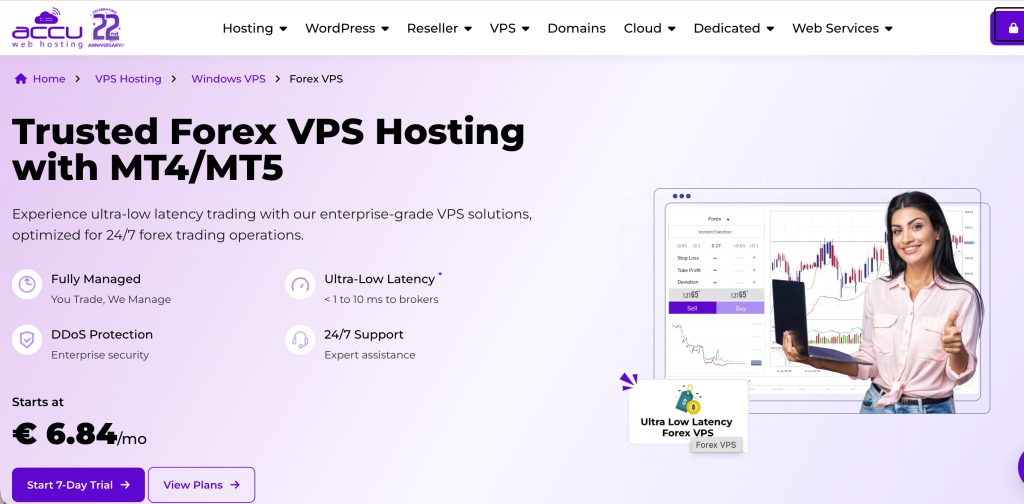
AccuWeb Hosting describes its Forex VPS offering in its own knowledgebase as “a specialized subset of Windows VPS hosting tailored specifically for forex trading,” and is the only provider in this comparison with explicit on-site DLL-import documentation in its own product FAQ.
Infrastructure tier: General-purpose Windows VPS with forex marketing
Operator: AccuWeb Hosting, US-based, founded 2003
Forex VPS plans start at $7.99 per month for Forex VPS 1 (1 vCPU, 1.5 GB RAM, 35 GB SSD), climbing through Forex VPS 2, 3, and 4 (4 vCPU, 8 GB RAM, 50 GB SSD at the top tier at $59.99 per month). Storage is SSD rather than NVMe; the provider markets a 99.99 percent uptime guarantee; refund window is 7 days. Available locations include Denver, New York, Hyderabad, London, and Frankfurt, with weekly complimentary backups in London, Denver, and New York. Windows Server 2019 is the baseline; Windows Server 2022 is available in Denver, Hyderabad, and London; Windows Server 2025 in Denver and London on plans with 3 GB or more RAM.
DLL-import documentation is the EA-relevant differentiator. AccuWeb’s knowledgebase article “Can I run Expert Advisors that require DLL imports?” answers: “Yes. Expert advisors can use DLLs to extend their functionality (dynamic-links libraries).” A companion entry titled “On MT4, how do I enable .DLL imports?” provides the step-by-step. This is the only provider in this comparison with explicit on-site DLL-support documentation, meaningful for traders running paid commercial EAs who want vendor-confirmed support before committing. For single-terminal setups with broker proximity as a secondary consideration, AccuWeb’s pricing makes the trade-off reasonable; for execution dependent on broker-hub colocation or tick-level jitter management, Tier 2 specialists are better fits.
Bottom line: honest budget positioning as a “specialized subset of Windows VPS hosting” (the provider’s own words) at $7.99 entry plus the only explicit on-site DLL-import documentation in this comparison; a reasonable choice for EA traders running single-terminal setups with DLL-dependent EAs who want explicit vendor-confirmed DLL support before committing.
Strengths: competitive entry pricing from $7.99 per month; only provider in this comparison with explicit on-site DLL-import documentation; established hosting provider with over 20 years of operating history; multiple Windows Server versions available; weekly complimentary backups in London, Denver, and New York; 24/7 multi-channel support; honest self-positioning as a Windows VPS subset.
Limitations: SSD storage rather than NVMe at entry tiers; ECC RAM not publicly specified; not specialized trading infrastructure and no documented broker-hub colocation; entry-tier RAM (1.5 GB) is below the practical multi-EA floor; 7-day refund window is shorter than ForexVPS.net’s or VPSForexTrader’s; ForexVPS.net’s published independent comparison frames AccuWeb’s Forex VPS as a “marketing wrapper” for general-purpose Windows VPS rather than purpose-built trading infrastructure (a characterization AccuWeb’s own self-description as a “specialized subset of Windows VPS hosting” structurally supports); support staff are mostly generalist Windows hosting specialists rather than trading-workflow specialists.
NextPointHost

NextPointHost markets a premium trading-infrastructure proposition with branded auto-recovery and cross-connect features, but plan tiers and exact pricing are not fully published on indexable pages. The branded “AlwaysUP” feature, which the provider claims auto-restarts MetaTrader after a reboot or hang, is directly EA-relevant if the claim holds in production.
Infrastructure tier: Premium-positioning with branded auto-recovery
Operator: Next Point Host LTD, founded 2008 (founder Genko Penev, Sofia, Bulgaria)
One specification block surfaced during research describes a tier with 2 Intel Xeon vCPUs, 4 GB of guaranteed RAM, 40 GB of SSD storage, unlimited bandwidth, 10 Gbps networking, dedicated IP, and capacity for up to 10 trading accounts. Locations include London, New York, Singapore, and Frankfurt. The US address corresponds to the Equinix NY4 building, suggesting LD4 and NY4 presence though the codes are not explicitly stated on-site.
Platform support is broad: MT4, MT5, cTrader, JForex for Dukascopy, NinjaTrader, TradeStation, and MultiCharts, the widest range in this comparison. The “AlwaysUP” branded feature claims to auto-restart MetaTrader after reboot or hang, a meaningful operational feature for EA hosting if it functions as described; verification requires running an EA on the platform and observing recovery behavior. The Trustpilot rating is 2.3 out of 5 from 8 reviews as of June 2026 (a small review base); independent listings on Forex Peace Army and Myfxbook include billing complaints. The trademark-heavy branding (“Forex Velocity Processing System,” “X-connect,” “AlwaysUP,” “military-grade”) is unusual in the retail VPS category, and the lack of publicly listed plan tiers and prices is itself a procurement risk.
Bottom line: broadest platform support and a branded auto-recovery feature that could be meaningful for EA hosting if it functions as marketed, but opaque pricing limits value evaluation from public information; viable for EA traders whose platform requirements specifically demand JForex, NinjaTrader, or MultiCharts coverage, and who can validate the AlwaysUP feature during a trial.
Strengths: broad platform support including JForex, NinjaTrader, TradeStation, and MultiCharts (the widest range in this comparison); branded “AlwaysUP” auto-recovery feature targeted directly at EA reliability; UK and US addresses consistent with LD4 and NY4 facility presence; established operator with over 15 years of operating history; full DLL support.
Limitations: plan tiers and exact pricing not publicly listed on indexable pages, which limits comparison value; Trustpilot rating is low (2.3) on a small review base of 8 reviews; independent listings include billing complaints; specific Equinix facility codes not named on the provider’s own pages; pricing transparency itself is a procurement risk; the AlwaysUP auto-recovery claim is not independently verified by third-party benchmarks.
Hostwinds

Hostwinds is a general-purpose Windows VPS provider rather than a forex specialist. For EA hosting, it is viable only for traders comfortable configuring a Windows VPS themselves who do not require broker-hub optimization.
Infrastructure tier: General-purpose Windows VPS
Operator: Hostwinds, US-based, founded 2010
Unmanaged Windows VPS plans start at $16.99 per month, scaling to 16 CPU cores, 96 GB RAM, and 750 GB storage at the top tier. Hardware uses Intel processors with SSD storage and 1 Gbps networking; the provider markets a 99.9999 percent uptime guarantee, which is unusually high and reads as marketing rather than an audited SLA commitment. OS options include Windows Server 2012, 2016, and 2019; nightly backups, snapshots, and cloud firewall are paid add-ons rather than included; refund window is 72 hours, the shortest in this comparison.
The location footprint is limited to US (Seattle, Dallas) and Amsterdam. Hostwinds does not market broker-hub colocation, does not document specific Equinix facility codes, and does not optimize network paths for trading workloads. A Hostwinds VPS in Seattle routing to a broker hosted in Equinix NY4 incurs cross-continental latency that no plan specification compensates for. DLL support is enabled through standard Windows VPS administrator access.
Bottom line: mainstream hosting brand running general-purpose Windows VPS that is not optimized for trading; appropriate only for EA traders blending non-trading workloads with one MetaTrader instance on a familiar hosting platform, not for execution-sensitive EA setups or multi-EA portfolios against NY4 or LD4 brokers.
Strengths: mainstream hosting brand with broad product range; scalable plan tiers up to 16 cores and 96 GB RAM; flexible OS choices including legacy Windows Server versions; managed and unmanaged options; full DLL support.
Limitations: 72-hour refund window is the shortest in this comparison; not optimized for forex execution and no documented broker-hub colocation; only US (Seattle, Dallas) and Amsterdam locations, none at named Equinix facilities; backup, monitoring, and DDoS protection are paid add-ons rather than included; broker proximity requires manual planning by the trader.
Common mistakes that cost EA traders money
Five EA-specific mistakes, each with a concrete consequence mapping to the providers in this comparison.
The first is choosing a VPS that does not support DLL imports for an EA that requires them. MQL5 Virtual Hosting and FXVM’s Virtual Desktop tier prohibit DLLs entirely; the EA’s library import fails or crashes the terminal silently. Verify the DLL requirement in the EA’s MQL5 Market listing or vendor documentation before choosing a VPS tier. Paid commercial EAs typically disclose DLL dependencies in their product listings, though not always prominently.
The second is sizing the VPS plan by CPU cores instead of by RAM and terminal count. A 5-terminal MT4 portfolio with 4 EAs each needs roughly 4 GB RAM plus operating system overhead. The 1.5 GB FXVM Lite tier, the 1.5 GB AccuWeb Forex VPS 1 tier, and the 2 GB TradingFXVPS Standard tier do not meet that floor regardless of how many cores they expose. RAM is the binding constraint, not cores.
The third is trusting an SLA percentage as if it were a guarantee. A 99.99 percent SLA permits roughly 52 minutes of unplanned downtime per year before service credits are owed; a 99.9 percent SLA permits roughly 8.8 hours. A 99.9999 percent SLA (cited by Hostwinds) permits approximately 31 seconds per year, which reads as marketing language rather than an audited SLA commitment. Service credits are not compensation for lost trades.
The fourth is treating ForexVPS.net and FXVM as production redundancy. Both are operated by ThinkHuge Ltd on shared infrastructure. The August 2025 fiber-related outage took both brands offline simultaneously for approximately 24 hours. Genuine production redundancy requires two providers under different parent infrastructure (for example, VPSForexTrader plus BeeksFX, or VPSForexTrader plus AccuWeb).
The fifth is letting Windows Update reboot the VPS during a trading session. MetaTrader does not survive a forced reboot unless configured to restart automatically. Configure Windows Update to manual or scheduled outside session hours, run MetaTrader with /skipupdate on the shortcut, and verify the configuration during the trial period before committing to an annual plan.
The sixth is antivirus quarantining a DLL the EA depends on mid-session. Windows Defender and third-party AV products can flag unsigned DLLs (which include many MQL5 Market commercial libraries and broker-supplied bridge files) as suspicious during a scheduled scan, quarantine them, and silently break the EA. The EA continues running but stops opening positions. Add the MetaTrader installation folder (typically C:\Program Files\MetaTrader 4 and the MQL4\Libraries subfolder) to the AV exclusions list before going live, and verify the EA’s specific DLL dependencies survive a manual scan during the trial period.
The seventh is running Strategy Tester on the same VPS instance that hosts live EAs. The Tester consumes 100 percent of a tested core’s CPU and can starve the live MetaTrader process of cycles during tick processing. On entry-tier 2-to-4-core plans, a Strategy Tester optimization run can degrade live EA execution measurably during the test window. Run optimization on a separate VPS instance, on a local development machine, or during the weekend market closure when no live execution is at risk.
Broker-to-VPS location pairing
The most common EA-trader question is which VPS location matches a specific broker. The table below pairs the most EA-active brokers in 2026 with their disclosed MetaTrader server location and identifies which providers in this comparison can colocate. Locations are from each broker’s own technical documentation where published; brokers operating distributed infrastructure without public Equinix-code disclosure are flagged. Server hostnames inside MetaTrader (Tools, Options, Server) often contain a city or facility reference and are the most authoritative source per account.
| Broker | Documented server location | Source quality | Best-fit providers in this comparison |
|---|---|---|---|
| IC Markets | Equinix NY4 (MT4, MT5, cTrader); Equinix LD5 (MT4, cTrader) | Published on icmarkets.com trading-servers page | BeeksFX (NY4, LD5); VPSForexTrader (NY2, LD3); ForexVPS.net; NextPointHost (NY4-inferred); TradingFXVPS |
| Pepperstone | Equinix LD5 (UK/EU clients), Equinix NY4 (US clients); BeeksFX-delivered Active Trader VPS across 22 data centres | Disclosed on pepperstone.com/pro/vps | BeeksFX (same backbone); VPSForexTrader (NY2, LD3); ForexVPS.net |
| Tickmill | Equinix LD4 (primary), Equinix NY4 (backup) | Disclosed in Tickmill VPS and infrastructure pages | VPSForexTrader (NY2, LD3); BeeksFX; ForexVPS.net |
| FxPro | Equinix LD4 (dedicated physical cross-connect via Ultency, January 2026) | Press release confirmed via Equinix and FxPro | VPSForexTrader (LD3); BeeksFX (LD4); ForexVPS.net |
| FXCM | Equinix NY4 (primary US infrastructure); BeeksFX delivers FXCM’s white-label retail VPS | Inferred from BeeksFX broker-partnership documentation | BeeksFX (same backbone); VPSForexTrader (NY2); ForexVPS.net |
| Vantage | Equinix New York and London (primary); also Sydney, Singapore, Hong Kong, Taipei | Disclosed on Vantage help centre | VPSForexTrader (NY2, LD3, HK4); ForexVPS.net; FXVM (HK, SG, TY3) |
| Eightcap | Equinix NY4, Equinix LD5 | Multiple third-party broker comparisons cite this | BeeksFX; VPSForexTrader (NY2, LD3); ForexVPS.net |
| FP Markets | Equinix NY4 | Multiple third-party comparisons; BeeksFX-delivered partnership | BeeksFX; VPSForexTrader (NY3); ForexVPS.net |
| BlackBull Markets | Equinix NY4 and LD5 | Multiple third-party broker comparisons | BeeksFX; VPSForexTrader (NY2, LD3); ForexVPS.net |
| ThinkMarkets | Equinix NY4 | Multiple third-party comparisons | BeeksFX; VPSForexTrader (NY2); ForexVPS.net |
| Exness | Distributed across Amsterdam (primary EU), London, Singapore, Hong Kong, Frankfurt, Miami; specific Equinix codes not publicly disclosed | Compiled from multiple Exness help-centre and third-party sources | VPSForexTrader (Amsterdam Serverius, LD3, HK4); ForexVPS.net (22 locations including Frankfurt); FXVM |
| XM, HFM, OctaFX, AvaTrade, RoboForex | Distributed regional infrastructure without published Equinix-code disclosure | Server hostname inspection inside MetaTrader required | ForexVPS.net for broadest coverage; FXVM second choice; inspect server hostname before plan selection |
For any broker not listed: open MetaTrader, navigate to Tools, Options, Server, and read the server hostname. Names like live-ny4.broker.com, real4-london.fxpro.com, or mt5.amsterdam.broker.com contain a city or facility reference. Where the hostname is opaque (live4.broker.com), the broker’s support team can usually confirm the data center on request. Where a broker uses multiple servers across regions, choose the VPS location matching the specific server assigned to the account, not the broker’s headquarters.
Use case routing
For EA traders running multi-EA portfolios on brokers colocated in London, New York, Amsterdam or Hong Kong, the routing is VPSForexTrader’s Smart plan at $25.59 per month annual (4 GB ECC, 120 GB NVMe, three dedicated EPYC cores, up to 4 terminals) for sub-4-terminal portfolios; Boost at $41.24 annual (up to 7 terminals) for mid-sized; or Max at $59.99 annual (up to 10 terminals) for larger portfolios. The published per-tier terminal-count guidance maps plan tier to portfolio size directly.
For EA traders running a single DLL-free EA on the tightest possible budget, the appropriate routing is MetaQuotes Built-in Virtual Hosting at approximately $12.80 per month on annual billing (one trading account per subscription, MT5 64-bit required, DLL-dependent EAs unsupported per MetaQuotes service rules) or a broker-sponsored free VPS where the trader actually meets the volume threshold. IC Markets sponsors at 15 standard lots per month, FP Markets at 10 lots, RoboForex at $300 equity plus 3 lots per month (the lowest threshold in this comparison).
For EA traders running paid commercial EAs that require DLL imports, the disqualifiers are MQL5 Virtual Hosting and FXVM’s Virtual Desktop tier. Among the remaining options, AccuWeb is the only provider with explicit on-site DLL-support documentation; for traders wanting that explicit policy language, AccuWeb’s Forex VPS 3 at $29.99 per month (4 GB RAM crossing the multi-EA threshold) is the route. For traders prioritizing per-tier terminal sizing alongside DLL support, VPSForexTrader’s published guidance covers the use case with the caveat that DLL support is inferred from Administrator access rather than stated explicitly on-site.
For EA traders whose brokers are hosted in less common locations or running multi-region copy-trading setups across Tokyo, Sydney, Mumbai, or other Asia-Pacific markets, the routing is ForexVPS.net at 22 locations or FXVM at 15, with the ThinkHuge shared-infrastructure caveat.
For EA traders running CME futures EAs, TradingFXVPS Standard at $17.50 annual is the only retail provider in this comparison with documented CME Aurora location; its 30-day refund provides the longest validation runway.
For EA traders requiring institutional-grade infrastructure with documented cross-connects to liquidity providers, BeeksFX Bronze at £31 per month is the route. Beeks operates as the underlying infrastructure for FXCM, Pepperstone, Tickmill, and FxPro retail VPS offerings, so a direct buyer purchases the same institutional backbone the brokers use at retail pricing.
Three findings from this comparison
Three findings emerge that are not obvious from any single plan page.
The first is that DLL support is a category-level disqualifier, not a feature delta. An EA that imports DLLs cannot run on MQL5 Virtual Hosting or FXVM’s Virtual Desktop tier; it can run on every other VPS in this comparison. For traders running paid commercial EAs from the MQL5 Market, this single attribute is the primary plan-selection filter and overrides spec-level comparisons among full-RDP providers. Verify DLL requirements per-EA in the MQL5 Market listing before plan selection.
The second is that multi-EA portfolio sizing is constrained by RAM and terminal count, not by core count. The binding constraint at retail VPS tiers is whether the plan can hold the working set of MetaTrader processes, charts, indicators, and EA state in RAM without paging to disk. Cores are typically over-provisioned relative to RAM at every retail tier in this comparison. VPSForexTrader is the only provider that publishes explicit per-tier terminal-count guidance, which makes plan selection a direct mapping from intended portfolio size rather than an estimation exercise.
The third is that VPS infrastructure capability can outrun broker policy. Several brokers explicitly prohibit latency-arbitrage strategies that a correctly-placed VPS technically enables. Pepperstone’s policy expressly flags latency arbitrage as grounds for trade reversal or account closure; Tickmill, FXCM, and FP Markets all reserve similar rights in their terms. A VPS colocated inside Equinix LD4 or NY4 with the broker’s own MetaTrader server creates the technical conditions under which latency arbitrage becomes possible, but the broker’s terms govern whether the resulting trades survive review. EA traders running aggressive scalping or news-driven strategies should verify the broker’s policy language before pairing a low-latency VPS with an EA that profits from millisecond price gaps. The VPS does not regulate strategy legality at the broker; that contract is between the trader and the broker, and a fast VPS can accelerate a trader into a contract violation rather than away from one.
Frequently asked questions
Can I run multiple EAs on one VPS?
Yes. The binding constraints are RAM (approximately 512 megabytes to 1 gigabyte per MT4 instance plus 800 megabytes to 1.2 gigabytes for Windows Server overhead) and the MT4 single trade context limit (Error 146 “Trade Context Busy” under multi-EA load). For MT4 portfolios beyond two or three EAs in a single terminal, the practical workaround is splitting EAs across multiple terminal instances on the same VPS, or migrating to MT5 which supports concurrent order operations across multiple EAs. VPSForexTrader publishes explicit per-tier terminal-count guidance (4 on Smart, 7 on Boost, 10 on Max) mapping plan selection to portfolio size.
Will my EA work on a VPS?
Yes for all EAs on any full-RDP VPS in this comparison. EAs that import DLLs will fail on MetaQuotes Virtual Hosting and on FXVM’s Virtual Desktop tier; verify the EA’s DLL dependencies in its MQL5 Market listing or vendor documentation before choosing a VPS tier. On any full-RDP VPS, the trader must additionally enable “Allow DLL imports” per-EA in MetaTrader’s Tools, Options, Expert Advisors menu, which is a per-EA toggle rather than a platform-level switch.
How much RAM do I need for an EA VPS?
A single EA on a single MT4 terminal runs comfortably in 2 GB. A 5-terminal MT4 portfolio with 4 EAs each needs approximately 4 GB plus operating system overhead. MT5 instances consume more RAM than MT4 (approximately 768 megabytes to 1.5 gigabytes each). Plans below 2 GB total RAM (FXVM Lite at 1.5 GB, AccuWeb Forex VPS 1 at 1.5 GB) are sized for single-EA or development use.
What’s the best VPS for MetaTrader EAs?
The plan selection depends on where the broker’s matching engine sits (Equinix NY4, LD4, CME Aurora), how many terminals the EA portfolio requires, and whether any EAs need DLL imports. For multi-EA portfolios against NY2 or LD3 brokers needing DLL support, VPSForexTrader’s published terminal-count guidance maps plan tier to portfolio size directly. For DLL-free single-EA setups on the tightest budget, broker-sponsored VPS or MetaQuotes Virtual Hosting are the lowest-cost paths. For traders explicitly wanting on-site DLL-support documentation, AccuWeb is the only provider with that explicit statement.
Can I get a free VPS for EA trading?
Yes, through broker-sponsored programs where the trader meets the monthly volume threshold. IC Markets sponsors at $2,000 balance or 15 standard lots per month. FP Markets at 10 lots. Vantage at $1,000 balance plus $500,000 volume. RoboForex at $300 equity plus 3 lots per month (the lowest threshold in this comparison). Most major regulated brokers offer some form of sponsored VPS at qualifying activity levels. Verify the threshold directly with the broker before relying on the sponsored program for production hosting.
What happens to my EA if Windows Update reboots the VPS?
MetaTrader does not automatically restart after a Windows reboot unless explicitly configured. Open positions remain at the broker but the EA stops managing them until the terminal restarts. The MT4 build 1470 incident from March 2026 demonstrates that auto-updates can also break EAs in unexpected ways. Mitigations: configure Windows Update to manual or scheduled outside session hours; use the /skipupdate shortcut flag on the MT4 terminal executable to prevent background terminal updates; and choose a VPS provider whose stated continuity policy is consistent with the binding terms and conditions.
References
[1] MetaQuotes, MetaTrader 4 Release Notes (metatrader4.com/en/releasenotes). Verified June 2026. Source for MT4 build 1470 released March 12, 2026 and minimum supported build 1440.
[2] MetaQuotes, MetaTrader 5 Release Notes (metatrader5.com/en/releasenotes). Verified June 2026. Source for MT5 build 5830 release on April 24, 2026 and minimum supported build 4755.
[3] MetaQuotes, MQL5 Community Forum (mql5.com/en/forum). MT4 build 1470 incident thread documenting EA breakage in Strategy Tester after the auto-update.
[4] MetaQuotes, MQL5 Virtual Hosting Service Rules (mql5.com/en/vps/rules). Verified June 2026. Source for the explicit prohibition on DLL imports in MQL5 Virtual Hosting and the one-account-per-subscription restriction.
[5] MQL5 Market, Quantum Queen MT5 product listing by Bogdan Ion Puscasu (mql5.com/en/market/product/118805). Verified June 2026. Current version 3.65 (updated May 27, 2026). Source for current discounted price ($1,449.99 at verification, stepping up by $50 every 10 purchases to a documented final price of $1,999), activation count (10), and ratings.
[6] BeeksFX retail VPS catalogue (beeksfinancialcloud.com) and Beeks Financial Cloud Group plc, London Stock Exchange listing (ticker BKS). Verified June 2026.
[7] Finance Magnates, Beeks Financial Cloud Group plc FY2025 results coverage (year ended June 30, 2025). Source for the six-of-30-largest-exchanges figure and FY2025 revenue of £35.9 million up 26 percent year-over-year.
[8] VPSForexTrader plan pages, trial page, terms and conditions, and About Us page (vpsforextrader.com). Verified June 2026. Source for Smart, Boost, Max plan specifications and pricing; trial terms; per-tier terminal-count guidance; HOSTLINE UAB operator identity; and Terms and Conditions sections 3.2 and 3.5.
[9] ForexVPS.net pricing pages (forexvps.net); FXVM plan pages and Virtual Desktop product page (fxvm.net); ThinkHuge Ltd corporate disclosures. Verified June 2026. Source for both brands’ specifications and the August 2025 outage affecting both simultaneously.
[10] TradingFXVPS plan, resource, and trial pages (tradingfxvps.com). Verified June 2026. Source for plan specifications, AMD Ryzen 9 9950X processor positioning, DDR5 RAM, NVMe RAID storage, and CME Aurora location.
[11] AccuWeb Hosting Forex VPS pricing page and product FAQ (accuwebhosting.com). Verified June 2026. Source for AccuWeb’s explicit DLL-import documentation and pricing.
[12] Hostwinds Windows VPS pages (hostwinds.com). Verified June 2026.
[13] NextPointHost forex VPS pages (nextpointhost.com). Verified June 2026.
[14] Microsoft Windows Server Lifecycle documentation. Source for Windows Server 2016 extended support end date of January 12, 2027.
[15] IC Markets, Pepperstone, FP Markets, Vantage, Tickmill, ThinkMarkets, Exness, RoboForex, OANDA, XM broker infrastructure and sponsored-VPS documentation (verified June 2026 against each broker’s primary pages).
[16] Trustpilot review pages for VPSForexTrader, ForexVPS.net, FXVM, TradingFXVPS, NextPointHost (trustpilot.com). Verified directly in June 2026 where accessible.
Editorial note
MyForexVPS positions itself as a forex-only VPS provider with servers in New York, London, and This article is published by VPSForexTrader, one of the eight providers compared, operated by HOSTLINE UAB (Lithuania). The publisher’s inclusion creates an inherent conflict of interest. To address this: the comparison uses tier-based ordering with founding year as the primary tiebreaker (Trustpilot review-base size as the secondary tiebreaker for same-year ties); the publisher is positioned at position 2 rather than position 1; the publisher’s section documents specific limitations alongside strengths; and the methodology documents the data sources, verification dates, evaluation dimensions, and ordering rationale.
Pricing, trial terms, refund policies, MetaTrader build numbers, and operational disclosures were verified on each provider’s own pages in June 2026. Trustpilot ratings and review counts were verified directly on trustpilot.com at the same time. The VPSForexTrader Trustpilot listing shows 161 verified reviews at 4.6 stars as of June 2026 (historical snapshots have ranged 4.3 to 4.7). Latency figures published by every provider in this comparison, including VPSForexTrader, are vendor-stated and have not been independently replicated.
Two specific on-site inconsistencies on the publisher’s pages are surfaced for transparency. Trial-price phrasing varies between plan cards (post-trial $31.99) and the trial-page FAQ (post-trial $29.99); confirm at checkout. The homepage operational policy reads verbatim: “Your VPS stays live during trading hours even if payment is overdue. We never suspend accounts on active Forex trading days.” This is not reflected in the binding Terms and Conditions section 3.2: “The Company reserves the right to suspend or cancel Services if payment is not received on time.” At least one Trustpilot review documents a customer experiencing the suspension in practice during a billing dispute.
This article covers VPS infrastructure for hosting Expert Advisors and does not constitute financial advice, trading strategy advice, or a recommendation to use any specific broker. Performance of any EA depends on the EA’s strategy logic, broker execution quality, market conditions, and trader discipline, none of which a VPS can fully control. Where readers identify factual errors, the article will be updated and the change log will document the correction.