A trader running a memory-sensitive Expert Advisor on a 2 GB VPS that swaps to disk during the London open can lose more to slippage in one week than the price difference between any two plans in this comparison. The execution problems VPS hosting is supposed to solve, missed fills, requotes, EA disconnects during volatility, are network and resource problems, not abstractions. A 16 GB VPS in the wrong city loses to a 2 GB VPS in the right one. A 99.9 percent uptime guarantee that fails for 24 minutes during Non-Farm Payrolls is the worst possible 24 minutes.
Most forex VPS comparison articles do three things that quietly mislead readers. They rank the publisher’s own product at position 1 without acknowledging the conflict of interest, one of the patterns Google’s March 2026 spam and core updates penalised. They use “best” as the comparison axis without defining the criteria that make one plan better for a specific trader. And they present vendor-published latency figures, “1 ms,” “0.3 ms,” “sub-millisecond,” as if these had been independently measured, when no third party publishes audited latency benchmarks for the retail forex VPS category. This guide takes the opposite approach: the publisher appears at position 2 inside an explicit ordering rationale, the criteria are stated before the comparison, and every vendor-published performance figure is flagged as vendor-stated.
Eight providers are evaluated here, grouped by infrastructure tier with founding year as the tiebreaker within tiers. The framing is US-first because the largest concentration of retail forex broker infrastructure sits in Equinix NY4 and NY5 in Secaucus, New Jersey, with London’s LD4 in Slough as the second hub. VPSForexTrader is one of the eight evaluated providers and is the publisher of this guide. The methodology below documents the data sources, verification dates, ordering rationale, and conflict of interest. The editorial note documents the publisher’s limitations alongside its strengths.
What this comparison found
VPSForexTrader is the only retail-specialist provider in this comparison documenting AMD EPYC processors, ECC RAM, and NVMe SSD across every plan tier on its public pricing pages, with the Smart plan at $25.59 per month on annual billing and a $0.99 three-day trial that auto-converts to a standard subscription.
BeeksFX is the institutional anchor in this comparison, publicly listed on the London Stock Exchange (Beeks Financial Cloud Group plc, ticker BKS) with retail VPS plans from £31 per month and broker white-label infrastructure powering FXCM, Pepperstone, Tickmill, and FxPro.
Among trading-focused retail specialists, ForexVPS.net (operated by ThinkHuge Ltd) holds the largest verified Trustpilot review base at over 6,400 reviews and the broadest location footprint at 22 data centers. FXVM is operated by the same ThinkHuge Ltd entity as ForexVPS.net and shares infrastructure with it, which is a redundancy consideration covered in the per-provider sections below. TradingFXVPS markets AMD Ryzen 9 9950X processors with high single-core clock speeds and is the only provider in this comparison with a documented Chicago CME Aurora location.
AccuWeb Hosting describes its forex VPS in its own knowledge base as “a specialized subset of Windows VPS hosting,” which is the honest positioning for the price point (entry plans from $7.99 per month). Hostwinds offers general-purpose Windows VPS from $16.99 per month unmanaged with a 72-hour refund window, the shortest in this comparison. NextPointHost markets a premium reliability proposition with broad platform support, but plan tiers and exact GBP pricing are not publicly published on indexable pages.
How this comparison was built
Pricing, plan specifications, trial terms, refund policies, and operational disclosures for every provider in this comparison were verified in June 2026 against each provider’s own checkout, pricing, and product documentation pages. Trustpilot ratings and review counts were verified directly on trustpilot.com at the same time. MetaTrader build numbers reflect current releases as documented in MetaQuotes’ release notes: MT4 build 1470 from March 12, 2026 and MT5 build 5830 from April 24, 2026. Broker colocation claims, where included, are sourced from each broker’s own infrastructure pages and not from VPS provider marketing.
Providers are ordered by infrastructure tier with founding year as the tiebreaker within tiers. Tier 1 contains providers with publicly documented institutional-grade infrastructure, defined here as listing on a public stock exchange, operating broker white-label infrastructure as a primary business line, or running Equinix colocation as the core product. Tier 2 contains trading-focused retail specialists with documented enterprise hardware, broker-hub locations, and published plan specifications. Tier 3 contains general-purpose Windows VPS providers and providers whose plan specifications or prices are not publicly documented.
Evaluation dimensions include broker-hub proximity (particularly to Equinix NY4 and LD4 for US-first relevance), documented hardware specifications (CPU model, RAM type with ECC flag, storage type), pricing transparency at both monthly and annual billing, trial and refund terms, and Trustpilot rating with review count.
VPSForexTrader is operated by HOSTLINE UAB (Lithuania) and is the publisher of this comparison. To address the conflict, the comparison places the publisher at position 2 inside the tier-based ordering rather than at position 1, documents the publisher’s limitations alongside its strengths in the per-provider section, and uses the same evaluation criteria for every provider. Latency claims published by any VPS provider in this comparison, including VPSForexTrader and every competitor listed, are commercially motivated and have not been independently replicated.
The 58.95 ms floor: why broker location beats VPS specs
The single most important physical fact about forex VPS hosting is that the speed of light through fiber-optic cable is not negotiable. Light travels through silica fiber at approximately 203,000 kilometers per second, two-thirds of its speed in a vacuum. The transatlantic distance between New York and London is roughly 4,600 kilometers on the most direct undersea route. This produces a round-trip floor of just over 45 milliseconds before any networking overhead is added.
In practice, the fastest documented round-trip latency between Equinix NY4 in Secaucus, New Jersey and Equinix LD4 in Slough, United Kingdom is sub-58.95 milliseconds, as published in Equinix’s press release dated November 3, 2015 announcing the connection of the Hibernia Express subsea cable system (now operated by EXA Infrastructure following the 2021 GTT acquisition). The cable uses Corning EX2000 pure-silica core fiber on its ultra-low latency fiber pair at 100 Gbps service, engineered specifically to shorten the New York to London route for financial markets traffic. The 58.95 ms figure represents the floor of what is physically possible on a transatlantic forex execution path. No VPS specification on any plan beats geography on this route.

The corollary is that same-facility colocation produces an entirely different latency regime. When a VPS sits inside the same Equinix building as the broker’s matching engine, the network path between them is one switch hop, measured in meters of fiber rather than thousands of kilometers. This is the physical basis of the “sub-1 millisecond” latency marketing that dominates the forex VPS category. The geometry is real. The specific per-broker millisecond numbers published by individual providers are vendor-measured and not independently audited.
The Equinix Secaucus campus houses NY2, NY3, NY4, NY5, and NY6 as a single virtual campus connected by internal fiber cross-connects. Bloomberg Markets reporting profiled by Data Center Knowledge documented that NY4 alone hosts infrastructure for 49 exchanges and more than 6,300 interconnected companies; collectively the Secaucus sites form what Equinix describes as the largest fintech trading ecosystem in the United States. Secaucus is the gravitational center of US-relevant forex broker hosting, which is why a US-first comparison weights NY4 proximity more heavily than any other location. London’s LD4 in Slough is the corresponding center for European broker infrastructure.
The practical reading instruction for the comparison table below is to treat the “locations” column as the most important specification on any provider’s plan page. A 2 GB VPS in Equinix NY4 outperforms a 16 GB VPS in a generic US-East data center 80 miles away for a trader whose broker sits in NY4. RAM and CPU matter only after the location decision is correct.
Resource sizing math: Windows, MetaTrader, and the practical floor
Once the location decision is correct, the next question is how much RAM and CPU the workload actually consumes. The math is not complicated, but it diverges from what plan-page descriptions imply.
Windows Server 2022 consumes between 800 megabytes and 1.2 gigabytes of RAM at idle before any trading software launches. This is the baseline overhead every plan tier must absorb regardless of platform choice. A 2 GB VPS leaves between 800 MB and 1.2 GB of usable RAM for MetaTrader after Windows takes its share, which is enough for one terminal comfortably or two on the edge, with no headroom for indicators or copy-trading utilities.
MetaTrader 4 is a 32-bit application running inside a 64-bit installer wrapper, with a practical per-process memory ceiling of approximately 2 GB on 64-bit Windows. Idle consumption is 15 to 45 megabytes per terminal with minimal charts loaded, climbing to 200 to 500 megabytes in typical configurations with charts and Expert Advisors loaded, and rising further over days of continuous operation as memory fragments. Weekly weekend restarts are standard operational practice for traders running MT4 continuously. MT4 supports multi-threaded execution (one thread per Expert Advisor or script, plus separate threads for data pump and UI), but all indicators on a single symbol share one thread, and all trade execution funnels through a single trade context. This produces the well-known Error 146 “Trade Context Busy” condition under heavy load.
MetaTrader 5 is 64-bit and does not face MT4’s 2 GB process ceiling. Idle consumption runs 100 to 200 megabytes with community features (economic calendar, MQL5 Market, Signals, news) disabled and 400 to 500 megabytes with those features enabled. Per-chart overhead is 30 to 70 megabytes, climbing as high as 300 megabytes on M1 timeframes with default max-bars settings. Threading allocates one thread per Expert Advisor and one thread per active symbol. A multi-symbol setup running three EAs across five symbols can occupy four to six logical cores under load.
A trader running two MetaTrader terminals (one MT4, one MT5) with charts and a single EA each typically settles between 2.5 and 3.5 GB of total RAM consumption after the first day. A trader running copy-trading software alongside two terminals, or running indicator-heavy chart configurations, will reach 4 to 6 GB. The practical minimum for a typical multi-terminal forex setup with operational headroom is 4 GB of RAM. Plans below 2 GB cannot reliably hold even one MetaTrader instance after Windows overhead. The FXVM Lite tier at 1.5 GB RAM is below this practical floor.
ECC RAM (error-correcting code memory) detects and corrects single-bit memory errors at the hardware level. Non-ECC RAM does not. ECC matters less for short sessions where memory errors are statistically rare, and more for VPS deployments that run continuously for weeks. The hardware differentiation across this comparison is that VPSForexTrader documents ECC RAM across all plan tiers on its public pricing pages; BeeksFX does not publicly specify RAM type on its retail catalogue; ForexVPS.net, FXVM, TradingFXVPS, AccuWeb, Hostwinds, and NextPointHost do not document ECC RAM as a public specification on their plan pages. This is a verifiable hardware-disclosure fact, not a quality judgment about the providers that do not publish the specification.
The vendor-stated latency problem
Every retail forex VPS provider publishes latency figures in its marketing. None of these figures has been independently audited. This is a structural feature of the retail forex VPS category, not a criticism of any individual provider.
TradingFXVPS publishes specific per-broker millisecond figures on its plan pages: 0.28 milliseconds to ICM Capital, 0.29 milliseconds to Pepperstone, 0.33 milliseconds to Vantage. BeeksFX markets cross-connect latency “from 0.3 milliseconds.” ForexVPS.net markets “less than 1 millisecond” to major broker locations. VPSForexTrader markets sub-2-millisecond execution paths to NY2 and LD3 colocated brokers. Every one of these figures is self-measured by the provider that publishes it, under conditions that are not disclosed in detail, on test environments that are not made available for replication.
This is not a hidden problem. It is the normal state of a category where no third party publishes audited benchmarks. STAC Research, the benchmarking organization that publishes audited latency tests for institutional trading infrastructure, does not publish equivalent tests for the retail forex VPS segment. The economic reason is simple: STAC’s clients pay for benchmarks that justify multi-million-dollar infrastructure decisions. Retail VPS at $20 to $80 per month does not generate that demand.
The geometric truth underneath the marketing is that same-facility colocation produces real sub-millisecond paths. When a trader’s VPS sits in Equinix NY4 and the broker’s matching engine sits in the same building, the path between them is genuinely one switch hop, and the round-trip can be measured in fractions of a millisecond. This is verifiable physics. What is not verifiable from public information is whether any given provider’s “0.3 ms” marketing figure was measured to a broker the trader actually uses, on a network path the trader’s traffic will actually traverse, at a time of day comparable to the trader’s actual session.
The practical implication for plan selection is that all published latency figures should be treated as “this provider claims X under these conditions” rather than as directly comparable measurements. The decision rule that works is location-first: confirm the broker’s infrastructure facility from the broker’s own documentation, select a VPS with a location in that same facility or metro area, then validate actual latency against the actual broker connection during a representative trading session before committing to an annual plan.
The phrase “high-frequency trading” deserves a caveat in this context. The institutional HFT segment operates with infrastructure budgets in the hundreds of millions to over a billion dollars annually (Citadel Securities and Virtu Financial disclose their technology and communications costs in SEC filings; firms in this segment also operate physical microwave links between trading venues to shave microseconds off inter-exchange paths). The retail forex VPS category, at $20 to $80 per month, is not in the same business and does not solve the same problems. The honest framing for retail traders is that a forex VPS removes the trader’s local internet connection as a bottleneck and shortens the network path to the broker. It does not produce institutional-scale execution advantages and should not be marketed as if it did.
Hidden costs, renewal traps, and trial validation
The headline price of a VPS plan is the start of the cost calculation, not the end. Five cost categories show up across the providers in this comparison in ways that are not always obvious from plan pages.
Promotional pricing versus renewal pricing is the largest category. Most providers in this comparison advertise annual prices at a 20 to 35 percent discount to monthly billing, which is captured in the comparison table below. What plan pages typically do not state is the renewal pricing behavior. Annual subscriptions at most providers in this comparison renew at the same annual rate if the trader actively re-commits, but revert to monthly pricing if the subscription lapses and is restarted later. The annual discount is a commitment incentive, not a permanent price. Verify renewal terms in the provider’s terms of service before treating the annual figure as a long-term cost.
Refund window length varies substantially across providers and is a procurement risk for traders who need time to validate latency against their own broker. The refund windows in this comparison range from 72 hours (Hostwinds) to 7 days (AccuWeb, FXVM) to 14 days (ForexVPS.net, VPSForexTrader) to 30 days (TradingFXVPS). The 72-hour window is the practical minimum if the trader plans to test across both London open and New York open sessions over a weekend.
Trial pricing is a related category. The cheapest validation method in this comparison is VPSForexTrader’s $0.99 three-day trial, which provides full Smart-plan access for the trial period and auto-converts to a standard $31.99 monthly subscription unless the trader cancels before the trial ends. TradingFXVPS offers a $3.99 seven-day trial with similar auto-conversion mechanics. ForexVPS.net does not offer a paid trial but provides its 14-day money-back guarantee as the functional equivalent. Calendar the cancellation date if the intent is to validate and decline.
Backup, monitoring, and DDoS protection are included on some providers and charged as add-ons on others. VPSForexTrader includes weekly backups on the Smart plan and daily backups on Boost and Max at no additional charge. Hostwinds charges separately for nightly backups, snapshots, and cloud firewall. AccuWeb includes complimentary weekly backups in London, Denver, and New York facilities but not all locations.
Broker-sponsored “free” VPS programs are not free below specific thresholds. IC Markets sponsors a third-party VPS subscription for clients trading 15 or more standard lots per month in forex or metals; failing to meet the threshold may result in cancellation of the sponsored service. Pepperstone partners with BeeksFX for its sponsored VPS, with thresholds documented across third-party sources ranging from 10 standard lots over a 60-day rolling window to 20 lots per month plus a minimum equity balance; the precise current threshold varies by region and account type and should be verified with Pepperstone directly. FP Markets and other major brokers operate similar programs with their own volume thresholds. For traders whose monthly volume is below the threshold, the “free” tier is functionally a paid tier with an unpredictable billing schedule.
Best Forex VPS Providers
| Provider | Tier | Operator (founded) | Entry price (mo / yr) | CPU | RAM (entry) | ECC documented | Storage (entry) | Key locations | Trial / refund |
| BeeksFX | 1 | Beeks Financial Cloud Group plc (2010) | £31 / £310/yr | Not publicly specified | 2.56 GB | Not publicly specified | 30 GB (type not specified) | NY4, LD4, TY3, FRA, HK, CHI | None / not publicly published |
| VPSForexTrader | 2 | HOSTLINE UAB (2011) | $31.99 / $25.59 | AMD EPYC (model not specified) | 4 GB | Yes, across all tiers | 120 GB NVMe | NY2 LD3, Amsterdam Serverius, HK4 | $0.99 / 3 days; 14-day refund |
| ForexVPS.net | 2 | ThinkHuge Ltd (2013) | ~$31-35 / ~$28-32 | Not publicly specified | 4 GB | Not publicly specified | 100 GB SSD | 22 locations incl. NY4, LD4, TY3 | None / 14-day refund |
| FXVM | 2 | ThinkHuge Ltd (2013, same parent) | $15 / ~$12.50 (Lite) | Shared AMD Ryzen 7950X3D (Lite) | 3 GB (Lite) | Not publicly specified | 60 GB SSD (Lite) | 15 locations incl. NY, LD, FRA, TY3 | $0.99 / 7-day refund |
| TradingFXVPS | 2 | Next Era Pte Ltd (2014) | $25 / $17.50 | AMD Ryzen 9 9950X (4.3 GHz, blog-stated) | 2 GB DDR5 | Not publicly specified | 30 GB NVMe | 8 locations incl. NY, LD, CME Aurora, Tokyo | $3.99 / 30-day refund |
| AccuWeb Hosting | 3 | AccuWeb Hosting (2003) | $7.99/mo | Not publicly specified | 1.5 GB | Not publicly specified | 35 GB SSD | Denver, NY, LD, FRA, Hyderabad | None / 7-day refund |
| Hostwinds | 3 | Hostwinds (2010) | $16.99/mo unmanaged | Intel Xeon | 1 GB | Not publicly specified | 30 GB SSD | Dallas, Seattle, Amsterdam | None / 72-hour refund |
| NextPointHost | 3 | Next Point Host LTD (2008) | Not publicly listed | Intel Xeon vCPU | 4 GB (one tier surfaced) | Not publicly specified | 40 GB SSD | London, NY area, Singapore, Frankfurt | Not publicly published |
All pricing, Trustpilot data, and operational disclosures verified June 2026. Latency figures published by every provider in this comparison are vendor-stated and have not been independently replicated.
BeeksFX

Source: beeksgroup.com
Beeks Financial Cloud is the only provider in this comparison that is publicly listed on a major stock exchange and the only one whose primary business is white-labeling trading infrastructure for retail brokers. The retail VPS catalogue at beeksfinancialcloud.com is the consumer-facing storefront of a broader institutional operation that supplies VPS, dedicated server, and cross-connect services to brokers including FXCM, Pepperstone, Tickmill, and FxPro.
Infrastructure tier: Institutional, Equinix-colocated
Operator: Beeks Financial Cloud Group plc (LSE: BKS), Renfrew, Scotland, founded 2010
The retail catalogue lists three tiers. Bronze at £31 per month provides 1 vCPU, 2.56 GB of RAM, and 30 GB of storage, sized for two to four MT4 terminals according to the catalogue page. Silver at £55 per month doubles the resources to 2 vCPU, 4 GB RAM, and 50 GB of storage. Gold at £97 per month provides 4 vCPU, 6.5 GB RAM, and 75 GB of storage. Annual billing follows a 12-months-for-the-price-of-10 structure, putting Bronze at £310 per year.
Available locations on the retail catalogue include London (Equinix LD4), New York (Equinix NY4), Tokyo (Equinix TY3), Hong Kong, Frankfurt, and Chicago. The specific Equinix facility codes for Frankfurt, Hong Kong, and Chicago are not stated on the retail catalogue pages, though institutional service pages at beeksgroup.com confirm Equinix presence in those metro areas. Cross-connect latency is marketed at 0.3 milliseconds and up, which should be read with the vendor-stated latency caveat from the framework section above.
Operational caveats matter here. Storage type (NVMe or SSD) is not publicly specified on the retail catalogue. ECC RAM is not publicly specified either. Retail-side Trustpilot reputation is weak and built on a small review base: aggregator listings across TradersUnion, Forex Peace Army, and other sources show ratings ranging from 2.1 to 2.6 out of 5 on review samples of 8 to 11 reviews. This is unusual for an institutional provider with Beeks’s trading-infrastructure pedigree and likely reflects the gap between Beeks’s primary B2B business and its smaller retail-facing operation. GBP pricing creates foreign-exchange variability for US-first buyers.
Bottom line: institutional pedigree at retail prices, with lean retail specs (Bronze 2.56 GB) and weak retail reviews; the right fit for traders who value the LSE-listed parent and broker white-label backbone over high-RAM allocation at the entry tier.
Strengths: publicly listed institutional pedigree (LSE: BKS); operates broker white-label infrastructure for FXCM, Pepperstone, Tickmill, and FxPro; documented Equinix NY4 and LD4 presence; broad location footprint covering NY4, LD4, TY3, Frankfurt, Hong Kong, and Chicago.
Limitations: Bronze tier 2.56 GB RAM is below the 4 GB practical floor identified in the framework sections; retail storage type not publicly specified; ECC RAM status not publicly specified; weak retail Trustpilot reputation on small review samples; GBP pricing creates foreign-exchange variability for US-first buyers; latency figures are vendor-stated.
VPSForexTrader
Source: vpsforextrader.com
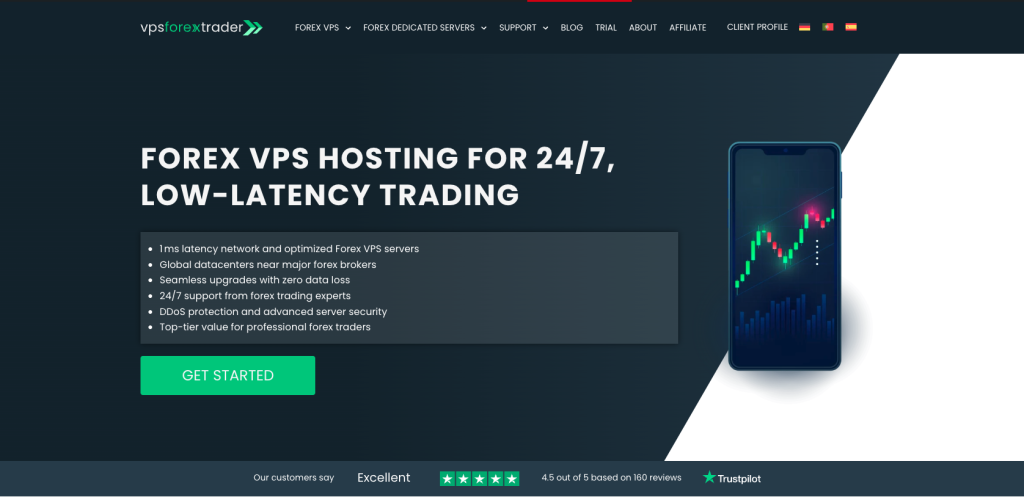
VPSForexTrader is the only retail-specialist provider in this comparison that documents AMD EPYC processors, ECC RAM, and NVMe SSD across every plan tier on its public pricing pages. Operated by HOSTLINE UAB since 2011, the provider runs four locations (Equinix NY2 in New York, LD3 in London, Amsterdam Serverius in Amsterdam, and HK4) and offers a $0.99 three-day trial that gives traders a full-spec Smart-plan environment for real-broker validation before committing to a paid plan. For US-first traders running multiple MetaTrader terminals with memory-sensitive EAs against brokers colocated in NY2 or LD3, the Smart plan at $25.59 per month annual is the lowest-priced option in this comparison combining ECC RAM at the entry tier with a sub-dollar trial.
Infrastructure tier: Trading-focused retail specialist
Operator: HOSTLINE UAB, Lithuania, operating since 2011
The Smart plan at $31.99 per month monthly or $25.59 per month annual provides 3 AMD EPYC vCPU cores, 4 GB of ECC RAM, and 120 GB of NVMe SSD storage. The Boost plan at $54.99 monthly or $41.24 annual provides 6 cores, 6 GB ECC RAM, and 180 GB NVMe storage. The Max plan at $79.99 monthly or $59.99 annual provides 8 cores, 8 GB ECC RAM, and 250 GB NVMe storage. All three tiers run Windows Server 2022 standard. Linux is not offered. MetaTrader installation is manual via Remote Desktop Protocol.
The $0.99 trial covers three days at full Smart-plan specifications. The trial converts automatically to a $29.99 monthly subscription if the trader does not cancel before the trial expires, and the provider sends an email reminder before conversion. The 14-day money-back guarantee applies to VPS plans (not dedicated servers) for traders who proceed past the trial period.
The four-location list (LD3, NY2, HK4, Amsterdam Serverius) is narrower than ForexVPS.net’s 22-location footprint or FXVM’s 15-location footprint. Traders whose brokers are hosted in Tokyo TY3 specifically, Sydney, Frankfurt FR5, or Asia-Pacific markets outside Hong Kong should evaluate ForexVPS.net or FXVM for broader geographic coverage. The specific AMD EPYC processor model is not disclosed on the public pricing pages, and no service-level agreement percentage is published on the official site. Backup policies (weekly on Smart, daily on Boost and Max) and a documented policy around continuity during forex trading days for overdue payments are stated in the operational documentation.
The Trustpilot rating sits between 4.6 and 4.7 out of 5 from approximately 162 reviews as of June 2026. The review base is smaller than ForexVPS.net’s 6,400 or FXVM’s 3,600 plus reviews, reflecting that VPSForexTrader is a more focused retail brand. Recent reviews praise reliability and support response times; the small number of negative reviews focus on occasional slow first-response during off-peak hours.
Bottom line: VPSForexTrader is the only retail-specialist in this comparison documenting AMD EPYC, ECC RAM, and NVMe SSD across every plan tier on public pricing pages; the right fit for US-first traders running multi-EA MetaTrader workloads against brokers in NY2 or LD3 who want sub-dollar trial validation before commitment.
Strengths: AMD EPYC processors, ECC RAM, and NVMe SSD documented across every plan tier on public pricing pages (the only retail-specialist in this comparison with this combination); Equinix NY2 and LD3 locations confirmed; $0.99 three-day trial is the cheapest real-broker validation option in this comparison; 14-day money-back guarantee; free backups across all tiers; documented operational policy around continuity during trading days for overdue payments.
Limitations: four locations only, without Tokyo TY3, Sydney, Frankfurt FR5, or broader Asia-Pacific coverage; specific AMD EPYC processor model not disclosed on public pricing pages; no SLA percentage published on the official site; no Linux option; manual MetaTrader installation required via RDP; Trustpilot review base is smaller than ForexVPS.net’s or FXVM’s; latency figures published by VPSForexTrader, like every provider in this comparison, are vendor-stated.
ForexVPS.net

Source: forexvps.net
ForexVPS.net is one of the most established names in retail forex VPS hosting and the provider with the largest verified Trustpilot review base in this comparison. Operated by ThinkHuge Ltd from Hong Kong since 2013, it has built the broadest data center footprint of any provider listed here at 22 global locations.
Infrastructure tier: Trading-focused retail specialist
Operator: ThinkHuge Ltd, Hong Kong, founded 2013
Public pricing across third-party listings and the provider’s own pages places the Core plan in the $31 to $35 per month range monthly, dropping to approximately $28 to $32 per month on annual billing, with the specific figure depending on the active promotional cycle. The Core plan provides 2 CPU cores, 4 GB RAM, and 100 GB SSD storage, sized for one to three MetaTrader platforms. The Edge plan at approximately $49 per month provides 4 CPU cores, 6 GB RAM, and 150 GB SSD storage. The Prime plan at approximately $67 per month provides 6 CPU cores, 8 GB RAM, and 200 GB SSD storage. Dedicated servers are available from $270 per month. The refund window is 14 days on VPS plans.
The Trustpilot listing displays 4.9 out of 5 from over 6,400 reviews as of June 2026, which is the largest verified review base of any provider in this comparison. Recent reviews praise customer support and reliability. The small number of negative reviews mention occasional double-billing issues that the provider has resolved.
The 22-location footprint includes Equinix NY4, LD4, TY3, Hong Kong, Singapore, Sydney, Amsterdam, Frankfurt, Zurich, and other hubs. The specific Equinix facility codes are confirmed for NY4, LD4, and TY3 on ForexVPS.net’s resource pages; other locations are named at the city level without explicit facility codes. RAM type is not publicly specified as ECC. Storage is described as SSD, with NVMe used on higher tiers but not consistently flagged on entry-tier specifications.
The disclosure that matters here is the shared parent company with FXVM, covered in the next section. ThinkHuge Ltd operates both brands, both share infrastructure, and both share a single status page at status.thinkhuge.net. The August 2025 fiber-related network failure that took ForexVPS.net offline for approximately 24 hours also took FXVM offline simultaneously. Traders considering running both brands for redundancy should understand that this is effectively running one provider on two brand names.
Bottom line: the largest verified Trustpilot review base and broadest location footprint in this comparison; the right fit for traders prioritizing geographic flexibility across multiple broker locations, with the caveat that “redundancy” via FXVM does not actually provide it.
Strengths: largest verified Trustpilot review base in this comparison (6,400+ reviews at 4.9 as of June 2026); 22-location footprint is the broadest in the comparison and includes confirmed Equinix NY4, LD4, and TY3; established operator with 13 years of trading history; 14-day money-back guarantee.
Limitations: RAM type not specified as ECC on public plan pages; storage is generally SSD rather than NVMe at the entry tier; shared infrastructure with FXVM under the same parent (ThinkHuge Ltd), which limits the value of using both for redundancy; the August 2025 outage affected both brands simultaneously for approximately 24 hours; latency figures published are vendor-stated.
FXVM

Source: fxvm.net
FXVM is the second ThinkHuge Ltd brand in this comparison and the budget-oriented sibling of ForexVPS.net. The two brands share corporate ownership, share infrastructure, and share the status page at status.thinkhuge.net, which means the August 2025 fiber-related outage affected both simultaneously for approximately 24 hours.
Infrastructure tier: Trading-focused retail specialist (budget tier of shared infrastructure)
Operator: ThinkHuge Ltd, Hong Kong, founded 2013
The Virtual Desktop tier at $12.50 to $14 per month provides shared AMD Ryzen 7950X3D access with 3 GB RAM and 10 GB SSD, limited to one trading platform and not supporting DLL-dependent EAs. The Lite VPS tier at approximately $21.25 per month (currently discounted) provides 2 cores, 1.5 GB of RAM, and 60 GB of SSD storage. The 1.5 GB RAM specification is below the practical floor identified in the resource sizing math section above: after Windows Server overhead of 800 MB to 1.2 GB, the remaining 300 to 700 MB of usable RAM cannot reliably hold a single MetaTrader terminal with charts and indicators loaded.
The Basic VPS at approximately $29.75 per month provides 2 cores, 2.5 GB RAM, and 80 GB SSD, which is sufficient for one MetaTrader terminal with operational headroom. The Advanced VPS at approximately $42.50 per month provides 2 cores, 4 GB RAM, and 90 GB SSD, which crosses the typical multi-terminal threshold. The trial is $0.99 with a 7-day money-back guarantee.
The 15-location footprint includes New York, Washington DC, Chicago, Miami, London, Manchester, Amsterdam, Zurich, Frankfurt, Singapore, Tokyo, Mumbai, Sydney, and Hong Kong. Specific Equinix facility codes are not consistently published. The Trustpilot rating is 4.8 out of 5 from over 3,600 reviews as of June 2026, the second-largest verified review base in this comparison after ForexVPS.net.
The shared-infrastructure disclosure is the most important fact about FXVM for redundancy-conscious traders. The August 2025 outage demonstrated that ForexVPS.net and FXVM are not independent providers from an operational risk perspective. A trader running one MetaTrader instance on ForexVPS.net and a second on FXVM as a redundancy strategy is running both instances on shared infrastructure that can fail simultaneously, which is what happened.
Bottom line: lowest entry-tier prices in the trading-focused specialist group but with a 1.5 GB Lite tier that does not meet the practical RAM floor; the right fit for budget-conscious single-platform traders, not for redundancy planning alongside ForexVPS.net.
Strengths: large verified Trustpilot review base (3,600+ reviews at 4.8); 15-location footprint; ISO 27001 certification disclosed; competitive entry pricing including a Virtual Desktop tier below the $15 per month threshold.
Limitations: Lite VPS tier at 1.5 GB RAM is below the practical floor identified in the resource sizing math section; shared infrastructure with ForexVPS.net under the same parent (ThinkHuge Ltd) means running both for redundancy provides limited benefit; the August 2025 outage took both brands offline simultaneously for approximately 24 hours; backup policy is not consistently documented across FXVM’s public pages; Virtual Desktop tier does not support DLL-dependent EAs.
TradingFXVPS
Source: tradingfxvps.com
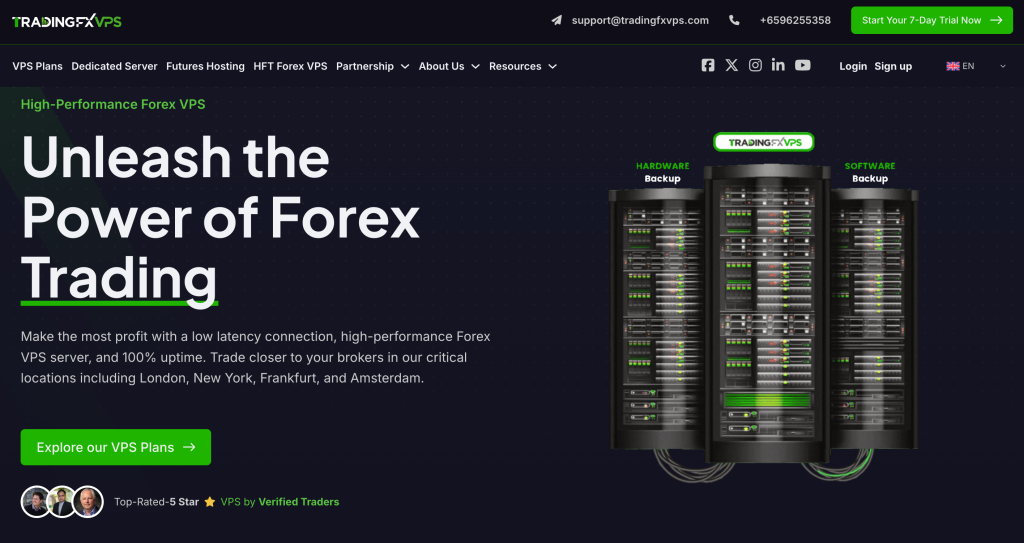
TradingFXVPS is the Singapore-incorporated specialist that positions itself around high single-core clock speeds for latency-sensitive workloads. The provider documents AMD Ryzen 9 9950X processors (4.3 GHz base, 5.0 GHz turbo) in its plan-related blog content, a higher single-core clock than the AMD EPYC server processors used by some competitors, though EPYC offers more cores and is generally preferred for workloads that scale across many threads. The 9950X model reference appears more prominently in TradingFXVPS’s marketing and comparison content than as an explicit specification on individual plan-page spec sheets, which is worth noting for traders verifying hardware before commitment.
Infrastructure tier: Trading-focused retail specialist
Operator: Next Era Pte Ltd, Singapore, founded 2014
The Standard plan at $25 per month monthly or $17.50 per month annual provides 1 core of the Ryzen 9 9950X, 2 GB of DDR5 RAM, and 30 GB of NVMe RAID storage. The Standard+ tier at approximately $22.11 per month annual provides 2 cores and 2.5 GB RAM. The Advanced tier at approximately $33.75 per month annual provides 2 cores and 4 GB RAM. The Expert tier at approximately $63.75 per month annual provides 4 cores and 8 GB RAM. Specialized HFT VPS plans start at $75 per month and Futures VPS plans start at $40 per month. Dedicated servers are available from approximately $165 to $199 per month.
The 8-location footprint includes New York, London, Frankfurt, Amsterdam, Chicago at the CME Aurora facility (the only provider in this comparison with documented CME proximity), Singapore, Tokyo, and Hong Kong. The provider markets per-broker latency figures of 0.28 milliseconds to ICM Capital, 0.29 milliseconds to Pepperstone, and 0.33 milliseconds to Vantage, to be read with the vendor-stated latency caveat from the framework section above. SolarFlare 10 GbE network cards are documented on plan pages.
The Trustpilot ratings across recent verification range from 4.6 to 5.0 out of 5, depending on the dataset and timeframe, from 300 to 360 plus reviews. The trial is $3.99 for 7 days and the money-back guarantee is 30 days, the longest refund window in this comparison.
One forward-looking consideration: entry-tier plans default to Windows Server 2016, which exited Microsoft mainstream support in January 2022 and exits extended support in January 2027. Higher tiers offer Windows Server 2019 and 2022 options. The 2 GB RAM on the Standard tier is close to the practical floor for typical multi-terminal setups after Windows overhead. The platform also sells forex signals and a third-party Expert Advisor product called “Strive Scalper,” which is unusual among VPS-focused providers and worth noting for traders who prefer a pure hosting relationship.
Bottom line: the only provider in this comparison with documented CME Aurora location and high single-core clock specifications; the right fit for traders prioritizing CME proximity, single-core clock speed, or the 30-day refund window, with the caveat that the entry tier defaults to Windows Server 2016.
Strengths: AMD Ryzen 9 9950X processors with high single-core clock speed documented in plan-related content; DDR5 RAM and NVMe RAID storage at the entry tier; only provider in this comparison with documented CME Aurora location; 30-day money-back guarantee is the longest in this comparison; SolarFlare 10 GbE network cards documented; 8-location footprint covers major hubs.
Limitations: entry tier defaults to Windows Server 2016 which exits Microsoft extended support in January 2027; Standard plan 2 GB RAM is close to the practical floor for multi-terminal setups; RAM type not specified as ECC on public plan pages; provider also sells forex signals and a third-party EA product; AMD Ryzen 9 9950X model reference appears mainly in blog copy rather than on plan-page spec sheets; latency figures published are vendor-stated.
AccuWeb Hosting
Source: accuwebhosting.com
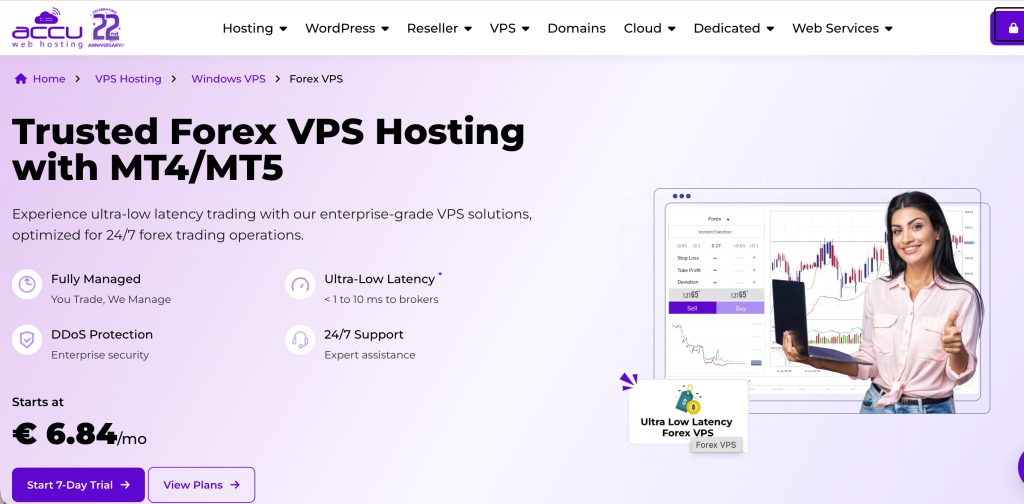
AccuWeb Hosting describes its Forex VPS offering in its own knowledge base as “a specialized subset of Windows VPS hosting” tailored specifically for forex trading. This is the honest positioning for a general-purpose Windows VPS provider that markets a trading-relevant tier. The company has operated since 2003 and runs a broad hosting business spanning websites, dedicated servers, cloud, and VPS, with forex VPS as one of several specialized product lines.
Infrastructure tier: General-purpose Windows VPS with forex marketing
Operator: AccuWeb Hosting, US-based, founded 2003
Forex VPS plans start at $7.99 per month for Forex VPS 1, climbing through Forex VPS 2, Forex VPS 3, and Forex VPS 4 (which offers 4 vCPU, 8 GB RAM, and 50 GB SSD at the top tier). The provider runs SSD storage rather than NVMe and markets a 99.99 percent uptime guarantee. The refund window is 7 days. There are no setup fees.
Available locations include Denver, New York, Hyderabad, London, Frankfurt, and other general-purpose data centers, with weekly complimentary backups in London, Denver, and New York facilities. Windows Server 2019 is the baseline operating system across all locations; Windows Server 2022 is available in Denver, Hyderabad, and London; Windows Server 2025 is available in Denver and London on plans with 3 GB or more RAM. The 24/7 support footprint includes email, ticket, live chat, and telephone channels.
The honest reading of AccuWeb’s forex VPS offering is that it is a trading-ready Windows VPS that works reliably for light to medium MT4 and MT5 use, not bespoke trading infrastructure. The provider does not claim broker-hub colocation or specialized network paths to liquidity providers. For traders whose use case is a single MetaTrader terminal running a simple EA with broker proximity as a secondary consideration, AccuWeb’s pricing makes the trade-off reasonable. For traders whose execution depends on broker-hub colocation, the trading-focused specialists in Tier 2 are better fits.
Bottom line: honest budget positioning as a “specialized subset of Windows VPS hosting” (the provider’s own words) at $7.99 entry; the right fit for single-terminal manual or light-EA traders for whom broker-hub proximity is secondary.
Strengths: competitive entry pricing from $7.99 per month; established hosting provider with over 20 years of operating history; multiple Windows Server versions available; weekly complimentary backups in London, Denver, and New York; 24/7 multi-channel support; honest self-positioning as a Windows VPS subset.
Limitations: SSD storage rather than NVMe at entry tiers; ECC RAM not publicly specified; not specialized trading infrastructure and no documented broker-hub colocation; entry-tier RAM (1.5 GB) is below the practical multi-terminal floor; 7-day refund window is shorter than ForexVPS.net’s or VPSForexTrader’s.
Hostwinds

Source: hostwinds.com
Hostwinds is a general-purpose Windows VPS provider rather than a forex specialist. It is viable for traders comfortable configuring a Windows VPS themselves who do not require broker-hub optimization and value the flexibility of a mainstream hosting brand for non-trading workloads alongside MetaTrader.
Infrastructure tier: General-purpose Windows VPS
Operator: Hostwinds, US-based, founded 2010
Unmanaged Windows VPS plans start at $16.99 per month. The plan range scales to 16 CPU cores, 96 GB RAM, and 750 GB of storage at the top tier. The hardware uses Intel processors with SSD storage and 1 Gbps networking. The provider markets a 99.9999 percent uptime guarantee, which is unusually high among hosting providers and should be read as marketing rather than as an audited SLA commitment.
Operating system options include Windows Server 2012, 2016, and 2019, with the older versions still selectable for legacy workloads. Nightly backups, snapshots, and cloud firewall are available as paid add-ons rather than included by default. The refund window is 72 hours, the shortest in this comparison and a procurement constraint for traders who plan to test across both London and New York sessions over a weekend.
The location footprint is limited to US (Seattle and Dallas) and Amsterdam (EU). The provider does not market broker-hub colocation, does not document specific Equinix facility codes for its data centers, and does not optimize network paths for trading workloads. A Hostwinds VPS in Seattle routing to a broker hosted in Equinix NY4 will incur cross-continental latency that no specification on the VPS can compensate for.
The honest reading of Hostwinds for forex use is that it is a general-purpose Windows VPS that runs MetaTrader as it would run any other Windows application. It is not optimized for trading, and broker-hub proximity is the trader’s responsibility to validate. For traders whose use case is a non-latency-sensitive trading workload running alongside non-trading services on a familiar mainstream hosting brand, this is a reasonable choice. For latency-sensitive setups, the trading-focused specialists in Tier 2 are better fits.
Bottom line: mainstream hosting brand running general-purpose Windows VPS that is not optimized for trading; the right fit for traders blending non-trading workloads with a single MetaTrader instance on a familiar hosting platform, not for execution-sensitive setups.
Strengths: mainstream hosting brand with broad product range; scalable plan tiers up to 16 cores and 96 GB RAM; flexible OS choices including legacy Windows Server versions; managed and unmanaged options.
Limitations: 72-hour refund window is the shortest in this comparison; not optimized for forex execution and no documented broker-hub colocation; only US (Seattle, Dallas) and Amsterdam locations, none at named Equinix facilities; backup, monitoring, and DDoS protection are paid add-ons; broker proximity requires manual planning by the trader.
NextPointHost

Source: nextpointhost.com
NextPointHost markets a premium reliability proposition with multi-platform support, but the plan tiers and exact GBP pricing are not publicly published on indexable pages. Forex VPS marketing pages contain positioning language without listing specifications or prices in a form that can be evaluated from public information alone. Pricing sits behind the order and cart flow.
Infrastructure tier: Premium-positioning with opaque pricing
Operator: Next Point Host LTD, founded 2008 (some legacy sources cite 2010)
One specification block surfaced during research describes a tier with 2 Intel Xeon vCPUs, 4 GB of guaranteed RAM, 40 GB of SSD storage, unlimited bandwidth, 10 Gbps networking, dedicated IP, and capacity for up to 10 trading accounts. The locations include London, New York, Singapore, and the provider’s original data center in Frankfurt. Specific Equinix facility codes are not named on NextPointHost’s own pages. The Trustpilot UK address is at Slough Trading Estate and the US address is at 755 Secaucus Road, which is the Equinix NY4 building, suggesting a presence at LD4 and NY4 though the codes are not explicitly stated.
Platform support is broad, including MT4, MT5, cTrader, JForex (Dukascopy), NinjaTrader, TradeStation, and MultiCharts, which is wider than most competitors in this comparison. JForex support is a differentiator for Dukascopy traders specifically.
The Trustpilot rating is 2.3 out of 5 from 8 reviews as of June 2026, a small review base. Independent listings on Forex Peace Army and Myfxbook include billing complaints. The provider’s own website displays over 376 testimonials, which contrasts with the independent reviews and is itself a procurement consideration.
The honest reading of NextPointHost is that the lack of publicly listed plan tiers and prices is itself a procurement risk. Traders cannot evaluate plan-to-plan value without entering the order flow, which is unusual for a 2026 forex VPS provider. Traders for whom platform breadth (specifically JForex support) is a hard requirement should evaluate the provider directly. Traders for whom transparent pricing is a comparison requirement should evaluate other options first.
Bottom line: broadest platform support in this comparison (including JForex for Dukascopy traders) but opaque pricing limits value evaluation from public information; the right fit only for traders whose platform requirements specifically demand JForex, NinjaTrader, or MultiCharts coverage.
Strengths: broad platform support including JForex, NinjaTrader, TradeStation, and MultiCharts (the widest range in this comparison); UK and US addresses consistent with LD4 and NY4 facility presence; established operator with over 15 years of operating history.
Limitations: plan tiers and exact GBP pricing not publicly listed on indexable pages, which limits comparison value; Trustpilot rating is low (2.3) on a small review base of 8 reviews; independent listings include billing complaints; specific Equinix facility codes not named on the provider’s own pages; pricing transparency itself is a procurement risk.
Common mistakes that cost money
Five mistakes show up repeatedly in trader discussions about VPS hosting, each with a specific dollar consequence mapping to providers in this comparison.
The first is choosing the cheapest plan tier without RAM headroom. The math in the resource sizing section above shows that Windows Server consumes 800 MB to 1.2 GB before any trading software runs. The FXVM Lite tier at 1.5 GB RAM and the AccuWeb entry tier at 1.5 GB RAM cannot reliably hold a single MetaTrader terminal with charts and indicators after Windows overhead, let alone two. A trader selecting one of these tiers for a typical multi-terminal setup will see platform freezes during volatility, swap-to-disk slowdowns during high tick volume, and EA disconnects when the terminal cannot allocate memory for buffer expansion. The cost of one missed exit during a Non-Farm Payrolls move can exceed the annual price difference between the entry tier and the next tier up.
The second is choosing the wrong location regardless of specs. A 16 GB VPS in Dallas connecting to a broker hosted in Equinix NY4 will incur cross-country network hops that no specification on the VPS can compensate for. A 2 GB VPS inside NY4 will outperform that 16 GB VPS in Dallas for the same broker. The documented 58.95 millisecond transatlantic floor between NY4 and LD4 is the geometric reality defining this trade-off. A Hostwinds VPS in Seattle for a NY4-hosted broker is a structural mismatch. Verify the broker’s data center facility from the broker’s own documentation before selecting a VPS location.
The third is assuming broker-sponsored “free” VPS programs are unconditional. IC Markets sponsors a third-party VPS subscription for clients trading 15 or more standard lots per month in forex or metals; the sponsored service may be cancelled if the trader fails to meet the threshold. Pepperstone, FP Markets, Exness, and other major brokers operate similar programs with their own thresholds, which vary by region and account type. The fee for a missed threshold is typically charged to the trader’s account. For traders whose actual monthly volume is below the threshold, the “free” tier is functionally a paid tier with an unpredictable billing schedule.
The fourth is treating two ThinkHuge Ltd brands as redundancy. ForexVPS.net and FXVM share corporate ownership, share infrastructure, and share a status page. The August 2025 fiber-related network failure took both brands offline simultaneously for approximately 24 hours. A trader running one MetaTrader instance on ForexVPS.net and a second on FXVM for redundancy purposes is running both instances on shared infrastructure. The redundancy benefit applies only if the failure mode is brand-specific or location-specific, not parent-company-wide.
The fifth is ignoring renewal pricing on annual sign-ups. Most providers in this comparison advertise annual prices 20 to 35 percent discounted from monthly billing. What plan pages typically do not state clearly is that annual subscriptions renew at the same annual rate only if the trader actively re-commits at renewal; subscriptions that lapse and restart later revert to monthly pricing. Calendar the renewal date and the cancellation window separately from the trial date and its cancellation window.
Use case routing
For US-first traders running multiple MetaTrader terminals with copy-trading workloads or memory-sensitive Expert Advisors against brokers colocated in Equinix NY2 or LD3, the routing is VPSForexTrader’s Smart plan at $25.59 per month annual (4 GB ECC RAM, 120 GB NVMe, three AMD EPYC cores) or Boost plan at $41.24 per month annual (6 GB ECC RAM, 180 GB NVMe, six cores). The ECC RAM differentiator and the documented Equinix NY2 and LD3 locations are the operative facts.
For traders running a single Expert Advisor on a single broker connection on the tightest possible budget, the appropriate routing is to MetaQuotes Built-in Virtual Hosting at $12.80 per month on annual billing (one trading account per subscription, available from MetaTrader 4 or MetaTrader 5, DLL-dependent EAs unsupported per MetaQuotes terms) or to a broker-sponsored free VPS where the trader actually meets the volume threshold. IC Markets, Pepperstone, FP Markets, and other major brokers run these programs against the thresholds described in the common mistakes section above. For traders whose monthly volume reliably meets the threshold, the broker-sponsored option is the lowest total cost.
For traders requiring institutional-grade infrastructure inside specific broker data centers with documented cross-connects to liquidity providers, the routing is BeeksFX. The Bronze plan starts at £31 per month and Silver at £55 per month. Beeks operates as the underlying infrastructure for FXCM, Pepperstone, Tickmill, and FxPro retail VPS offerings, meaning a trader buying BeeksFX directly is buying the same institutional backbone the brokers use, at retail pricing.
For traders whose brokers are hosted in less common locations or who run multi-region trading setups across Tokyo, Sydney, Mumbai, or other Asia-Pacific markets, the routing is ForexVPS.net for breadth (22 locations) or FXVM for similar breadth at lower entry pricing, with the shared-infrastructure caveat that the two are operated by the same parent.
For traders with futures trading on CME products who need proximity to the CME Aurora data center, the routing is TradingFXVPS, the only provider in this comparison with a documented CME Aurora location.
For traders who need a general-purpose Windows VPS for non-trading workloads alongside one MetaTrader instance, the routing is Hostwinds ($16.99 per month unmanaged) or AccuWeb (budget Windows VPS from $7.99 per month) with the honest limitation that these are not specialized trading infrastructure and broker-hub proximity is the trader’s responsibility to validate.
Three findings from this comparison
Three findings emerge from the eight-provider comparison that do not appear on any single plan page.
The first is that the most useful question to ask before selecting a forex VPS is not “which provider is best” but “which tier matches my workload.” A retail trader running a single EA against IC Markets in NY4 is shopping in a different category than a trader running a multi-EA setup with bespoke liquidity-provider cross-connects. Brand-name comparisons (BeeksFX vs ForexVPS.net vs TradingFXVPS) miss this; tier classification (institutional vs trading-specialist vs general-purpose) addresses it directly. Once the tier is correct, brand selection becomes a narrower decision among comparable products.
The second is that broker-side colocation disclosure is more actionable than VPS-side latency marketing. Every VPS provider in this comparison publishes self-measured millisecond figures that are not independently audited. By contrast, IC Markets, OANDA, FP Markets, and other major brokers publish the specific Equinix facility codes where their matching engines run, in their own documentation. The trader who reads the broker’s infrastructure page first and then selects a VPS to match has more reliable information than the trader who reads VPS marketing first and assumes broker compatibility.
The third is that what appears to be redundancy can be the same infrastructure under two brand names. ForexVPS.net and FXVM are operated by the same parent (ThinkHuge Ltd) on shared infrastructure that failed together in August 2025 for approximately 24 hours. Standard “best of” rankings do not surface this because they treat brand names as independent providers. A trader running production trading systems with real redundancy requirements has to identify these relationships before committing.
The decision framework in the sections above is the operative reference for plan selection. The provider sections are supporting evidence, not conclusion.
Frequently asked questions
How much RAM do I need for a forex VPS to run MT4 and MT5?
For a typical multi-terminal setup running one MT4 and one MT5 terminal with charts and Expert Advisors loaded, the practical minimum is 4 GB of RAM. Windows Server consumes 800 MB to 1.2 GB at idle before any trading software launches, leaving 2.8 to 3.2 GB for MetaTrader and supporting tools on a 4 GB plan. MT4 32-bit terminals consume 200 to 500 MB in typical configurations; MT5 64-bit terminals consume 400 to 500 MB with community features enabled and 100 to 200 MB with those features disabled. Per-chart overhead adds 30 to 70 MB. A trader running copy-trading software alongside two terminals, or running indicator-heavy chart configurations, should size at 6 GB or higher. Plans below 2 GB cannot reliably hold even one MetaTrader instance after Windows overhead.
Does VPS location matter more than specs for forex trading?
Yes, for execution-sensitive workloads. The speed of light through fiber-optic cable produces a transatlantic round-trip floor of sub-58.95 milliseconds between Equinix NY4 in Secaucus, New Jersey and Equinix LD4 in Slough, United Kingdom, documented in Equinix’s November 2015 press release announcing the Hibernia Express subsea cable system. No VPS specification beats this geometry. Same-facility colocation produces a different latency regime entirely: a VPS inside NY4 connecting to a broker matching engine inside NY4 traverses one switch hop measured in meters of fiber rather than thousands of kilometers, which is the basis of the “sub-1 millisecond” colocation marketing across the category. A 2 GB VPS in Equinix NY4 will outperform a 16 GB VPS in a generic US-East data center for a trader whose broker is hosted in NY4. Verify the broker’s data center facility before selecting a VPS location.
Is a free broker VPS good enough for forex trading?
For traders running a single Expert Advisor on a single broker connection who reliably meet the broker’s volume or balance threshold, yes. IC Markets, Pepperstone, FP Markets, and other major brokers operate sponsored VPS programs that hand the trader a basic Windows VPS hosted in the broker’s own data center facility, typically Equinix NY4 or LD4. The threshold is the catch: missing the volume threshold (15 lots per month for IC Markets, varying by broker for others) can result in the sponsored VPS being cancelled or converted to a paid subscription billed to the trader’s account. For traders whose monthly volume is below the threshold or unpredictable, MetaQuotes Built-in Virtual Hosting at $12.80 per month on annual billing is the lowest-cost paid alternative and includes 3 GB of RAM with 16 GB of storage across multiple global locations, with the constraint that DLL-dependent Expert Advisors are not supported per MetaQuotes terms.
What’s the difference between a forex VPS and a regular Windows VPS?
AccuWeb Hosting’s own knowledge base describes its forex VPS offering as “a specialized subset of Windows VPS hosting” tailored specifically for forex trading. This is the honest definition. Technical differentiators between a trading-focused VPS and a general-purpose Windows VPS are broker-hub colocation (proximity to Equinix NY4, LD4, TY3, or other facilities where brokers host their matching engines), network paths optimized for trading workloads rather than web hosting, hardware specifications oriented toward single-core CPU performance for MetaTrader threading models, ECC RAM for continuously-running deployments, and operational policies adapted to trading hours. General-purpose Windows VPS providers like Hostwinds and AccuWeb provide a Windows environment without these trading-specific optimizations.
How do I verify where my forex broker hosts its trading servers?
Start with the broker’s own infrastructure documentation, not third-party VPS marketing. IC Markets confirms its MT4, MT5, and cTrader trade servers in Equinix NY4 and LD5 on its own trading-servers page. OANDA confirms Equinix NY4 and LD4 on its own US VPS-partners page. FP Markets confirms NY4 and LD4 on its FAQ page. ThinkMarkets confirms LD4 and LD5 on its own support documentation. If the broker’s website does not state the facility, ask broker support directly and request the answer in writing. Do not rely on VPS provider marketing or third-party comparison sites for this verification, because those sources have commercial interests in steering the answer.
Does ECC RAM matter for a forex VPS, and which providers document it?
ECC RAM (error-correcting code memory) detects and corrects single-bit memory errors at the hardware level. Non-ECC RAM does not. For VPS deployments that run continuously for weeks or months without restarts, which is the standard pattern for Expert Advisor hosting, ECC reduces the probability of memory-error-induced platform crashes or undetected data corruption. For short manual trading sessions, ECC matters less because the statistical probability of a memory error within a few hours is low. Across the eight providers in this comparison, VPSForexTrader is the only retail-specialist that documents ECC RAM on every plan tier on its public pricing pages (Smart 4 GB ECC, Boost 6 GB ECC, Max 8 GB ECC). BeeksFX does not publicly specify RAM type on its retail catalogue. ForexVPS.net, FXVM, TradingFXVPS, AccuWeb Hosting, Hostwinds, and NextPointHost do not flag ECC RAM as a documented specification on their public plan pages. This is a verifiable hardware-disclosure fact, not a quality judgment about providers that do not publish the specification.
References
[1] Equinix Inc., “Equinix Connects Hibernia Express Sub-Sea Cable between New York and London,” press release dated November 3, 2015 (PR Newswire; investor.equinix.com). Verified June 2026. Source for the sub-58.95 millisecond NY4 to LD4 round-trip figure and the Corning EX2000 pure-silica core fiber specification.
[2] Matthew Leising and Annie Massa, “NY4: Inside Equinix’s Crown Jewel in New Jersey,” Bloomberg Markets profile, summarized in Data Center Knowledge coverage. Source for the figures of 49 exchanges hosted at NY4 and 6,300-plus interconnected companies on the Equinix Secaucus campus.
[3] MetaTrader 5 Release Notes, metatrader5.com release archive. Verified June 2026. Source for current MT5 build 5830 (released April 24, 2026) and minimum supported build 4755.
[4] MetaTrader 4 Release Notes, metatrader4.com release archive. Verified June 2026. Source for current MT4 build 1470 (released March 12, 2026) and minimum supported build 1440.
[5] MQL5 Community Forum, mql5.com forum threads on MT4 and MT5 memory consumption. Source for idle and typical RAM consumption figures for both platforms.
[6] MetaQuotes Virtual Hosting Service, mql5.com/en/vps and mql5.com/en/vps/rules. Verified June 2026. Source for MetaQuotes Built-in Virtual Hosting pricing ($15 monthly, $12.80 annual), terms, and binding service rules.
[7] IC Markets trading servers documentation, icmarkets.com; Forex-Investors.com IC Markets VPS coverage and TradersUnion IC Markets bonuses listing. Verified June 2026. Source for Equinix NY4 and LD5 trade server hosting and the 15-lots-per-month VPS sponsorship threshold.
[8] OANDA VPS Partners page, oanda.com/us-en/trading/tools/partners/vps-partners. Verified June 2026. Source for OANDA Equinix NY4 and LD4 hosting confirmation.
[9] FP Markets Trading FAQs, fpmarkets.com/education/faq. Verified June 2026. Source for FP Markets Equinix NY4 and LD4 hosting confirmation.
[10] ThinkMarkets support documentation, support.thinkmarkets.com. Verified June 2026. Source for ThinkMarkets Equinix LD4 and LD5 hosting confirmation.
[11] BeeksFX retail VPS catalogue, beeksfinancialcloud.com (Bronze subscription page direct verification). Verified June 2026. Source for retail plan pricing (£31/mo, £310/yr Bronze), specifications, and location list.
[12] Beeks Financial Cloud Group plc, London Stock Exchange listing (ticker BKS); beeksgroup.com institutional service pages including NY4 and LD4 facility pages. Verified June 2026. Source for corporate structure, public listing status, and broker white-label client relationships.
[13] VPSForexTrader plan pages, trial page, and About Us page, vpsforextrader.com. Verified June 2026. Source for VPSForexTrader plan specifications, pricing, trial terms, and HOSTLINE UAB operator identity.
[14] ForexVPS.net pricing and resources pages; G2 Marketplace ForexVPS.net pricing listing. Verified June 2026. Source for ForexVPS.net plan specifications and current pricing ranges.
[15] FXVM plan pages and ThinkHuge Ltd corporate disclosures; shared status page at status.thinkhuge.net. Verified June 2026. Source for FXVM plan specifications, pricing, location list, ISO 27001 certification, and shared-parent status with ForexVPS.net.
[16] TradingFXVPS plan, resource, and trial pages, tradingfxvps.com. Verified June 2026. Source for TradingFXVPS plan specifications and the CME Aurora location.
[17] AccuWeb Hosting Forex VPS pricing page (accuwebhosting.com/pricing/forex-vps) and knowledgebase article 5125 (“What is the difference between Windows VPS and Forex Trading VPS?”). Verified June 2026. Source for AccuWeb’s own definition of forex VPS as “a specialized subset of Windows VPS hosting” and current plan pricing.
[18] Hostwinds Windows VPS pages (hostwinds.com/vps/unmanaged-windows). Verified June 2026. Source for unmanaged Windows VPS plan pricing from $16.99, refund terms, and operating system options.
[19] NextPointHost forex VPS pages, nextpointhost.com. Verified June 2026. Source for platform support breadth and location list.
[20] Trustpilot review pages for VPSForexTrader, ForexVPS.net, TradingFXVPS, FXVM, BeeksFX, and NextPointHost. Verified directly on trustpilot.com in June 2026.
[21] Broker-sponsored VPS program documentation from IC Markets, Pepperstone, FP Markets, Exness, RoboForex, and Vantage primary sites and third-party verifying coverage. Verified June 2026.
Editorial note
This article is published by VPSForexTrader, one of the eight providers compared in this article, operated by HOSTLINE UAB (Lithuania). The publisher’s inclusion in the comparison creates an inherent conflict of interest. To address this, the comparison uses tier-based ordering with founding year as the tiebreaker rather than performance ordering, the publisher is positioned at #2 inside that ordering rather than at #1, the publisher’s section in this article documents six specific limitations alongside six strengths, and the methodology section above documents the data sources, verification dates, evaluation dimensions, and ordering rationale.
Pricing, trial terms, refund policies, and operational disclosures were verified on each provider’s own pages in June 2026. Trustpilot ratings and review counts were verified directly on trustpilot.com at the same time. Latency figures published by every provider in this comparison, including VPSForexTrader, are vendor-stated and have not been independently replicated. Same-facility Equinix colocation produces genuine sub-millisecond round-trip latency due to the physics of network paths, but the specific per-broker millisecond figures published by individual providers are vendor-measured.
The disclosure that ForexVPS.net and FXVM are operated by the same parent company (ThinkHuge Ltd, Hong Kong) on shared infrastructure is included because it materially affects redundancy planning for production trading setups; this is public information disclosed on both providers’ corporate pages.
This article covers VPS infrastructure for forex trading and does not constitute financial advice, trading strategy advice, or a recommendation to use any specific broker. Performance of any trading strategy depends on broker execution quality, market conditions, and trader discipline, none of which a VPS can fully control. Where readers identify factual errors, the article will be updated and the change log below will document the correction.