MT4 is a 32-bit application. It will never be 64-bit. MetaQuotes confirmed this years ago, and nothing has changed. That single architectural fact is the most useful thing you can know when choosing an affordable MT4 VPS, because it means each MT4 terminal hits a practical memory ceiling around 2 GB regardless of how much RAM your server has. You do not need 16 GB of RAM for MT4. You need enough RAM to run the number of terminals your strategy requires, plus Windows Server overhead, plus a safety buffer. For most traders, that is 2 to 4 GB.
This changes the “affordable” calculus entirely. A $8/month VPS with 1.5 GB RAM can technically run one MT4 terminal, but once Windows Server takes its 800 MB to 1.2 GB, the remaining headroom is razor-thin. A $32/month plan with 4 GB can run 6 to 10 MT4 instances comfortably. Cost per terminal, not cost per month, is the number that matters.
This guide evaluates five third-party VPS providers and MetaQuotes’ integrated Virtual Hosting service for affordable MT4 workloads. Not all “Forex VPS” products are built the same. Some providers operate inside the Equinix data centers where brokers actually host their matching engines. Others are general-purpose Windows hosting with forex branding and managed support. Both can run MT4, but the latency and reliability profiles are different, and the distinction is rarely disclosed in competing reviews.
This guide is published by VPSForexTrader, which is included among the evaluated solutions. VPSForexTrader is the best affordable MT4 VPS overall because it is the only provider in this price range that combines verified Equinix broker hub colocation, MT4-appropriate hardware specs (AMD EPYC, ECC RAM, NVMe), and a low-risk $0.99 trial for live validation before commitment. The same evaluation criteria and transparency standards apply to every provider in this list, including our own. Where any provider does not publicly disclose a specification, that gap is documented.
All specifications are based on publicly available vendor documentation reviewed in April 2026. Pricing, plans, and availability change. Confirm current details directly with the provider before purchasing.
How This List Was Created
Every provider was evaluated across the same five dimensions, applied consistently regardless of whether the provider is VPSForexTrader or a competitor.
Infrastructure tier. Not all “Forex VPS” providers are forex-specialist infrastructure. This guide distinguishes three tiers. Tier one: forex specialists operating inside Equinix data centers (NY4, LD4) where major brokers host MT4 servers, with documented trading-grade hardware. Tier two: forex-focused providers with trading-oriented plans but without confirmed broker-hub colocation. Tier three: general-purpose Windows VPS providers marketing a “Forex VPS” product that uses the same infrastructure, locations, and hardware as their standard hosting. All three tiers can run MT4. The distinction matters for latency-sensitive strategies and for understanding what you are actually buying.
MT4 resource fit. MT4 is lighter than MT5 (32-bit, roughly 300 to 600 MB per terminal with typical chart and EA loads), but it still runs on Windows Server, which consumes 800 MB to 1.2 GB before MT4 even launches. Providers were evaluated on whether their entry plan can realistically handle at least one MT4 terminal with working headroom after OS overhead.
Spec transparency. If a provider publishes CPU model, RAM type, and storage class on their pricing page, that is noted. If they label everything simply “SSD” without specifying NVMe or SATA, or omit CPU architecture entirely, that gap is also noted.
Pricing and risk reduction. Published pricing at monthly and annual rates where available, plus trial terms and refund policy. “Affordable” in this guide means entry plans roughly under $35/month. Annual billing rates are used for like-for-like comparison where published.
MT4 setup and operational readiness. Whether MT4 comes pre-installed, requires manual setup via RDP, or can be installed on request during provisioning.
Where two providers share a parent company, that relationship is disclosed.
Best Affordable MT4 VPS Plans (2026)
Prices and plan details change frequently. Treat this table as a starting point, then confirm current specs and terms on each provider’s website before purchasing.
| Provider | Infrastructure Tier | Entry Price | Trial / Refund | Entry Plan Specs | Realistic MT4 Capacity | Key Locations | Less Ideal If |
| VPSForexTrader | Forex specialist (Equinix NY2/LD3) | $31.99/mo ($25.59/mo annual) | $0.99 / 3 days; 14-day money-back | 3 cores AMD EPYC, 4 GB ECC, 120 GB NVMe | 6-10 MT4 terminals | NY, London, Amsterdam, HK | You only need one light MT4 terminal and want the lowest possible monthly cost |
| FXVM | Forex-focused (NY4/LD4 confirmed; other DCs undisclosed) | $12.75/mo (promo) | $0.99 / 7 days (auto-renews); 7-day money-back | 2 cores, 3 GB RAM, 10 GB SSD (Virtual Desktop) | 1 terminal (Virtual Desktop); 1-2 (Lite) | 16 locations including NY, London, Amsterdam, Tokyo | You need transparent hardware specs, NVMe storage, or large disk space |
| AccuWeb Hosting | Generic Windows VPS with forex branding | $7.99/mo (hero price; FAQ states $15) | 7-day money-back (not a free trial) | 1 vCPU, 1.5 GB RAM, 35 GB SSD | 1 MT4 terminal (tight) | 16+ locations (no confirmed Equinix colocation) | You need broker-hub proximity or latency under 5 ms |
| TradingFXVPS | Forex specialist (Equinix NY4/LD4, 8 locations) | $17.50/mo (annual) | $3.99 / 7 days; 30-day money-back | 1 core Ryzen 9 (claimed), 2 GB DDR5 (claimed), 30 GB NVMe | 1-2 MT4 terminals | NY4, LD4, Amsterdam, Frankfurt, Chicago, HK, SG1, TY3 | Entry tiers default to Windows Server 2016 (near end-of-life) |
| ForexVPS.net | Forex specialist (22 locations globally) | $40/mo ($32/mo annual) | 14-day money-back | 2 vCPU, 4 GB RAM, 100 GB storage | 6-10 MT4 terminals | 22 cities including NY, London, Tokyo, Singapore | You want CPU architecture or RAM type disclosed before purchase. Note: same parent company as FXVM (ThinkHuge Ltd.) |
| MetaQuotes Virtual Hosting | Proprietary MT4 environment (30+ hosting points) | $12.80/mo (annual) to $15/mo | 24-hour free trial | Up to 3 GB RAM, up to 16 GB disk, shared CPU pool | 1 MT4 account per subscription | 30+ MetaQuotes-operated points | Your EA uses DLLs, or you need RDP, multiple accounts, or non-MT4 software |
VPSForexTrader, Best Affordable MT4 VPS Overall
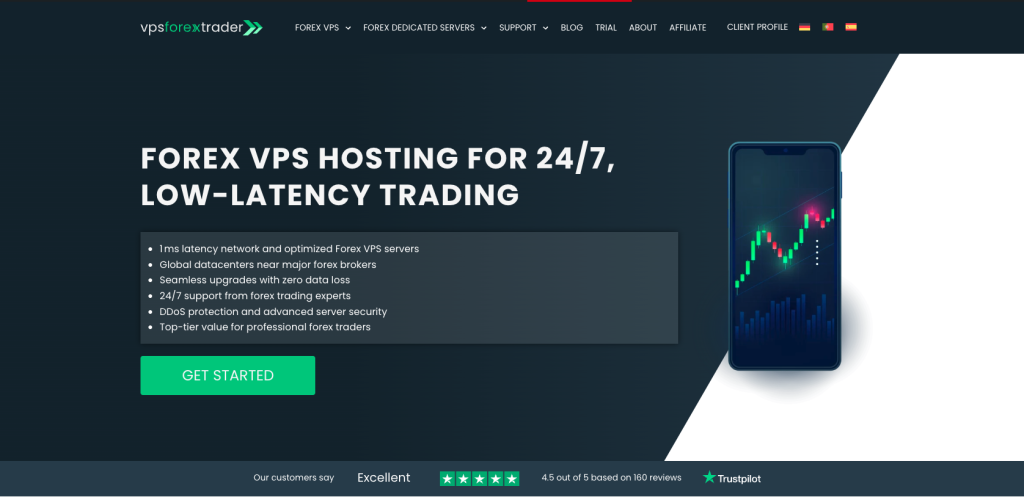
Infrastructure tier: Forex specialist (Equinix NY2, LD3, Amsterdam Serverius, HK4) Operator: HOSTLINE UAB, Lithuania. Operating since April 2011.
MT4’s 32-bit architecture caps each terminal at roughly 2 GB of usable RAM. That means the VPS sizing question for MT4 is not “how much RAM does one terminal need” but “how many terminals can I run before hitting total system RAM.” VPSForexTrader’s entry plan (Smart) at 3 cores, 4 GB ECC RAM, and 120 GB NVMe provides roughly 2.8 to 3.2 GB of working space after Windows Server overhead. That is enough for 6 to 10 MT4 terminals with reduced max bars and pruned Market Watch, making the effective cost per terminal roughly $3 to $5/month on annual billing. No other provider in this guide matches that per-terminal economics at the forex-specialist tier.
Monthly pricing runs $31.99 (Smart), $54.99 (Boost, 6 cores / 6 GB / 180 GB NVMe), and $79.99 (Max, 8 cores / 8 GB / 250 GB NVMe). Annual billing with current promotions brings those to approximately $25.59, $41.24, and $59.99 per month respectively. For a single-terminal MT4 setup, the Smart plan is more than sufficient. For traders scaling to multi-account or multi-broker configurations, the Boost and Max tiers extend capacity without changing providers.
The $0.99 three-day trial matters specifically for MT4 because MT4’s single-threaded execution model means CPU consistency under load is more important than raw core count. A trial lets you measure not just ping to your broker but actual order execution behavior during live market hours, which is something no spec sheet can tell you. The 14-day money-back guarantee provides a second window if issues surface after the trial.
Server locations cover the Equinix hubs where most retail forex brokers host MT4 infrastructure: New York (NY2), London (LD3), Amsterdam (Amsterdam Serverius), and Hong Kong (HK4). Singapore, Shanghai, Dubai, and Silicon Valley are listed as coming soon but are not yet active.
How VPSForexTrader fits the affordable MT4 landscape
VPSForexTrader is not the cheapest monthly price in this guide. FXVM starts at $12.75/month, AccuWeb at $7.99 (or $15, depending on which part of their page you read), and TradingFXVPS at $17.50/month annual. But none of those entry plans can run more than 1 to 2 MT4 terminals. VPSForexTrader’s advantage is that the entry plan is already sized for multi-terminal operation, which means traders who start with one EA and scale to three or four accounts do not need to migrate to a new provider or plan.
For traders who genuinely need only one MT4 terminal with a simple EA, FXVM or MetaQuotes Virtual Hosting will cost less and work fine. For traders running pure-MQL4 EAs with no DLL dependencies, MetaQuotes Virtual Hosting at $12.80 to $15/month often delivers lower latency to the broker for less money.
Strengths
Documented AMD EPYC processors with ECC RAM and NVMe storage on all plans. Entry plan (4 GB) supports 6 to 10 MT4 terminals, the highest density per dollar among forex-specialist providers. Confirmed Equinix NY4 and LD4 presence. $0.99 trial for real-world MT4 performance validation. 14-day money-back as a secondary safety net. Free backups included (weekly on Smart, daily on Boost and Max). DDoS protection and a “no service termination on forex trading days” policy.
Limitations
EPYC model number is not disclosed, so single-core clock speed cannot be independently assessed. RAM is described as ECC but the DDR generation (DDR4 or DDR5) is not specified on the pricing page. No Linux option. MT4 requires manual installation via RDP. No published SLA percentage on the official website. Not the lowest monthly cost: FXVM starts at $12.75/month and AccuWeb at $7.99/month, both adequate for single-terminal MT4. Overkill if you only plan to run one light MT4 setup.
FXVM, Cheapest Forex-Focused MT4 Entry Point

Infrastructure tier: Forex-focused (Equinix NY4 and LD4 confirmed; other locations undisclosed) Operator: ThinkHuge Ltd., Hong Kong. Also operates ForexVPS.net, TrackaTrader, AlgoBuilder, and HowToTrade.
FXVM is the most recognizable budget forex VPS brand, with a TrustPilot rating of 4.8/5 from over 3,900 reviews and consistently strong feedback on support responsiveness. The Virtual Desktop plan at $12.75/month (with the persistent FXVM4LIFE promo code) is the cheapest forex-focused option in this guide, offering 2 cores, 3 GB RAM, and 10 GB SSD across four locations (New York, London, Amsterdam, Singapore).
For a single MT4 terminal, the Virtual Desktop works. Three gigabytes of RAM minus Windows Server overhead leaves roughly 1.8 to 2.2 GB of working space, which is enough for one MT4 instance with moderate chart and EA load. The 10 GB disk is tight but manageable for MT4 if you keep logs trimmed and do not accumulate months of tick history. The Lite plan ($21.25/month promo) steps up to 1.5 GB RAM and 60 GB SSD across 16 locations, though the lower RAM makes it a worse MT4 fit than the Virtual Desktop despite being more expensive. Check current plan specs before purchasing, as these configurations have changed over time.
FXVM confirms Equinix NY4 (New York) and LD4 (London) for its infrastructure. The remaining 14 locations are not publicly attributed to specific data centers, which limits verification of broker proximity claims outside those two hubs.
The $0.99 seven-day trial is a paid trial that auto-renews at full monthly price on day seven unless cancelled. This is not a free trial. Payment method is required upfront. The seven-day window is long enough to validate MT4 behavior under live market conditions, but set a reminder to cancel before day seven if you decide not to continue.
Parent company disclosure. FXVM and ForexVPS.net are both operated by ThinkHuge Ltd. They share infrastructure. In August 2025, a truck collision caused a fiber and power disruption at a New York facility, knocking out service for approximately 24 hours and affecting both brands simultaneously. FXVM acknowledged this publicly on TrustPilot. This is relevant for traders considering both providers as a primary and backup: they are not independent infrastructure. If one goes down, the other may go down with it.
Strengths
Lowest forex-focused entry price in this guide at $12.75/month. Confirmed Equinix NY4 and LD4 presence. $0.99 seven-day trial (longer than VPSForexTrader’s three days). Strong TrustPilot reputation with 4.8/5 from 3,900+ reviews. 16 server locations on VPS plans. 99.99% SLA documented (with service credit compensation). Support consistently praised for responsiveness.
Limitations
CPU model, RAM type (DDR4/DDR5/ECC), and storage class (NVMe vs SATA SSD) are not disclosed on plan pages. A third-party hands-on test observed an Intel Xeon Gold 5218 at 2.30 GHz, which is significantly lower single-core performance than the AMD EPYC or Ryzen chips other providers claim. All storage is labeled “SSD” with no NVMe designation. Virtual Desktop is capped at 10 GB disk, which leaves minimal room for MT4 logs and history over time. The Lite plan at 1.5 GB RAM is undersized for MT4 once Windows Server overhead is accounted for. Trial auto-renews at full price if not cancelled. Shares parent company and infrastructure with ForexVPS.net (documented simultaneous outage in August 2025). ISO 9001 and 27001 certifications are claimed but no certificate numbers, issuing body, or scope are published.
AccuWeb Hosting, Lowest Headline Price (Generic Hosting with Forex Branding)
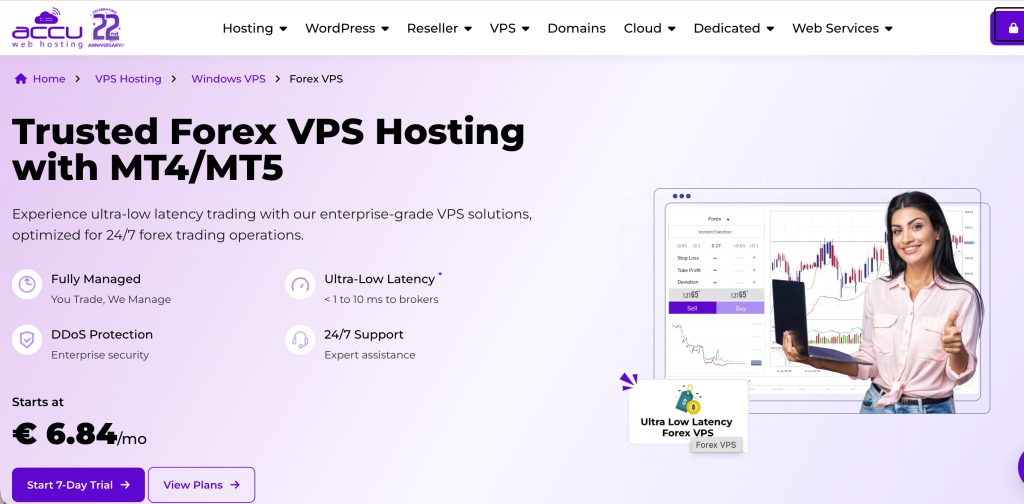
Infrastructure tier: General-purpose Windows VPS with forex branding Operator: AccuWeb Hosting, Old Tappan, New Jersey, USA. Founded 2003.
AccuWeb deserves credit for transparency on one important point: their own knowledgebase describes the Forex VPS as “a specialized subset of Windows VPS hosting.” The differentiation from their standard Windows VPS is managed support, not different hardware or data center placement. The Forex VPS locations are identical to the generic Windows VPS footprint. No Equinix colocation at broker hubs is claimed. CPU is Intel Xeon (third-party reviews observed Xeon E5 at 3.5 GHz), storage is SSD (not NVMe), and older listings reference DDR3 ECC RAM.
For a trader who needs the absolute cheapest way to get MT4 running on a remote server and does not care about sub-5ms broker proximity, AccuWeb works. Twenty-three years of general-purpose hosting experience and genuine 24/7 managed support provide a stability baseline that fly-by-night forex VPS brands cannot match.
The Forex VPS 1 plan is advertised at $7.99/month in the page hero, but the FAQ section on the same page states “Our cheapest Forex VPS hosting plan starts at $15.” This contradiction has persisted across multiple review cycles and should be verified at checkout before committing. The plan provides 1 vCPU, 1.5 GB RAM, and 35 GB SSD. After Windows Server overhead, roughly 300 to 700 MB remains for MT4, which is enough for a single light terminal but leaves no buffer for indicators, news-event spikes, or memory growth over multi-day sessions.
The “free 7-day trial” marketed on the page is not a free trial. AccuWeb’s own FAQ contradicts the headline: “We do not offer Forex VPS free. But, each Forex VPS server comes with a 7-day money-back guarantee.” Payment (and per some third-party reports, government ID) is required upfront.
The SLA is 99.9% in the binding terms of service, not the 99.99% referenced in marketing materials. Compensation is service credit on a tiered schedule.
Strengths
Lowest headline price in this guide (if the $7.99 figure is accurate at checkout). US-registered company with 23 years of hosting history. Genuine 24/7 managed support. 16+ global locations. Annual billing discounts of 47 to 50%. MT4 can be installed during provisioning on request.
Limitations
Not purpose-built forex infrastructure. No confirmed Equinix colocation at broker data centers. Intel Xeon E5 / DDR3 ECC / SSD (not NVMe) is older-generation hardware compared to forex-specialist competitors. CPU clock speed (3.5 GHz observed on Xeon E5) is lower than Ryzen 9 or high-clock EPYC offerings. Entry plan (1.5 GB) is marginal for MT4 once OS overhead is accounted for. “Free trial” marketing contradicts the FAQ on the same page. SLA is 99.9% contractual despite 99.99% marketing claims. Pricing contradiction ($7.99 hero vs $15 FAQ) creates confusion. Forex VPS uses Hyper-V virtualization, not KVM, which may affect CPU consistency under load. Windows Server 2022 and 2025 are only available in select locations (Denver, London, Hyderabad); most locations default to 2019.
TradingFXVPS, Budget Latency Play for Scalpers
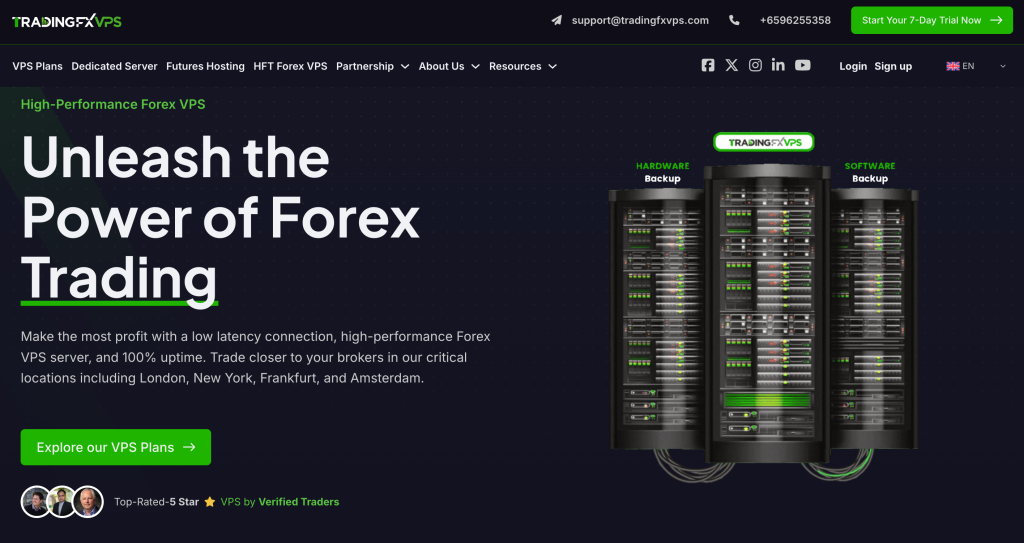
Infrastructure tier: Forex specialist (Equinix NY4/LD4, 8 locations including CME Aurora) Operator: High Frequency Trading Network Pte Ltd, Singapore.
TradingFXVPS offers the lowest entry price among forex-specialist providers at $17.50/month on annual billing. For MT4 scalping strategies where execution speed matters more than multi-terminal capacity, the combination of claimed Ryzen 9 at 4.3 GHz single-core performance and Equinix NY4/LD4 colocation makes this an attractive budget option. MT4’s single-threaded execution model rewards clock speed over core count, so if the Ryzen 9 claim is accurate, TradingFXVPS would offer the best MT4 execution performance per dollar in this guide.
The catch remains verification. The Ryzen 9 9950X reference appears in blog content but not on the plan pages. DDR5 is stated but not independently confirmable. And the HFT Standard and HFT Standard+ tiers default to Windows Server 2016, which reached end of mainstream support in January 2022. Extended support runs until January 2027, so it functions today, but it is not a forward-looking choice for infrastructure you plan to run continuously.
The HFT Standard plan (1 core, 2 GB DDR5, 30 GB NVMe) at $17.50/month annual is sized for a single MT4 terminal with light to moderate EA load. Two gigabytes minus Windows Server overhead leaves roughly 800 MB to 1.2 GB for MT4, which is workable for one terminal with reduced max bars but does not support a second instance.
Published broker-specific cross-connect latency figures (0.28 ms to IC Markets, 0.29 ms to Pepperstone, 0.31 ms to LMAX) are provider-measured and have not been independently replicated. The directional claim is plausible for in-building Equinix colocation, but the precision should be treated as indicative rather than guaranteed.
Strengths
Lowest forex-specialist entry price at $17.50/month annual. 30-day money-back guarantee (longest refund window in this guide). $3.99 seven-day trial. Published broker-specific latency figures. Eight locations including both Equinix and CME-adjacent facilities. Claimed Ryzen 9 single-core performance, which is the optimal MT4 architecture if accurate.
Limitations
Entry and mid-tier plans default to Windows Server 2016 (near end-of-life). Ryzen 9 9950X appears in blog content but not on plan pages. DDR5 claims are not independently confirmable. Entry plan (2 GB) supports only one MT4 terminal after OS overhead. Storage at 30 to 50 GB across tiers is the lowest in this guide. Cross-connect latency figures are self-reported by a commercially interested party. No multi-terminal capacity at the entry price point.
ForexVPS.net, Broadest Location Coverage at the Premium End

Infrastructure tier: Forex specialist (22 locations globally) Operator: ThinkHuge Ltd., Hong Kong. Also operates FXVM, TrackaTrader, AlgoBuilder, and HowToTrade.
ForexVPS.net sits at the upper edge of “affordable” with its Core plan at $40/month ($32/month annual). It earns a place in this guide because of two things: 22 global locations (the broadest footprint of any forex-specialist provider) and a 4 GB RAM entry plan that provides genuine multi-terminal MT4 capacity.
If your broker hosts MT4 servers in São Paulo, Mumbai, Johannesburg, Limassol, or Dubai, ForexVPS.net may be your only forex-specialist option for proximity hosting. The 22 locations include cities that no other provider in this guide covers.
Resource Spike Protection is ForexVPS.net’s marquee feature, described as automatic allocation of extra resources during peak usage periods. For MT4 specifically, this matters during news events when tick volume spikes can cause CPU contention on oversubscribed VPS environments. The buffer size and trigger threshold are not publicly documented.
Broker-sponsored free VPS is available through partnerships with IC Markets and Switch Markets. Eligibility depends on minimum balance or trading volume requirements that vary by broker.
Parent company disclosure. ForexVPS.net and FXVM are both operated by ThinkHuge Ltd. and share infrastructure. The August 2025 New York outage that affected FXVM simultaneously affected ForexVPS.net. Traders using both brands as primary and backup do not have infrastructure redundancy.
Strengths
Twenty-two global locations, the largest footprint in this guide. 4 GB RAM on the entry plan (supports 6 to 10 MT4 terminals). Resource Spike Protection for news-event resilience. Dedicated IP included. Broker-sponsored free VPS partnerships. 14-day money-back guarantee. Proprietary TrackaTrader analytics tool.
Limitations
CPU architecture is not disclosed on the pricing page. RAM type (DDR4 or DDR5) is not specified. Storage type is not confirmed on the plan page (blog copy references NVMe, but the pricing table is silent). Entry price of $40/month ($32 annual) is the highest in this guide. Marketed “100% uptime” is contradicted by fine print stating 99.99% enforceable SLA. Shares parent company and infrastructure with FXVM (ThinkHuge Ltd.), with a documented simultaneous outage in August 2025.
MetaQuotes Virtual Hosting, The Integrated Alternative
Infrastructure tier: Proprietary headless MT4 environment (30+ MetaQuotes-operated hosting points) Operator: MetaQuotes Ltd.
MetaQuotes Virtual Hosting is not a traditional VPS. There is no Windows desktop, no RDP, no ability to install software outside the MT4 terminal itself. It runs a headless MT4 instance on MetaQuotes’ own infrastructure, migrated directly from the trader’s local terminal.
For traders running pure-MQL4 Expert Advisors with no DLL dependencies, this is often the cheapest and lowest-latency option available. Pricing runs $15/month on a monthly basis, dropping to $12.80/month on annual subscription. A 24-hour free trial (genuine, no payment required until conversion) auto-converts to paid if not cancelled.
MetaQuotes operates over 30 hosting points globally, co-located specifically with MetaTrader broker infrastructure. The company claims 96% of broker servers are accessible in under 10 ms and 84% in under 3 ms. These are vendor-supplied figures without independent verification, but the plausibility is high given MetaQuotes’ direct relationships with every MT4 broker. The migration wizard measures ping from each hosting point to your specific broker and recommends the best match.
The DLL ban is the hard boundary. MetaQuotes prohibits all DLL calls on Virtual Hosting, including Windows system DLLs. If your EA imports any DLL, the migration fails. This eliminates EAs using database integration, Python sidecars, HTTP via wininet, custom analytics libraries, Telegram notification bots, or broker bridge tools. Combined with the one-account-per-subscription limit and no file system access, MetaQuotes VPS is incompatible with multi-tool trading setups.
One advantage specific to MT4: MQL4 Market products running on MetaQuotes Virtual Hosting do not consume activation slots. On a third-party VPS, installing a Market-purchased EA counts against the limited activation quota. On MetaQuotes’ hosting, it does not.
The binding terms (§I.11) state that MetaQuotes “makes no guarantees of the Virtual terminals’ smooth operation,” despite marketing materials referencing 99.99% uptime.
When MetaQuotes VPS is the right choice: Your EA is pure MQL4 with no DLL imports, you trade one account, and you want the lowest cost with likely the lowest latency to your broker’s MT4 server.
When a third-party VPS is the right choice: Your EA imports DLLs, you run non-MT4 software alongside your terminal, you need RDP access, you manage multiple accounts, or you need file-system-level backup control.
What Actually Determines Affordable MT4 VPS Performance
The marketing emphasis in most VPS comparisons is on RAM, CPU cores, and storage size. For MT4 specifically, these are secondary variables. Three factors matter more, and two of them are outside the VPS provider’s control.
Your broker’s MT4 server location is the largest variable.
This is identical to the MT5 situation covered in our MT5 VPS comparison and bears repeating because it is the most common source of disappointment with any VPS purchase. A modest 2-core VPS in Equinix NY4 will execute orders faster to an IC Markets MT4 server in NY4 than an 8-core server in Frankfurt. Light in fiber travels at roughly 200,000 km/s. New York to London is approximately 5,500 km, producing a theoretical minimum of 55 ms round-trip. Real-world trans-Atlantic latency runs 65 to 80 ms. No hardware upgrade eliminates physics.
Before choosing a VPS location, open MT4, go to Tools, Options, Server, and identify the server address. Contact your broker to confirm which data center it maps to. If they will not disclose it, the server hostname often contains a city reference that narrows it down. This step costs nothing and prevents the single most common VPS regret.
MT4 is single-threaded for everything except EAs.
The official MQL4 documentation states that all indicators, tick processing, and the graphical interface run in a single thread. Each Expert Advisor gets its own thread, but trading operations are serialized, meaning two EAs cannot submit orders simultaneously (the second receives “Trade context busy” error 146 and must wait).
The practical implication: MT4 performance is governed almost entirely by single-core clock speed, not core count. A 2-core processor running at 4.0 GHz will deliver better MT4 execution than a 4-core processor running at 2.3 GHz. This is why the hardware transparency gap among providers matters. VPSForexTrader documents AMD EPYC but not the model number or clock speed. FXVM does not disclose CPU model at all, though a third-party test observed an Intel Xeon Gold 5218 at 2.30 GHz. TradingFXVPS claims Ryzen 9 at 4.3 GHz but only in blog copy. AccuWeb runs Intel Xeon E5 at 3.5 GHz per third-party observation. Without published clock speeds, comparing MT4 execution performance across providers is guesswork.
Additional cores help only in one scenario: running multiple MT4 instances on the same VPS, where each terminal (and its EAs) runs as a separate process with its own threads.
Broker bridge latency is the variable nobody discloses.
MT4 does not speak FIX protocol natively. Brokers use bridge software (PrimeXM, oneZero, Centroid, Gold-i, FXCubic) to translate MetaTrader orders into FIX and route them to liquidity providers. The bridge adds processing time. When the broker’s MT4 server, bridge, and LPs all sit in the same Equinix building, the chain completes in under a millisecond. When the MT4 server is in NY4 but the LPs are in LD4, every order pays roughly 70 ms of trans-Atlantic round-trip regardless of where your VPS sits.
This is invisible to the trader and not controllable from the VPS side. Understanding it prevents frustration: if you achieve 2 ms ping to your broker’s MT4 server but execution still takes 150 ms, the bottleneck is the bridge, not your VPS.
A note on “affordable” and latency trade-offs.
For most retail MT4 strategies, the latency difference between a forex-specialist VPS (1 to 5 ms same-building) and a generic Windows VPS in the same city (3 to 30 ms) does not materially affect execution. Scalping strategies with sub-second hold times are the exception. Swing traders, news-avoidance EAs, and copy-trading setups running on 5-minute or longer timeframes will not notice a 20 ms latency difference. The affordable VPS decision should match latency requirements to strategy sensitivity, not default to the assumption that every trader needs sub-millisecond execution.
How to Size an MT4 VPS
MT4 sizing is simpler than MT5 sizing because of one architectural constraint: each MT4 terminal is a 32-bit process capped at approximately 2 GB of usable RAM. No amount of server RAM changes this per-instance ceiling. You scale MT4 by running multiple instances, not by giving one instance more memory.
Windows Server overhead comes first.
Windows Server 2022 consumes 800 MB to 1.2 GB of RAM before MT4 launches. On a 1.5 GB plan (AccuWeb Forex VPS 1), that leaves 300 to 700 MB. On a 2 GB plan (TradingFXVPS HFT Standard), roughly 800 MB to 1.2 GB remains. On a 4 GB plan (VPSForexTrader Smart, ForexVPS.net Core), you have 2.8 to 3.2 GB of working space.
MT4 resource consumption by scenario.
MetaQuotes does not publish official MT4 resource figures. These ranges are drawn from community benchmarks on MQL5 forums and ForexFactory, consistent across multiple years of reports.
A single MT4 terminal freshly launched with minimal configuration uses 15 to 45 MB. After 12 to 24 hours of running with default settings, that grows to roughly 200 MB as tick data, journal entries, and chart objects accumulate. A typical setup with 6 to 10 charts and 1 to 2 EAs consumes 400 to 600 MB. Heavy configurations with 20+ charts and complex indicators can approach 2 GB and crash. Weekly terminal restarts are widely recommended because MT4 memory usage grows over multi-day sessions.
Max bars is the single highest-impact optimization.
MT4 defaults to 65,000 to 100,000 max bars per chart. A documented ForexFactory test showed that 23 pairs with 500,000 M1 max bars consumed approximately 1 GB. Reducing max bars to 5,000 on the same setup dropped consumption to roughly 25 MB. That is a 40x reduction from a single setting change (Tools, Options, Charts). For live EA operation on a VPS, 5,000 to 10,000 bars is sufficient for most strategies. Only manual chart analysts or long-lookback indicators need the default.
Market Watch pruning reduces CPU load.
MT4 processes ticks for every symbol visible in Market Watch, whether or not you have a chart open for it. One provider reports 20 to 40% CPU reduction from trimming Market Watch to only actively traded symbols. That figure is from a single commercially interested source and has not been independently replicated, but the mechanism is documented: fewer symbols means fewer tick-processing cycles per second. If you trade three pairs, your Market Watch should contain three pairs plus any symbols your EA references internally.
Trailing stops require a running terminal.
Official MetaQuotes MT4 help states: “Trailing Stop is always attached to an open position and works in client terminal, not at the server.” When MT4 disconnects, trailing stops freeze at their last position. Stop losses and take profits are server-side and survive disconnection. This distinction is the core infrastructure argument for running MT4 on a VPS if your strategy uses trailing stops. If your strategy relies only on fixed stop losses and take profits, the VPS argument shifts from necessity to latency optimization and uptime convenience.
Practical sizing reference for MT4.
A trader running one MT4 terminal with 3 to 5 charts, one EA, and reduced max bars will operate comfortably on 2 to 3 GB total RAM. This matches the FXVM Virtual Desktop (3 GB), the TradingFXVPS HFT Standard (2 GB, tight but workable), or the AccuWeb Forex VPS 2 (3 GB).
A trader running 3 to 6 MT4 terminals should target 4 GB RAM with 2 to 3 CPU cores. This matches the VPSForexTrader Smart plan (4 GB, 3 cores) or the ForexVPS.net Core plan (4 GB, 2 vCPU).
A trader running 8 to 15 MT4 terminals needs 6 to 8 GB RAM with 4+ cores. Corresponding plans include VPSForexTrader Boost (6 GB, 6 cores), ForexVPS.net Edge (6 GB, 4 vCPU), or FXVM Advanced (4 GB, 2 cores, borderline for this density).
Beyond 15 terminals, consider dedicated server options or splitting across multiple VPS instances for isolation.
Common Affordable MT4 VPS Mistakes
Confusing “Forex VPS” branding with forex-specialist infrastructure.
Some providers in this guide operate servers inside Equinix NY4 and LD4, the data centers where most retail forex brokers host their MT4 matching engines. Others offer standard Windows VPS hosting in general-purpose data centers and market it as “Forex VPS” with managed support as the primary differentiator. Both can run MT4. The difference shows up in latency: approximately 1 to 5 ms from an in-building forex specialist versus 10 to 30 ms from a same-city generic provider. For swing traders, this gap does not matter. For scalpers, it can.
Paying for RAM that a single MT4 terminal cannot use.
MT4 is 32-bit. Each terminal process is capped at roughly 2 GB of usable RAM. Buying an 8 GB VPS plan to run one MT4 terminal does not make that terminal faster or more stable. The extra RAM sits unused. Eight gigabytes makes sense only if you are running 8 to 15 MT4 instances. Match your plan size to the number of terminals you actually run, not to a single terminal’s perceived needs.
Treating FXVM and ForexVPS.net as independent backup options.
Both brands are operated by ThinkHuge Ltd. and share infrastructure. A documented August 2025 outage affected both simultaneously. If your redundancy plan involves running a primary VPS on FXVM and a backup on ForexVPS.net (or vice versa), you do not have redundancy. For genuine failover, pair providers from different parent companies.
Accepting “free trial” claims without reading the terms.
FXVM’s $0.99 seven-day trial is a paid trial that auto-renews at full monthly price unless cancelled before day seven. AccuWeb’s “free 7-day trial” is not free; it is a 7-day money-back guarantee with upfront payment required. MetaQuotes Virtual Hosting offers a genuine 24-hour free trial with no payment required until conversion. The word “trial” means different things to different providers. Read the checkout terms.
Leaving max bars at default on a resource-constrained VPS.
On a home PC with 16 GB of RAM, the default 65,000 to 100,000 max bars per chart is invisible. On a 2 to 3 GB VPS, it is the single largest source of unnecessary memory consumption. Reducing to 5,000 bars across a multi-chart setup can reclaim hundreds of megabytes with no impact on most EA strategies. This one setting change can mean the difference between a plan that works and a plan that freezes during London open.
Choosing VPS location based on provider marketing instead of broker server location.
“Servers in New York” does not mean “servers in Equinix NY4 where your broker is.” New York is a large metro area with dozens of data centers. Even providers that are in NY4 may route to your broker through multiple network hops if the broker is in a different building. Before committing to any VPS, identify your broker’s actual MT4 server hostname and ask where it is hosted.
Committing to annual billing without testing first.
Annual billing saves 15 to 40% across providers in this guide. It also locks you in. Start with a trial (VPSForexTrader $0.99/3 days, FXVM $0.99/7 days, TradingFXVPS $3.99/7 days) or a monthly plan with a refund window (NYCServers 14 days, ForexVPS.net 14 days, AccuWeb 7 days). Validate latency, CPU consistency, and stability with your actual broker under live market conditions before switching to annual.
FAQ
Is MT4 still worth using in 2026?
MT5 overtook MT4 in global retail trading volume in Q1 2025 (54.2% vs 45.8%) and the gap has widened since. MetaQuotes stopped issuing new MT4 server licenses in 2018 and has directed all new development to MT5. No formal end-of-life date has been announced, and MetaQuotes continues to release MT4 maintenance builds (Build 1460 shipped in March 2026). Most major brokers still support MT4 in 2026, including IC Markets, Pepperstone, XM, Exness, Tickmill, and AvaTrade. OANDA is the notable exception, having dropped MT4 globally in October 2024. The practical answer: if your strategy depends on existing MQL4 EAs or indicators that are not portable to MT5, staying on MT4 is reasonable. If you are starting fresh, MT5 is the better long-term infrastructure choice.
How many MT4 terminals can I run on a 4 GB VPS?
Approximately 6 to 10, depending on chart count, EA complexity, and whether you reduce max bars from the default. Windows Server takes 800 MB to 1.2 GB. Each MT4 terminal with moderate configuration (3 to 5 charts, one EA, reduced max bars) consumes roughly 300 to 600 MB. At the lower end, that fits 10 terminals. At the higher end, 6. Budget approximately 1 vCPU per actively trading terminal. VPSForexTrader Smart (4 GB, 3 cores) and ForexVPS.net Core (4 GB, 2 vCPU) are both sized for this workload.
Is MetaQuotes Virtual Hosting better than a cheap third-party VPS?
For pure-MQL4 EAs with no DLL dependencies, MetaQuotes VPS typically delivers lower latency to the broker at $12.80 to $15/month, which is cheaper than every third-party provider in this guide except AccuWeb’s contested $7.99 entry price. The migration wizard automatically selects the lowest-latency hosting point for your specific broker. The moment your EA uses DLLs, needs non-MT4 software, or you trade multiple accounts, MetaQuotes VPS is not an option and a third-party VPS like VPSForexTrader or FXVM is the necessary path.
Does my broker offer a free VPS for MT4?
Several brokers offer sponsored VPS for MT4 traders meeting volume or balance requirements. IC Markets provides free VPS through ForexVPS.net for clients with $2,000 minimum balance or 15 lots per month. Pepperstone offers discounted or free BeeksFX hosting for qualifying accounts. XM provides VPS for clients maintaining $500 minimum balance plus 5 standard lots per month. Exness offers free VPS for accounts above $1,000 or $500 with sufficient volume. The trade-off: broker-sponsored VPS typically allocates only 1 vCPU and 1 to 2 GB RAM (adequate for 1 to 2 MT4 terminals), and the VPS can only connect to that broker, which limits multi-broker strategies.
What happens to my trailing stops if the VPS disconnects?
They freeze at the last adjusted position. Trailing stops in MT4 are processed entirely within the client terminal, not on the broker’s server. If the VPS reboots, loses connectivity, or MT4 crashes, trailing stops stop trailing. The stop loss itself (the price level last set by the trailing mechanism) remains active on the broker’s server and triggers if reached, but it will not continue adjusting to follow favorable movement. Configure MT4 auto-restart via Windows Task Scheduler with the “At log on” trigger (not “At startup,” which runs in a non-interactive session and fails silently) to minimize the gap.
Should I pick the cheapest VPS or the one closest to my broker?
Location. A $12.75/month FXVM in Equinix NY4 will execute faster to an IC Markets MT4 server in NY4 than a $60/month server in a different city. Price determines how much RAM and CPU you get (and therefore how many MT4 terminals you can run). Location determines how fast each order reaches the broker’s matching engine. Solve location first, then size the plan to your terminal count.
References
- MetaQuotes Ltd. MQL4 Reference: Program Running. docs.mql4.com/runtime/running. (Threading model: indicators and tick processing in UI thread, EAs in separate threads, trading operations serialized.)
- MetaQuotes Ltd. MetaTrader 4 Help: Trailing Stop. metatrader4.com/en/trading-platform/help/positions/trailing. (Trailing stop client-side execution confirmed.)
- MetaQuotes Ltd. Virtual Hosting for MetaTrader. mql5.com/en/vps. Accessed April 2026. (Pricing, hosting points, latency claims, DLL restrictions, activation slot exemption.)
- MetaQuotes Ltd. Virtual Hosting Plans for Forex. mql5.com/en/vps/forex-plans. Accessed April 2026. (Detailed pricing: $15/month monthly, $12.80/month annual.)
- MQL5 Forum: 64 bit MT4 version? mql5.com/en/forum/63837. (MetaQuotes confirmation that no 64-bit MT4 will be released.)
- MQL5 Forum: MT4 64 bit is becoming necessary for compatibility. mql5.com/en/forum/166963. (Community discussion of 32-bit limitations, Large Address Aware flag enabling up to ~4 GB on 64-bit Windows via WOW64.)
- MQL5 Forum: Why MetaTrader don’t have Server Trailing Stop Loss? mql5.com/en/forum/160854. (Community confirmation of client-side trailing stop behavior in MT4.)
- MQL5 Forum: Support for 32-bit versions ends with the next MetaTrader 5 update. mql5.com/en/forum/325529. (MT4 Build 1440 minimum requirement as of July 1, 2025.)
- VPSForexTrader. Forex VPS Hosting. vpsforextrader.com. Accessed April 2026. (Plans, pricing, AMD EPYC/ECC/NVMe claims, locations, $0.99 trial, 14-day money-back.)
- FXVM. Forex VPS Hosting. fxvm.net/forex-vps-hosting. Accessed April 2026. (Plans, pricing, 16 locations, $0.99/7-day trial, 7-day money-back.)
- FXVM. Terms of Service. fxvm.net/docs/terms-of-service. Accessed April 2026. (Trial auto-renewal terms, refund exclusions, crypto refund as account credit.)
- FXVM. Service Level Agreement. fxvm.net/docs/sla. Accessed April 2026. (99.99% SLA, service credit compensation, document dated August 1, 2015.)
- FXVM. About Us. fxvm.net/about. Accessed April 2026. (ThinkHuge Ltd. operator, Hong Kong registration, claimed customer and VPS statistics.)
- AccuWeb Hosting. Forex VPS Hosting. accuwebhosting.com/vps-hosting/windows/vps-forex. Accessed April 2026. (Plans, pricing, “free trial” claim contradicted by FAQ, managed support differentiation.)
- AccuWeb Hosting. Forex VPS Pricing. accuwebhosting.com/pricing/forex-vps. Accessed April 2026. (Pricing tiers, annual discount rates.)
- AccuWeb Hosting. Knowledgebase: Forex VPS Hosting. manage.accuwebhosting.com/knowledgebase/218/Forex-VPS-Hosting. (MT4 installation guidance, “specialized subset of Windows VPS hosting” description.)
- TradingFXVPS. Forex VPS Hosting Plans. tradingfxvps.com/services/forex-vps-plan. Accessed April 2026. (Plans, pricing, Ryzen 9/DDR5 claims, locations, 30-day money-back.)
- ForexVPS.net. Forex VPS Hosting. forexvps.net/forex-vps-hosting. Accessed April 2026. (Plans, pricing, 22 locations, Resource Spike Protection.)
- HostAdvice. FXVM Review (2026). hostadvice.com/hosting-company/fxvm-reviews. (Hands-on test observing Intel Xeon Gold 5218 at 2.30 GHz on FXVM Advanced VPS.)
- ForexFactory. What to do when MT4 is using a lot of memory? forexfactory.com. (Community benchmark: 23 pairs at 500,000 M1 max bars consuming ~1 GB, reduced to ~25 MB at 5,000 bars.)
- Finance Magnates Intelligence. MT5 overtakes MT4 in global retail trading volume, Q1 2025 (54.2% MT5 vs 45.8% MT4). (Cited in multiple industry reports; commercially interested source.)
Editorial Note
This guide is published on vpsforextrader.com, which is operated by HOSTLINE UAB, a VPS hosting provider. VPSForexTrader is included among the evaluated solutions. The same evaluation criteria and transparency standards apply to all providers, including VPSForexTrader. Where any provider does not publicly disclose a specification (CPU model, RAM type, storage class, SLA terms, or refund policy), that gap is documented rather than assumed.
FXVM and ForexVPS.net are both operated by ThinkHuge Ltd. (Hong Kong). This relationship and the documented August 2025 simultaneous infrastructure outage are disclosed in both vendor sections. Inclusion of both brands is editorially justified by their different pricing tiers and location coverage, but readers should understand that they share infrastructure.
All hardware specifications, pricing, plan details, and location claims are based on publicly available vendor documentation reviewed in April 2026. Pricing and availability change. Readers should confirm all current specifications and contractual terms directly with the provider before purchasing. Where a provider’s marketing materials contradict their own FAQ or binding terms (pricing discrepancies, “free trial” vs money-back, “100% uptime” vs 99.9% or 99.99% SLA), the more conservative or binding figure is cited.
MT4 resource consumption figures (RAM per terminal, max bars impact) are based on community-reported measurements from MQL5 forums and ForexFactory. MetaQuotes does not publish official resource consumption benchmarks for MT4. The ~2 GB per-process ceiling for 32-bit MT4 is documented in MQL5 forum discussions by MetaQuotes staff and is consistent with Windows 32-bit process memory limits.
Latency figures cited from VPS providers are vendor-supplied data from commercially interested sources. No independently replicated latency benchmarks were identified during research.
This guide evaluates VPS infrastructure for MT4 execution. It is not financial advice. A VPS can reduce network-layer latency between your trading platform and your broker’s execution infrastructure. It cannot guarantee execution quality, improve trading strategy performance, or eliminate broker-side processing delays.
All product names, trademarks, and company names remain the property of their respective owners.
Written by: Agneta Venckutė
Reviewed by: VPS performance reviewer
Looking for the best MT4 VPS? We compared 5 providers based on latency, uptime, and real MT4 performance to help you choose the right plan for your trading setup and budget.