If you trade with EAs or need your platform running continuously, a VPS is one of the simplest ways to improve operational reliability. It keeps MT4/MT5 online 24/5, reduces the risk of home internet or power interruptions, and can place your platform closer to broker infrastructure when execution sensitivity matters. This guide walks through setup, optimization, and the reliability steps that prevent silent failures in live trading.
2026 reality check: a VPS helps reliability – not strategy edge
A VPS is primarily an operational reliability tool. It helps you keep MT4/MT5 and EAs running continuously, avoid home internet/power interruptions, and place your platform closer to broker infrastructure when execution sensitivity matters. It does not make a weak strategy profitable by itself. Think of a VPS as a way to remove avoidable failure modes – disconnects, sleep mode, random restarts, and unstable routing – so your strategy can run as designed.
How to Use a VPS for Forex Trading
First off, select a VPS plan powerful enough for your needs. Connect to your VPS using Remote Desktop Connection with your login credentials. Once connected, download your preferred trading platform, connect it to your Forex broker, set up charts and indicators to your preference, install your trading bots or EAs, and start trading!
What is a Forex VPS?
A Forex VPS is an always-on server environment where you run MT4/MT5 (and EAs) continuously with stable power and connectivity. Traders use VPS hosting to keep automation running when their personal computer is off, reduce disconnect risk, and (when chosen correctly) improve execution consistency by placing the platform in the right region for their broker.
The Benefits of Using a VPS in Forex Trading
The biggest benefits of a VPS are reliability and predictability. A VPS reduces downtime from home power/internet issues, keeps MT4/MT5 and EAs running 24/5, and provides a stable environment during volatile sessions. Latency can improve if you place the VPS near your broker’s execution hub, but the practical goal is usually stable execution and fewer interruptions, not chasing the lowest theoretical ping.
How to Set Up a VPS for Forex Trading
Let’s talk about how to set up your Forex VPS. Here’s a step-by-step guide:
- First, choose a VPS provider based on the things that affect live trading: location options near major broker hubs, predictable uptime practices, and plans that don’t throttle under sustained MT4/MT5 load. Price matters, but it should come after stability: unexpected reboots, weak routing, or oversold CPU/RAM are the common reasons VPS setups fail in practice.
- Once you’ve chosen a provider, you’ll need to pick a plan that fits your needs. Consider factors like CPU power, RAM, and bandwidth.
- After purchasing a plan, you’ll receive login details to your VPS, usually through email. Open Remote Desktop Connection and use your login details to connect to your VPS.
- Once logged in, you can install your trading platform on the VPS, just like you would on your personal computer.
- Optional: We highly recommend you change your server password. We’ll cover how to do that shortly.
To connect to your VPS, open the Windows Start menu and search for Remote Desktop Connection. Open the application.
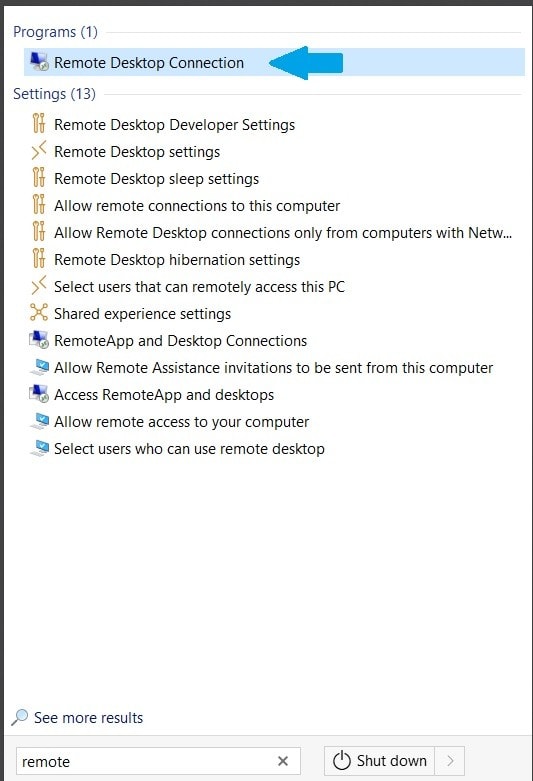
For Mac users: go to the App Store and download the ‘Windows Remote Desktop’ app. Open the app and click ‘Add PC’ From here on, the steps for connecting to your Forex VPS will be more or less similar.
Once you’ve opened the Remote Desktop Connection app, type in the IP of your Virtual Private Server and click Connect. If you have subscribed to a VPS plan at VPSForexTrader, you should have received the information about your VPS, including the IP address and the login details, via Email.
If you did not receive an email from us. Please contact our support.
Type in your VPS IP address here and click ‘Connect’:
It will prompt you for your username and password. Connect using your login details, and voila, you’re in!
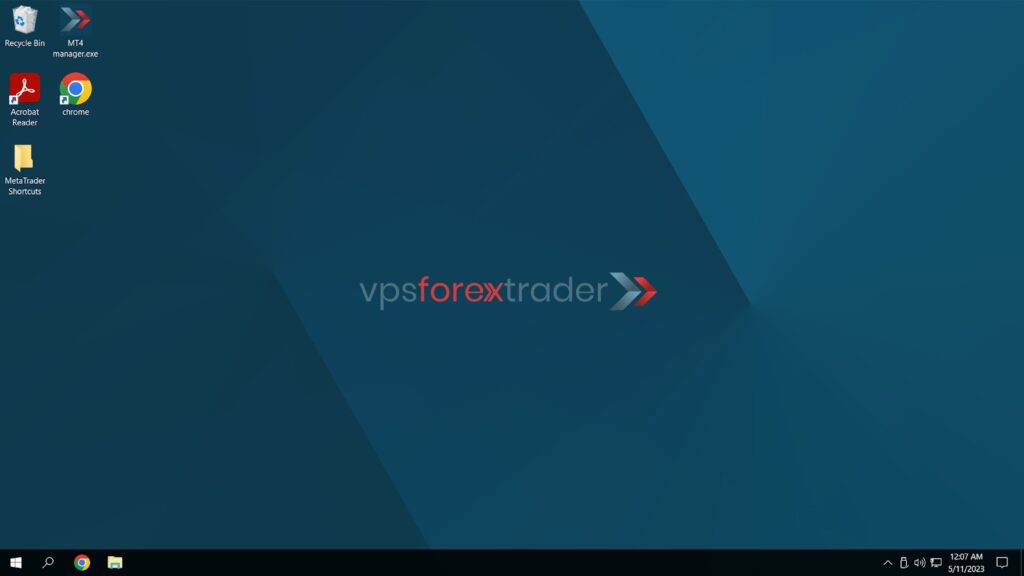
Change Your Password
Once you are inside your VPS, we highly recommend changing the password you received in an email to something more secure.
To do that, open the Start Menu on your VPS and open Control Panel:
- Next, click ‘Change account type’ in the ‘User Accounts’ section:
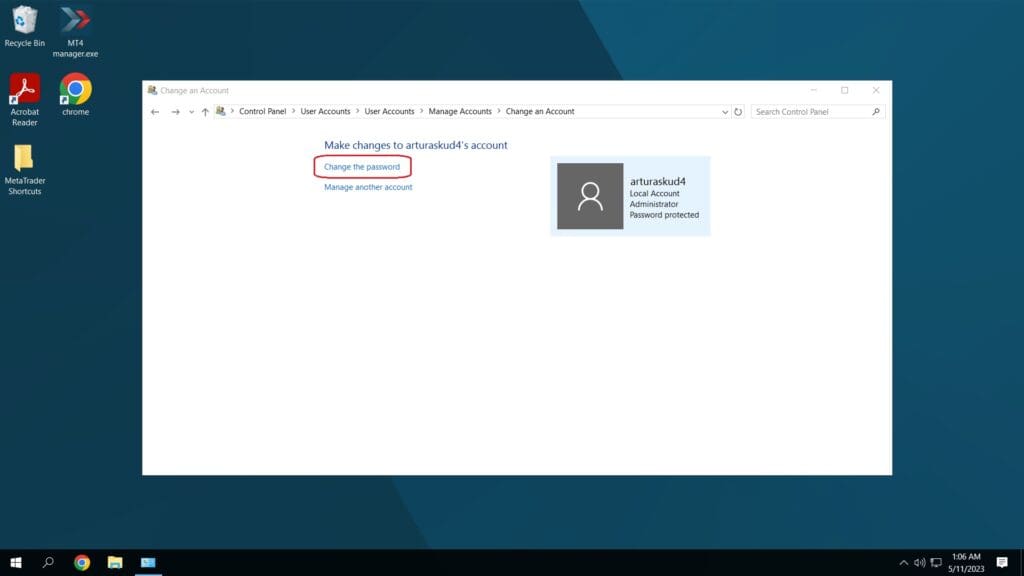
- Click ‘Change the password’ and set up a new secure password.
Install and Set Up Your Trading Platform
- Download and install your preferred trading platform, such as MetaTrader 4 or MetaTrader 5, on your VPS.
- Configure your trading platform’s settings according to your preferences and strategy, including setting up charts, indicators, and all other necessary tools.
- Install and set up any Expert Advisors (EAs) or other trading algorithms you plan to use, making sure they’re properly configured and tested for optimal performance.
Choose the right VPS location (this matters more than extra CPU)
The most common mistake is choosing a VPS location based on where you live. For execution, what matters is the network path between your VPS and your broker’s trading server. If your broker executes in London or New York, a VPS in the same hub will usually produce more consistent latency than a VPS closer to you geographically. If you don’t know your broker’s server location, run repeated ping tests from 2–3 hubs (London vs New York vs Frankfurt) and pick the location that stays stable during the session you trade.
Optimize your VPS for Best Performance
To optimize performance, focus on reducing unnecessary load rather than “tuning for speed.” Keep the terminal lean: limit symbols in Market Watch, reduce heavy chart history settings, and avoid running many indicators across multiple charts if you’re on an entry plan. If you use MT5, apply the same principle: fewer charts and lower background workload usually improves stability more than extra features. The goal is consistent responsiveness during busy sessions, not maximum complexity on a small plan.
Next, keep your MT4 terminal updated. Regular updates ensure you’re benefiting from the latest performance improvements and bug fixes.
Monitor CPU and memory under real conditions. If CPU stays near the limit during the session you trade, you’re likely to see freezes, delayed EA logic, or sluggish terminal behavior. If RAM is low and Windows starts paging, MT4/MT5 can feel “laggy” even when network latency is fine. The clean fix is usually reducing load (fewer terminals, fewer charts) or upgrading the plan before the VPS becomes a reliability risk.
Lastly, limit the number of active Expert Advisors (EAs). Running too many simultaneously can bog down your system. If possible, disable any non-essential logging functions within the EAs. These steps will keep your VPS humming along smoothly, supporting your trading activities effectively.
VPS reliability checklist (the part that prevents silent failures)
Once MT4/MT5 is installed, the biggest risk is “silent failure” – your platform disconnects, freezes, or stops executing and you don’t notice for hours. Before you trade live, set up:
-
Automatic restarts: ensure MT4/MT5 and your EA can recover after a crash or reboot
-
Monitoring/alerts: get notified if the VPS goes offline or the platform disconnects
-
Windows update discipline: avoid surprise reboots during market hours
-
Backups: keep a copy of templates, profiles, indicators, and EA settings
-
Resource headroom: if CPU stays near the limit or RAM is paging, reduce load or upgrade
This is what turns “a VPS that runs MT4” into “a VPS that runs a trading operation reliably.”
Best Practices When Using a VPS for Forex Trading
Now that you’ve got your VPS up and running, let’s talk about some best practices to make the most of it:
Regularly check the performance of your VPS. Ensure it’s running smoothly and not experiencing any issues.
Keep your VPS secure. Update all software regularly and use strong, unique passwords.
Back up your data. You don’t want to lose your trading settings or history if something goes wrong.
Don’t overload your VPS. Running too many trading platforms or applications can slow down your server, affecting trade execution.
And what about common mistakes to avoid? A big one is choosing a VPS based on price alone. A cheap VPS might save you money in the short term, but it could cost you in missed trades or downtime in the long run.
Also, don’t forget to consider the server location of your Forex VPS – the closer it is to your broker’s server, the lower the latency and the faster your trade execution will be.
Conclusion
A VPS is a practical way to make trading infrastructure more reliable: keep MT4/MT5 running continuously, reduce avoidable disconnects, and improve execution consistency when placed near broker infrastructure. The most important step is not installation – it’s making the setup resilient (stable location, controlled updates, monitoring, and enough CPU/RAM headroom for your workload). Start simple, validate under real sessions, and scale only when you see clear resource limits.
So, why wait? Explore the range of VPS options we have for you at VPSForexTrader.com. Enhance your trading experience and see the difference for yourself.
Frequently Asked Questions (FAQ)
1. Do I need a VPS for manual forex trading, or is it only for automated systems?
While a VPS is particularly beneficial for automated trading strategies like Expert Advisors (EAs) on platforms such as MetaTrader 4 or 5, manual traders can also reap advantages. A VPS ensures uninterrupted trading sessions, reduces latency, and provides a stable environment, which is crucial during high-volatility periods or when trading from locations with unreliable internet connections.
2. How does a Forex VPS differ from a regular VPS?
A Forex VPS is optimized specifically for trading activities. It typically offers lower latency connections to major broker servers, ensures 24/7 uptime, and may come pre-configured with trading platforms. In contrast, a regular VPS is a general-purpose server that might not meet the specific needs of forex traders, such as low latency or continuous uptime during trading hours.
3. Can I run multiple trading accounts or platforms on a single VPS?
Yes, most VPS setups allow traders to run multiple instances of trading platforms, enabling the management of various accounts or strategies simultaneously. However, it’s essential to ensure that the VPS has sufficient resources (CPU, RAM) to handle multiple platforms without performance degradation.
4. What happens if my VPS provider experiences downtime?
Reputable VPS providers offer high uptime guarantees, often 99.9% or higher. In the rare event of downtime, most providers have backup systems and support teams to restore services promptly. It’s advisable to choose a provider with a strong track record and responsive customer support.
5. Is it safe to store my trading credentials and data on a VPS?
Yes, provided you follow best security practices. Ensure your VPS has robust security measures in place, such as firewalls, antivirus software, and regular updates. Additionally, use strong, unique passwords and consider enabling two-factor authentication where possible.
6. How do I access my trading platform on the VPS?
Accessing your trading platform on a VPS is typically done through Remote Desktop Protocol (RDP) for Windows-based servers or SSH for Linux-based servers. Once connected, you can operate your trading platform as you would on your local machine.
7. Are there any additional costs associated with using a Forex VPS?
Yes, VPS services come with a subscription fee, which varies based on the provider and the resources allocated (CPU, RAM, storage). Some brokers offer free VPS services to clients who meet specific trading volume or account balance criteria.
8. Can I use a VPS for other trading platforms besides MetaTrader?
Absolutely. While MetaTrader is commonly used, a VPS can host various trading platforms, including cTrader, NinjaTrader, and others, provided the server’s operating system supports the platform’s requirements.
9. How do I choose the right VPS provider for forex trading?
When selecting a VPS provider, consider factors such as server location (proximity to your broker’s servers), uptime guarantees, customer support quality, scalability options, and pricing. It’s also beneficial to read reviews and possibly test the service with a trial period before committing.
10. What are the steps to set up a VPS for forex trading?
Setting up a VPS involves selecting a suitable provider, choosing the appropriate server specifications, installing your preferred trading platform, and configuring any necessary settings or EAs. Detailed guides are often provided by VPS providers, and many offer customer support to assist with the setup process.