Best Forex VPS for Expert Advisors (EAs) (2026)
MT5 dropped 32-bit support entirely in September 2023. Since build 4755, which became mandatory in July 2025, older terminals cannot even connect to broker servers. That single change eliminated a generation of cheap, low-spec VPS setups that worked fine for MT4 and forced a re-evaluation of what “good enough” means for MT5 hosting.
The resource gap goes deeper than architecture. MT5 consumes roughly 3 to 4 times more RAM than MT4 for an equivalent setup, stores real tick data instead of M1-derived approximations, and allocates one thread per Expert Advisor and one thread per symbol. A multi-currency EA scanning 28 pairs still runs in a single thread, which means clock speed matters more than core count for the workloads most retail traders actually run. These are not minor differences. They change how you size a VPS, which plans make sense, and which provider claims hold up under real MT5 load.
This guide evaluates six third-party VPS providers and MetaQuotes’ integrated Virtual Hosting service for MT5-specific workloads. Each provider was assessed on broker hub proximity, verified hardware specifications, MT5 resource fit, pricing transparency, and trial or refund policy. Providers are grouped by use-case fit rather than ranked in a single hierarchy, because a $17/month latency-focused VPS and a $60/month high-resource server serve fundamentally different trader profiles.
This guide is published by VPSForexTrader, which is included among the evaluated solutions. VPSForexTrader offers the strongest combination of MT5-relevant specs, broker hub coverage, and low-risk trial validation for retail EA traders, but the same evaluation criteria and transparency standards apply to every provider in this list, including our own. Where any provider, including VPSForexTrader, does not publicly disclose a specification, that gap is documented.
All specifications are based on publicly available vendor documentation reviewed in April 2026. Pricing, plans, and availability change. Confirm current details directly with the provider before purchasing.
How This List Was Created
Every provider was evaluated across five dimensions, applied consistently regardless of whether the provider is VPSForexTrader or a competitor.
Broker hub proximity. MT5 execution speed is governed by physical distance between your VPS and your broker’s matching engine, not by CPU power or marketing claims. Providers were assessed on whether they operate in the Equinix facilities where major brokers actually host MT5 servers: NY4 (Secaucus), LD4 (Slough), TY3 (Tokyo), and HK1 (Hong Kong).
Hardware and MT5 resource fit. MT5’s 64-bit, multi-threaded architecture needs more RAM, faster storage, and better single-core performance than MT4. Providers were evaluated on documented CPU architecture, RAM type and capacity, storage type, and whether the entry plan can realistically handle a standard MT5 workload (one terminal, 2 to 4 charts, one or two EAs).
Spec transparency. If a provider publishes CPU model, RAM generation, and storage type on their pricing page, that is noted. If they don’t, that gap is also noted. Traders deserve to know what they are buying before checkout.
Pricing and risk reduction. Published pricing at monthly and annual rates, plus trial availability and refund terms. Annual pricing is used for like-for-like comparison where available.
MT5 setup method. Whether MT5 comes pre-installed or requires manual setup via RDP. Both approaches work, but the distinction matters for traders who want to be live in minutes versus those comfortable configuring their own environment.
Solutions that leave key specifications undisclosed are still included where they serve a clear use case, but the gaps are documented transparently.
Best MT5 VPS Providers (2026)
Prices and plan details change frequently. Treat this table as a starting point for comparison, then confirm exact specs and terms on each provider’s website before purchasing.
| Provider | Best For | Key Locations | Entry Plan Specs | MT5 Setup | Trial / Refund | Starting Price | Less Ideal If |
| VPSForexTrader | Retail EA traders needing verified specs and low-risk trial | NY2, LD3, Amsterdam Serverius, HK4 | 3 cores AMD EPYC, 4 GB ECC RAM, 120 GB NVMe | Manual (RDP provided) | $0.99 / 3 days; 14-day money-back | $31.99/mo ($25.59/mo annual) | You need Linux, pre-installed MT5, or the absolute lowest price point |
| NYCServers | Fastest MT5 setup with broker presets | NY4, LD4, TY3, SG1, HK1, DUB1 | 2 cores, 2 GB DDR5 (claimed), 60 GB NVMe | Pre-installed per broker | 14-day money-back | $25/mo ($16.67/mo annual) | Your MT5 setup needs more than 2 GB RAM, or you need verified hardware specs |
| TradingFXVPS | Latency-focused traders on annual billing | NY4, LD4, Amsterdam, Frankfurt, Chicago, HK, SG1, TY3 | 1 core Ryzen 9 (claimed), 2 GB DDR5 (claimed), 30 GB NVMe | Manual | $3.99 / 7 days; 30-day money-back | $17.50/mo (annual only) | You need Windows Server 2019+ on entry tiers (Standard defaults to 2016) |
| ForexVPS.net | Global broker coverage across 22 locations | 22 cities including NY, London, Tokyo, Singapore, São Paulo | 2 vCPU, 4 GB RAM, 100 GB storage | Manual | 14-day money-back | $40/mo ($32/mo annual) | You want CPU architecture, RAM type, or storage type disclosed before purchase |
| Beeks Financial Cloud | Institutional-grade proximity hosting | 27+ locations including NY4, NY5, LD4, TY3, CME Aurora | 1 vCPU, 2.5 GB RAM, 30 GB disk | Manual (managed options available) | Not published | £31/mo (~$39), GBP only | You want transparent specs, USD pricing, or high resources per dollar |
| QuantVPS | High-resource setups for heavy automation | Chicago (primary); NY, London, Tokyo referenced in blog copy | 4 cores AMD EPYC, 8 GB DDR4 ECC, 70 GB NVMe | Manual | Contradictory across sources; verify TOS | $59.99/mo ($41.99/mo annual) | You trade forex only (Chicago location provides no broker proximity benefit) |
| MetaQuotes Virtual Hosting | Pure-MQL EAs without DLL dependencies | 30+ hosting points (MetaQuotes-operated) | Up to 3 GB RAM, up to 16 GB disk, shared CPU pool | Automatic migration from MT5 | 24-hour free trial | $12.80/mo (annual) to $15/mo | Your EA uses DLLs, or you need RDP, multiple accounts, or non-MT software |
VPSForexTrader, Best Overall MT5 VPS for Retail EA Traders
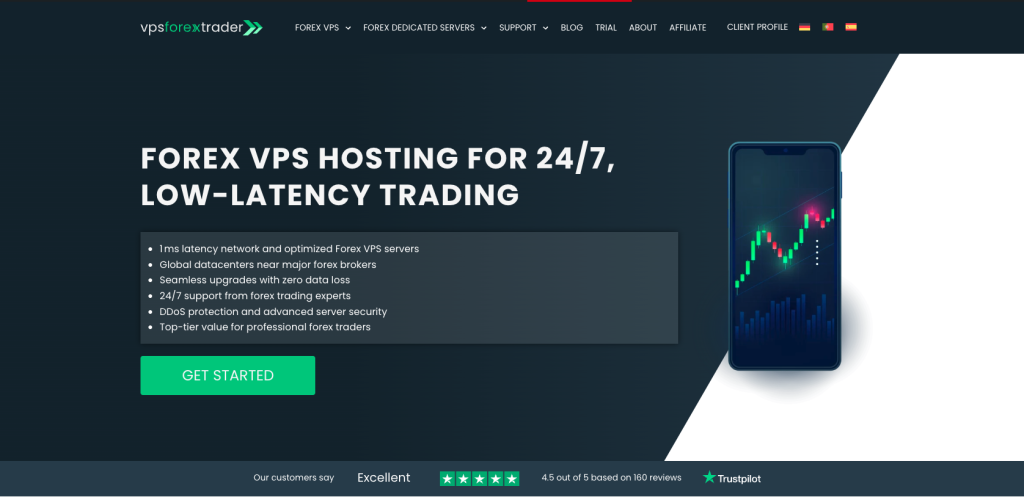
Deployment model: Retail forex VPS (Equinix NY2, LD3, Amsterdam Serverius, HK4) Operator: HOSTLINE UAB, Lithuania. Operating since April 2011.
VPSForexTrader runs three plans on AMD EPYC hardware with ECC RAM and NVMe storage under Windows Server 2022. For MT5 specifically, the entry plan (Smart) at 3 cores, 4 GB ECC RAM, and 120 GB NVMe provides enough headroom for a standard MT5 deployment: one terminal with several charts, a couple of EAs, and room for MT5’s tick history without hitting swap. The Boost (6 cores, 6 GB, 180 GB NVMe) and Max (8 cores, 8 GB, 250 GB NVMe) tiers scale for traders running multiple MT5 instances or heavier multi-symbol strategies.
Monthly pricing runs $31.99 (Smart), $54.99 (Boost), and $79.99 (Max). Annual billing with current promotions brings those down to roughly $25.59, $41.24, and $59.99 per month respectively.
The $0.99 three-day trial is the most useful risk-reduction mechanism in this category for a specific reason: latency claims only mean something when tested against your actual broker’s MT5 server from the actual VPS location. Three days is enough to install MT5, connect to your broker, and measure real round-trip time under live market conditions. A 14-day money-back guarantee provides a second layer if the trial goes well but issues surface later.
Server locations cover the four hubs where the majority of retail forex brokers host MT5 infrastructure: New York (Equinix NY2), London (Equinix LD3), Amsterdam Serverius, and HK4. Singapore, Shanghai, Dubai, and Silicon Valley are listed as coming soon but are not yet available.
How VPSForexTrader fits the MT5 VPS landscape
VPSForexTrader is not the cheapest option in this guide, and it does not offer pre-installed MT5 or Linux. Its positioning is the intersection of MT5-appropriate hardware specs (ECC RAM matters for stability during volatile sessions, NVMe matters for MT5’s heavier disk I/O), verified Equinix hub presence, and a trial model that lets traders validate latency before committing. For retail EA traders who need their VPS in the same data center as brokers like IC Markets (NY2) or Tickmill (LD4), the combination of location coverage, hardware transparency, and risk reduction is stronger than any single competitor in this list.
That said, traders who want MT5 ready to trade in minutes should look at NYCServers. Traders running pure-MQL EAs with no DLL dependencies should seriously evaluate MetaQuotes Virtual Hosting at $12.80 to $15/month, which will often deliver lower latency to the broker for less money.
Strengths
Documented AMD EPYC processors with ECC RAM and NVMe storage on all plans. Four active Equinix hub locations covering the primary broker infrastructure clusters. $0.99 trial allows real-world latency validation before purchase. 14-day money-back as a secondary safety net. Free backups included (weekly on Smart, daily on Boost and Max). DDoS protection and a “no service termination on forex trading days” policy.
Limitations
EPYC model number is not disclosed, so single-core clock speed (the most important MT5 performance variable for multi-currency EAs) cannot be independently assessed. RAM is described as ECC but the DDR generation (DDR4 or DDR5) is not specified on the pricing page. No Linux option, which rules out Python-based trading setups that benefit from native Linux execution. MT5 requires manual installation via RDP. No published SLA percentage on the official website (a third-party aggregator claims 99.99%, but this is not verifiable from VPSForexTrader’s own pages). Not the lowest-cost option: TradingFXVPS starts at $17.50/month and NYCServers at $16.67/month on annual billing.
NYCServers, Fastest MT5 Setup with Broker Presets
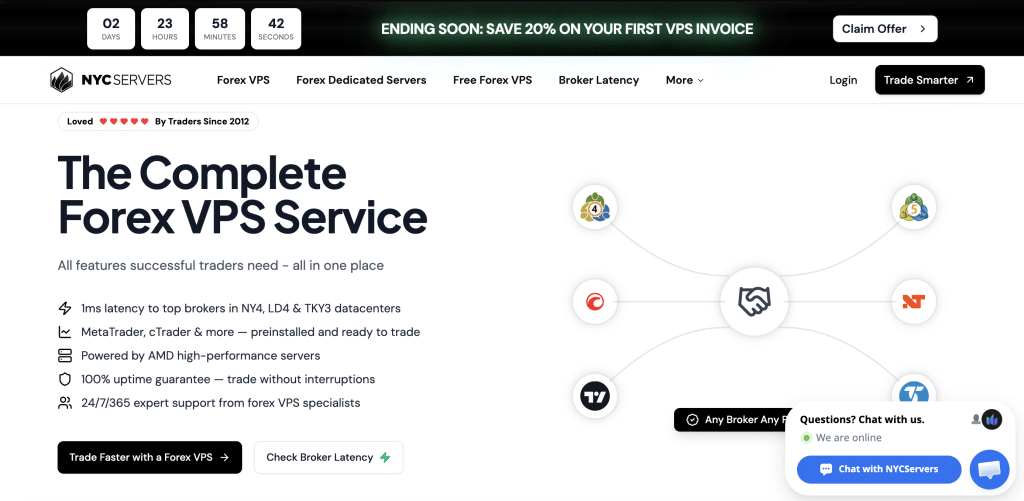
Deployment model: Retail forex VPS (Equinix NY4, LD4, TY3, SG1, HK1, DUB1) Operator: GreenHill Technologies Inc., Connecticut, USA.
NYCServers is the only provider in this guide that genuinely pre-installs MT5 and pre-configures it for the broker you select at checkout. Over 100 brokers and platforms are supported. For traders who want to be live and trading within minutes of provisioning, this eliminates the RDP-login-download-install-configure process that every other provider requires.
The six named Equinix locations (NY4, LD4, TY3, SG1, HK1, DUB1) give NYCServers the broadest hub-level coverage among the forex-specialist providers in this list. TY3 and DUB1 in particular are locations that several competitors do not offer.
The Basic plan ($25/month, $16.67 on annual) lists 2 cores, 2 GB DDR5, and 60 GB NVMe. For MT5, that 2 GB is tight. MT5 idle sits at 150 to 500 MB depending on chart count and history depth, and Windows Server 2022 itself consumes 800 MB to 1.2 GB. That leaves roughly 300 to 800 MB of working headroom on the Basic tier, which can disappear quickly with indicators, multi-symbol EAs, or deep tick history. The Standard plan at 4 GB ($40/month, $26.67 annual) is a more realistic MT5 starting point. The Professional tier (4 cores, 8 GB, $60/month) handles multi-terminal setups comfortably.
NYCServers is also the only US-registered company in this comparison (Connecticut), which may matter for traders who prefer US-jurisdiction hosting agreements.
Strengths
Genuine MT5 pre-installation with broker-specific configuration at checkout. Six named Equinix hub locations, the broadest among forex-specialist peers. US-registered company. Both Windows Server 2022 and Ubuntu 24.04 available. 14-day money-back guarantee.
Limitations
The 2 GB Basic plan is undersized for most MT5 workloads once OS overhead is accounted for. DDR5 is claimed but not independently verifiable from public documentation. AMD EPYC model number is not disclosed. The marketed “100% uptime guarantee” is an implausible claim that no hosting provider can deliver. Pre-installed MT5 means less control over installation paths and portable mode configuration for traders who prefer custom setups.
TradingFXVPS, Latency-First Positioning with Aggressive Spec Claims
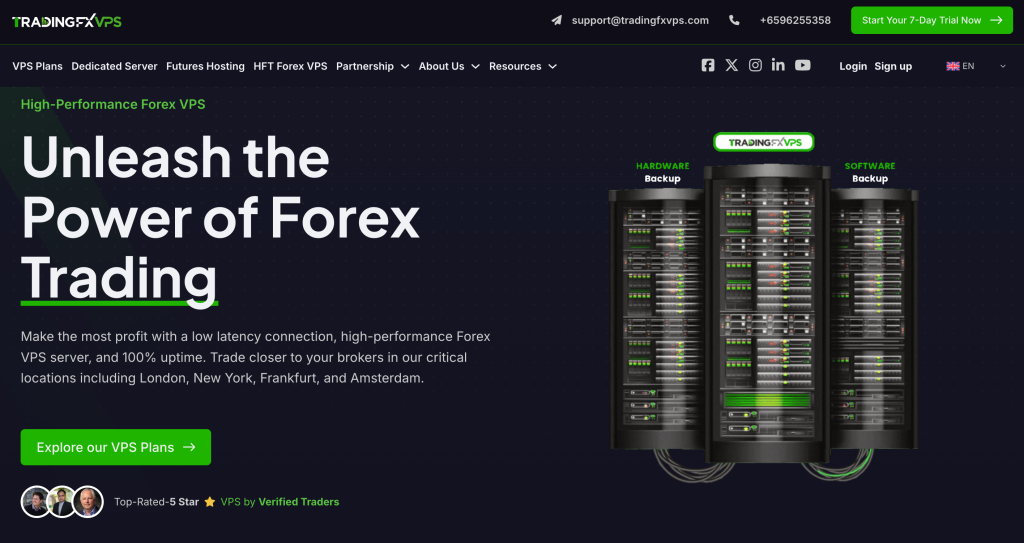
Deployment model: Retail forex VPS (8 locations including CME Aurora) Operator: High Frequency Trading Network Pte Ltd, Singapore.
TradingFXVPS markets the most aggressive hardware specifications in this category: Ryzen 9 at 4.3 GHz, DDR5 RAM, 10 Gbps network, NVMe RAID 10, and Hyper-V isolation. If accurate, the Ryzen 9 single-thread performance would make this the strongest MT5 execution platform in the guide, because MT5’s per-EA threading model rewards clock speed over core count.
The catch is verification. The Ryzen 9 9950X reference appears only in blog copy, not on the plan pages themselves. DDR5 is stated but not independently confirmable. And the two lowest tiers (HFT Standard at $17.50/month annual and HFT Standard+ at $22.11/month annual) default to Windows Server 2016. Microsoft ended mainstream support for Server 2016 in January 2022, and extended support ends January 2027. Running MT5 build 4755+ on Server 2016 works today, but it is not a forward-looking choice for a VPS you plan to keep running.
The HFT Advanced ($33.75/month annual) and HFT Expert ($63.75/month annual) tiers offer Windows Server 2016, 2019, or 2022, which resolves the OS issue but at a higher price point.
TradingFXVPS publishes broker-specific cross-connect latency figures: 0.28 ms to IC Markets, 0.29 ms to Pepperstone, 0.31 ms to LMAX. These are provider-measured numbers that have not been independently replicated. The directional claim (sub-millisecond within the same Equinix facility) is plausible, but the precision of “0.28 ms” from a commercially interested source should be treated as indicative, not guaranteed.
Eight locations including Chicago (CME Aurora) give TradingFXVPS the widest geographic spread among the forex-specialist providers, though the Chicago location is primarily relevant for futures traders, not forex.
Strengths
Lowest entry price among providers in this guide at $17.50/month on annual billing. 30-day money-back guarantee (the longest refund window in this comparison). Published broker-specific latency figures, even if provider-measured. Eight locations including both Equinix and CME-adjacent facilities. $3.99 seven-day trial.
Limitations
Entry and mid-tier plans default to Windows Server 2016, a near-end-of-life operating system. Ryzen 9 9950X appears in blog content but is absent from plan pages, creating a verification gap. DDR5 claims are not independently confirmable. Entry plan (1 core, 2 GB, 30 GB) is minimal for MT5 workloads. Cross-connect latency figures are self-reported by a commercially interested party and have not been independently replicated. Storage at 30 to 50 GB across all tiers is the lowest in this guide and leaves limited room for MT5 tick history and logs.
ForexVPS.net, Broadest Global Location Coverage
Deployment model: Retail forex VPS (22 locations globally) Operator: ThinkHuge Ltd., Hong Kong.
ForexVPS.net’s value proposition is geographic reach. Twenty-two locations spanning New York, London, Tokyo, Singapore, São Paulo, Johannesburg, Mumbai, Dubai, and thirteen other cities make it the right choice for traders whose brokers operate outside the standard NY4/LD4/TY3 cluster. If your broker hosts MT5 servers in Limassol, Mumbai, or São Paulo, ForexVPS.net may be your only option for proximity hosting among the providers in this list.
The Core plan ($40/month, $32 annual) lists 2 vCPU, 4 GB RAM, and 100 GB storage. The 4 GB RAM baseline is realistic for a standard MT5 deployment, and 100 GB of storage provides more room for tick history and logs than most competitors’ entry tiers.
Resource Spike Protection is ForexVPS.net’s marquee feature, described as automatic allocation of extra resources during peak usage periods like NFP or FOMC releases. The concept is sound (news-event spikes are exactly when resource contention hits hardest), but the buffer size and trigger threshold are not publicly documented, so the actual protection delivered is difficult to evaluate before purchasing.
Broker-sponsored free VPS is available through partnerships with IC Markets and Switch Markets, among others. Eligibility requirements vary by broker.
Strengths
Twenty-two global locations, the largest footprint in this guide. 4 GB RAM on the entry plan (adequate for standard MT5). Resource Spike Protection for news-event resilience. Dedicated IP included. Broker-sponsored free VPS partnerships. Proprietary TrackaTrader analytics tool.
Limitations
CPU architecture is not disclosed on the pricing page. RAM type (DDR4 or DDR5) is not specified. Storage type is not confirmed (blog copy references NVMe, but the plan page is silent). This is the least transparent spec sheet among the forex-specialist providers in this list. Pricing starts at $40/month ($32 annual), which is the highest entry point among non-institutional providers. The marketed “100% uptime” is contradicted by fine print stating 99.99% enforceable SLA.
Beeks Financial Cloud, Institutional Infrastructure for Serious Accounts
Deployment model: Institutional colocation and proximity hosting (27+ global locations) Operator: Beeks Group plc, LSE-listed (BKS), Scotland.
Beeks occupies a different category than the other providers in this guide. It is a publicly traded financial infrastructure company whose retail VPS tiers serve as an entry point into an institutional colocation and cross-connect business. Over 400 supported cross-connects to more than 200 trading venues (including oneZero, PrimeXM, Currenex, LMAX, Hotspot, and FXall) place Beeks closer to prime brokerage infrastructure than to retail hosting.
For traders managing multiple funded accounts, running institutional-grade execution, or needing direct cross-connects to specific liquidity providers, Beeks offers infrastructure depth that no retail-focused VPS provider matches.
The retail tiers are a different story. Bronze (1 vCPU, 2.5 GB RAM, 30 GB disk) at £31/month (roughly $39 at current exchange rates) is underpowered per dollar compared to retail-focused competitors. VPSForexTrader’s entry plan provides 3 cores and 4 GB ECC RAM for $32/month on annual billing. NYCServers provides 4 GB DDR5 for $26.67/month annual. Beeks’ retail catalogue page does not disclose CPU model, RAM type, storage type, operating system, uptime SLA, or refund policy. For a retail trader buying a VPS to run one or two MT5 terminals, the institutional pedigree does not compensate for the spec opacity and lower resources per dollar.
Pricing is published in GBP only with no official USD rates. VAT may apply depending on jurisdiction.
Strengths
Twenty-seven global data center locations including all four primary forex hubs (NY4, LD4, TY3, HK1) plus CME Aurora and multiple exchange ALCs. LSE-listed public company with audited financials. Over 400 cross-connects to 200+ trading venues. Managed service available on all retail tiers. Published inter-data-center latency benchmarks (NY5 to LD4 at approximately 30 ms).
Limitations
Retail VPS catalogue does not disclose CPU model, RAM type, storage type, OS, SLA, or refund terms. Bronze tier (1 vCPU, 2.5 GB, £31/month) offers the lowest resources per dollar of any provider in this guide. All pricing in GBP only, with potential VAT. MT5 is not explicitly listed on the retail catalogue page, though the broader platform supports it. Retail tiers lack the transparency that characterizes Beeks’ institutional offerings.
QuantVPS, High-Resource VPS for Futures-First Traders
Deployment model: High-performance VPS (Chicago-centric, CME focus) Operator: QuantVPS (US-based).
QuantVPS is built for US futures traders who need sub-millisecond connectivity to CME matching engines in Chicago. That is its strength, and it is not transferable to forex. No major retail forex broker hosts MT5 matching engines in Chicago. IC Markets is in NY4. Tickmill is in LD4. OANDA is in NY4, TY4, and SG3. A sub-0.52 ms cross-connect to CME provides zero latency benefit for forex execution.
For traders who run both futures and forex, QuantVPS’s resource allocations are the highest in this guide. The Lite plan (4 cores, 8 GB DDR4 ECC RAM, 70 GB NVMe) at $59.99/month ($41.99 annual) provides genuine headroom for heavy MT5 workloads, multiple terminals, or parallel strategy testing. The Performance+ line adds AMD Ryzen 7950X/9950X with DDR5 ECC at a premium (Lite+ at $79.99, Pro+ at $129.99), and QuantVPS is unusually explicit about its silicon, disclosing specific CPU models, DDR generation, and NVMe PCIe generation on the plan page.
Chicago is the only fully documented data center. New York, London, Amsterdam, and Tokyo appear in blog posts and marketing copy but are not consistently confirmed on the ordering page. Verify location availability for your target broker hub before purchasing.
Strengths
Highest resource allocations in this guide. Explicit hardware disclosure (CPU model, DDR generation, NVMe generation) on the plan page. Performance+ line offers verified Ryzen desktop-class single-thread performance, which is the optimal MT5 architecture for multi-currency EAs. Windows Server 2022 and Ubuntu available.
Limitations
Chicago location provides no proximity benefit for forex brokers, which are concentrated in NY4, LD4, and TY3. Pricing is 2 to 4 times higher than forex-specialist competitors for equivalent retail use. Non-Chicago locations are inconsistently documented. Refund policy is contradictory across sources (some pages indicate no refunds with a $200 chargeback fee, others suggest a 7-day window, and a partner page states cancel-anytime). Verify current terms of service directly before committing. Forex is a secondary market for QuantVPS; support and infrastructure priorities reflect the futures focus.
MetaQuotes Virtual Hosting, The Integrated Alternative
Deployment model: Proprietary headless MT5 environment (30+ MetaQuotes-operated hosting points) Operator: MetaQuotes Ltd.
MetaQuotes Virtual Hosting is not a VPS in the traditional sense. There is no Windows desktop, no RDP access, no ability to install any software outside of the MT5 terminal itself. It runs a headless, stripped-down MT5 instance on MetaQuotes’ own infrastructure, migrated directly from the trader’s local terminal with a few clicks.
For traders running pure-MQL Expert Advisors with no DLL dependencies, this is often the right answer, and it is cheaper than every third-party provider in this guide. Pricing runs $15/month on a monthly basis, dropping to $12.80/month on an annual subscription. A 24-hour free trial auto-converts to paid if not cancelled.
The latency story is compelling. MetaQuotes operates over 30 hosting points globally, co-located specifically with MetaTrader broker infrastructure. The company claims 96% of broker servers are accessible in under 10 ms, 84% in under 3 ms, and nearly 20% in under 1 ms. These are vendor-supplied figures with no independent verification located, but the plausibility is high given that MetaQuotes has direct relationships with every MT5 broker and can place hosting points accordingly. The MT5 migration wizard measures ping from each hosting point to your specific broker server and recommends the best match, which is a genuinely well-designed feature that eliminates guesswork.
The DLL ban is the hard boundary. MetaQuotes explicitly prohibits all DLL calls on Virtual Hosting, including Windows system DLLs like wininet.dll and kernel32.dll. The migration process itself fails if the EA imports any DLL. This eliminates any EA that relies on database integration, Python sidecars, HTTP calls via wininet (use MQL5’s native WebRequest instead), custom analytics libraries, Telegram notification bots, or broker bridge tools. Combined with the one-account-per-subscription limit, no file system access, and a 32-chart cap on paid hosting (16 on free), MetaQuotes VPS is architecturally incompatible with multi-tool trading setups.
One advantage that is easy to overlook: MQL5 Market products running on MetaQuotes Virtual Hosting do not consume activation slots. On a third-party VPS, installing a Market-purchased EA counts against the limited activation quota. On MetaQuotes’ own hosting, it does not. For traders who rely on purchased Market EAs, this can be a decisive factor.
The binding terms (§I.11) state that MetaQuotes “makes no guarantees of the Virtual terminals’ smooth operation,” despite marketing materials referencing 99.99% uptime. No formal SLA with credit terms is offered.
When MetaQuotes VPS is the right choice: Your EA is pure MQL5 with no DLL imports, you trade one account per terminal, and you want the lowest cost with likely the lowest latency to your broker’s MT5 server.
When a third-party VPS is the right choice: Your EA imports DLLs, you run non-MT software alongside your terminal (monitoring tools, Telegram bots, Python scripts, copy-trade bridges), you need RDP access, you manage multiple accounts, or you need file-system-level backup control.
What Actually Determines MT5 VPS Performance
Most VPS marketing focuses on the wrong variables. CPU cores, RAM size, and NVMe storage matter for stability, but they do not determine execution speed. The single largest factor in MT5 execution latency is something no VPS provider controls: the physical distance between your VPS and your broker’s matching engine.
Your broker’s MT5 server location decides everything.
A 2-core VPS in the same Equinix facility as your broker will execute orders faster than an 8-core server on the other side of the Atlantic. Light in fiber travels at roughly 200,000 km/s. New York to London is approximately 5,500 km, which means a theoretical minimum of 55 ms round-trip before any routing or switch overhead. Real-world trans-Atlantic latency runs 65 to 80 ms. No amount of CPU power eliminates physics.
The problem is that most brokers do not prominently disclose where their MT5 servers physically sit. Some verified locations from official broker sources: IC Markets hosts MT5 in Equinix NY4 (Secaucus, New Jersey). Tickmill’s primary infrastructure is in LD4 (Slough, UK) with NY4 as backup. OANDA operates from NY4, TR2 (Toronto), TY4 (Tokyo), and SG3 (Singapore). Pepperstone is widely placed in LD5 and NY4 based on server hostnames, though the broker does not publish specific facility names. Exness operates a distributed network across Amsterdam, London, Singapore, Hong Kong, Frankfurt, and Miami without naming specific Equinix buildings.
Before choosing a VPS provider or location, find your broker’s MT5 server address (Tools, Options, Server in MT5) and ask the broker directly which data center it sits in. If they will not disclose it, the server hostname often contains a city reference (real4-london.fxpro.com, for example) that narrows it down.
Why pinging your broker’s website tells you nothing useful.
A common mistake is running a ping test against broker.com and using the result to evaluate VPS latency. The ICMP ping hits the broker’s public web server, which typically runs on cloud infrastructure (AWS, Cloudflare, or similar) geographically separate from the matching engine. A 30 ms ping to broker.com can hide a 2 ms or an 80 ms actual connection to the MT5 trade server.
The correct measurement is pinging the MT5 server hostname from your VPS, or reading the “Ping to trade server” value in the MT5 journal tab. This measures the actual network path your orders will travel.
Broker bridge latency is the variable you cannot control.
MT5 does not natively speak FIX protocol to Tier-1 liquidity providers. Brokers use bridge software (PrimeXM XCore, oneZero Hub, Centroid, Gold-i Matrix Net, FXCubic, among others) to translate MetaTrader orders into FIX and aggregate liquidity from multiple providers. The bridge is an additional processing hop between your order and the liquidity pool.
When a broker’s MT5 server, bridge, and primary liquidity providers all sit in LD4, the entire execution chain can complete in under a millisecond. When the MT5 server is in NY4 but the primary LPs are in LD4, every order pays roughly 70 ms of trans-Atlantic round-trip regardless of where your VPS sits. This is the most underappreciated latency factor in retail VPS marketing. A VPS cannot fix it, and most brokers do not disclose their bridge architecture publicly.
MT5 threading determines what hardware actually helps.
MT5 allocates one thread per Expert Advisor and one thread per symbol (shared by all indicators on that symbol). Each EA processes its event queue linearly within its single thread. A multi-currency EA that scans 28 pairs still runs in one thread. It will not benefit from additional CPU cores regardless of how many symbols it processes.
This inverts common VPS sizing logic. For multi-currency EAs, a 4-core processor with high clock speed (4.0 GHz+) will outperform a 16-core server processor running at 2.5 GHz. Single-symbol EAs, each attached to their own chart, do parallelize across cores. But for the multi-pair scanners and portfolio EAs that many retail traders run, single-thread clock speed is the binding constraint.
This is the genuine technical reason why desktop-class processors (AMD Ryzen 9, for example) can outperform server-class EPYC chips for MT5 workloads. EPYC offers more cores at lower clock speeds, optimized for multi-threaded server applications. Ryzen offers fewer cores at higher clock speeds, which aligns with how MT5 actually distributes work. Whether a provider’s Ryzen claims are verifiable is a separate question (see the TradingFXVPS and QuantVPS sections above), but the architectural advantage is real.
Jitter matters more than average latency.
Jitter is variation in packet arrival time. A connection averaging 5 ms but spiking to 80 ms during news events is worse for EA execution than a stable 30 ms connection. Spikes cause requotes, partial fills, and trailing stop lag at exactly the moments when consistent execution matters most.
Home broadband and Wi-Fi are the worst jitter offenders. Oversubscribed shared VPS environments are the second worst. Data center fiber with dedicated bandwidth is the most stable. This is the core infrastructure argument for running MT5 on a VPS rather than a home PC, and it applies regardless of which provider you choose.
A note on FTMO and prop-firm infrastructure.
Traders running prop-firm challenges should know that FTMO’s own FAQ discloses a deliberately injected execution delay of up to 200 ms on their simulation servers. This is by design, intended to simulate realistic execution conditions during evaluation. Community research places FTMO’s infrastructure in LD4 via their LMAX feed partnership, but the injected delay means that achieving sub-millisecond VPS-to-FTMO latency provides no execution advantage during the challenge phase. Prop-firm latency operates under different rules than live broker latency.
How to Size an MT5 VPS
MT5 sizing mistakes almost always come from applying MT4 assumptions. Traders who ran three MT4 terminals on 2 GB without issues order the same spec for MT5 and wonder why their terminal freezes during London open. The resource profile is fundamentally different.
Start with the OS overhead.
Windows Server 2022 consumes 800 MB to 1.2 GB of RAM before MT5 even launches. On a 2 GB plan, that leaves roughly 800 MB to 1.2 GB for everything else. On a 4 GB plan, you have 2.8 to 3.2 GB of working space. This baseline cost is fixed and unavoidable on every Windows VPS in this guide.
MT5 idle baseline is higher than most traders expect.
A single MT5 terminal with a handful of charts and no EAs running typically consumes 150 to 500 MB of RAM, depending on chart count and history depth. MetaQuotes does not publish official resource consumption figures. These numbers come from community measurements on MQL5 forums and are consistent with observations across multiple deployments. With indicators loaded and tick history accumulating during an active session, a single terminal can climb past 800 MB without any unusual configuration.
Max bars in chart is the single easiest optimization.
MT5 defaults to 100,000 max bars per chart. The hard minimum is 5,000 (enforced, unlike MT4 which allowed 1,000). For most EAs, 5,000 to 10,000 bars is sufficient. The EA reads recent price action and executes. It does not need 100,000 bars of history loaded into memory across every chart.
Reducing max bars from 100,000 to 10,000 across a multi-chart setup can reclaim hundreds of megabytes. On a resource-constrained VPS, this is the difference between stable operation and swap. The setting is in Tools, Options, Charts, and requires a terminal restart to take effect.
Market Watch drives background resource consumption.
Every symbol in Market Watch receives live ticks and maintains a history cache, whether or not you have a chart open for it. MT5 supports up to 1,000 symbols in Market Watch. Community testing showed that loading 328 symbols spiked CPU usage from 24% to 41% on an i7-860 and spawned over 200 threads. MetaQuotes’ own VPS migration guide explicitly advises pruning Market Watch to only actively traded symbols before migrating to virtual hosting.
If you trade three pairs, your Market Watch should contain three pairs plus any symbols your EA references internally. Not the 50 or 100 that auto-populate on first connection.
Trailing stops require a running terminal. Stop losses do not.
This is the most misrepresented fact in broker marketing. Official MetaQuotes documentation states clearly that trailing stops execute in the trading platform, not on the broker’s server. When MT5 disconnects or the terminal closes, trailing stops freeze at their last position. They do not continue adjusting. MetaQuotes staff have confirmed on the MQL5 forum that Web and Mobile MT5 do not support trailing stops at all because they lack a persistent execution environment.
Stop losses and take profits, by contrast, are server-side orders. They execute at the broker regardless of whether your terminal is connected. Pending orders (limit and stop orders) are also server-side.
This distinction is the foundational infrastructure argument for running MT5 on a VPS. If your strategy uses trailing stops, your terminal must be connected 24/5. A VPS provides that uptime. If your strategy relies only on fixed stop losses and take profits, the VPS argument shifts from necessity to latency optimization.
Running multiple MT5 instances.
Each MT5 terminal connects to one live account. Running multiple accounts means running multiple terminals, each installed in a separate folder or launched with the /portable flag to isolate configurations. The practical stability ceiling is 24 to 28 terminals per Windows session, limited by Windows desktop-heap and GDI-handle constraints rather than by MT5 itself.
For sizing: budget 2 to 4 GB RAM for the first terminal (including OS overhead) and 1 to 2 GB per additional terminal, depending on chart count and EA complexity. Budget approximately 1 vCPU per actively trading terminal, recognizing that a terminal sitting idle between trades consumes minimal CPU while a terminal processing ticks and executing EA logic during volatile sessions can spike a full core.
Practical sizing reference.
A trader running one MT5 terminal with 3 to 5 charts, one or two EAs, and reduced max bars (10,000) will typically operate comfortably on 4 GB RAM with 2 to 3 CPU cores. This matches the VPSForexTrader Smart plan, the NYCServers Standard plan, the TradingFXVPS HFT Advanced plan, or the ForexVPS.net Core plan.
A trader running two to three MT5 terminals with heavier indicator loads or multi-symbol scanning EAs should target 6 to 8 GB RAM with 4 or more cores. Corresponding plans include VPSForexTrader Boost or Max, NYCServers Professional, TradingFXVPS HFT Expert, or QuantVPS Lite.
Traders running four or more terminals, Strategy Tester optimization, or parallel EA development should budget 8 GB minimum and consider dedicated resources. MetaQuotes documentation notes that each Strategy Tester agent requires roughly 2 GB of RAM and runs best on a physical (not virtual) core.
Common MT5 VPS Mistakes
These are errors that show up repeatedly in trading forums and support tickets. Most are avoidable with information that is already in this guide, but they persist because VPS marketing incentivizes traders to focus on the wrong things.
Choosing a VPS location without knowing where your broker’s MT5 server sits.
This is the most expensive mistake in the category because it is invisible until you measure it. A trader picks a New York VPS because “most brokers are in NY4,” connects to a broker whose MT5 server is actually in LD4, and wonders why execution feels sluggish. The VPS is working correctly. The 70 ms trans-Atlantic round-trip is working correctly. The location choice was wrong. Before selecting a VPS location or provider, open MT5, go to Tools, Options, Server, and identify the server hostname. Contact the broker to confirm which data center it maps to. This step costs nothing and prevents the single most common VPS regret.
Trusting latency claims without testing against your specific broker.
“Under 1 ms latency” means the VPS and the measurement target are in the same facility. It says nothing about the latency to your broker specifically. Every provider in this guide that claims sub-millisecond latency is describing a best-case pairing, not a universal result. This is why trial periods and refund windows exist. VPSForexTrader’s $0.99 three-day trial, NYCServers’ 14-day refund, and TradingFXVPS’s $3.99 seven-day trial all serve the same purpose: letting you measure real latency to your broker’s MT5 server before committing to annual billing. Use them.
Applying MT4 sizing assumptions to MT5.
MT5 consumes 3 to 4 times more RAM per terminal than MT4 for equivalent setups. A trader who ran two MT4 instances comfortably on 2 GB will not run two MT5 instances on 2 GB. Windows Server overhead alone takes 800 MB to 1.2 GB, a single MT5 terminal at default settings can consume 500 MB or more, and there is nothing left for the second terminal. The NYCServers Basic plan (2 GB) and the TradingFXVPS HFT Standard (2 GB) are both realistic for a single light MT5 setup but not for multi-terminal deployments. Traders migrating from MT4 should plan for at least 4 GB as a starting point.
Expecting more CPU cores to speed up multi-currency EAs.
MT5 runs each EA in a single thread. A multi-currency EA scanning 28 pairs processes all of them sequentially within that one thread. Adding cores does not help. What helps is higher clock speed per core. This is why a 4-core Ryzen at 4.3 GHz can outperform an 8-core EPYC at 2.5 GHz for this specific workload. Traders running multi-pair scanners or portfolio EAs should prioritize single-thread performance over core count when evaluating VPS plans. Traders running separate single-symbol EAs on individual charts, where each EA gets its own thread, benefit from additional cores.
Leaving max bars at the 100,000 default.
MT5 ships with max bars set to 100,000. On a home PC with 32 GB of RAM, this is irrelevant. On a VPS with 4 GB, it is the difference between smooth operation and memory pressure. Each chart loads history data proportional to the max bars setting, multiplied across every open chart. Reducing to 5,000 or 10,000 bars for EA-driven setups reclaims hundreds of megabytes with no impact on most automated strategies. The EA only needs enough bars to calculate its indicators. It does not need three years of M1 history loaded into RAM.
Ignoring broker bridge latency while obsessing over VPS latency.
A trader optimizes VPS placement to achieve 2 ms ping to the broker’s MT5 server, then discovers that order execution still takes 150 ms. The missing variable is the broker’s bridge. PrimeXM, oneZero, Centroid, and similar bridge software add processing time between the MT5 server and the liquidity pool. If the broker’s LPs are in a different data center than the MT5 server, the bridge adds cross-data-center round-trip time on top of its processing overhead. This is invisible to the trader and not disclosed by most brokers. A VPS cannot fix bridge latency. It is worth understanding this boundary so that you direct your optimization effort where it actually has impact: VPS-to-MT5-server proximity, max bars reduction, Market Watch pruning, and terminal configuration.
Committing to annual billing without a trial.
Annual billing saves 15 to 40% across the providers in this guide. It also locks you in. If you discover after two weeks that the latency to your broker is unacceptable, or that the VPS reboots during the Asian session for maintenance, or that 2 GB was not enough, you are stuck negotiating a refund against terms you already agreed to. Start monthly or use a trial. VPSForexTrader ($0.99/3 days), TradingFXVPS ($3.99/7 days), and MetaQuotes Virtual Hosting (24-hour free trial) all offer low-cost entry points. NYCServers and ForexVPS.net offer 14-day money-back guarantees. Test first, then commit to annual once you have confirmed that the location, specs, and stability work for your setup.
FAQ
Can I run MT5 on a Linux VPS?
MT5 runs natively on Windows only. On Linux, it requires Wine or a compatibility layer, which introduces overhead and can cause instability with certain EAs, particularly those using DLL imports or complex indicator libraries. Some traders run MT5 under Wine on Ubuntu successfully for basic setups, but it is not officially supported by MetaQuotes and troubleshooting options are limited. NYCServers and QuantVPS both offer Ubuntu alongside Windows, but for MT5 specifically, Windows Server 2019 or 2022 remains the reliable choice. Traders with Python-based strategies that benefit from native Linux execution should consider running the Python component on a Linux VPS and connecting to MT5 via API rather than attempting to run MT5 itself on Linux.
How many MT5 terminals can one VPS realistically handle?
The technical ceiling is 32 terminals per Windows session, limited by desktop-heap and GDI-handle constraints. The practical stability range is lower, typically 24 to 28 terminals before performance degrades. But most traders hit the RAM wall long before the session limit. Each terminal consumes 500 MB to 2 GB depending on configuration, plus Windows Server takes 800 MB to 1.2 GB of baseline overhead. On an 8 GB VPS (VPSForexTrader Max or QuantVPS Lite), realistic capacity is 3 to 5 actively trading terminals with reduced max bars and pruned Market Watch. On a 16 GB plan (QuantVPS Pro), that extends to roughly 6 to 10 terminals depending on EA complexity.
Is MetaQuotes Virtual Hosting better than a third-party VPS?
It depends entirely on whether your EA imports DLLs. For pure-MQL Expert Advisors with no DLL dependencies, MetaQuotes VPS often delivers lower latency to the broker at a lower price ($12.80 to $15/month) than any third-party provider. MetaQuotes co-locates directly with broker infrastructure and the migration wizard automatically selects the lowest-latency hosting point for your specific broker. The moment your EA uses a DLL, a Python sidecar, a Telegram bot, or any non-MT software, MetaQuotes VPS is not an option. There is no workaround. For traders in that category, a third-party VPS like VPSForexTrader or NYCServers is the necessary path, because you need RDP access, file system control, and the ability to install additional software.
Does my broker offer a free VPS?
Several brokers offer free or subsidized VPS hosting, typically through partnerships with VPS providers. IC Markets and Switch Markets offer free VPS through ForexVPS.net for clients meeting minimum trading volume requirements. XM provides a free VPS for clients maintaining a minimum balance (typically $5,000 or equivalent, though terms vary by region). Some brokers also subsidize MetaQuotes Virtual Hosting directly. IG and tastyfx, for example, offer sponsored MetaQuotes VPS to qualifying accounts. The trade-off with broker-sponsored VPS is that you do not choose the provider, the location, or the specs. If the sponsored VPS is not in the same data center as the broker’s MT5 server (which does happen), you may get worse latency than a correctly placed paid VPS.
What happens to my trailing stops if the VPS disconnects?
They freeze at their last adjusted position and do not resume until the terminal reconnects. Trailing stops are processed entirely within the MT5 terminal, not on the broker’s server. If your VPS reboots, loses network connectivity, or the MT5 process crashes, trailing stops stop trailing. The stop loss itself (the price level the trailing stop last set) remains active on the broker’s server and will still trigger if the market reaches it, but it will not continue adjusting to follow favorable price movement.
This is why VPS uptime matters specifically for trailing stop strategies. Fixed stop losses, take profits, and pending orders are server-side and survive any disconnection. Traders who rely on trailing stops should configure MT5 auto-restart via Windows Task Scheduler and maintain a VPS with consistent uptime rather than one that reboots during market hours for maintenance.
Should I pick a VPS based on the cheapest price or the closest location to my broker?
Location. Every time. A $17/month VPS in the same Equinix facility as your broker will execute faster than a $60/month server on the wrong continent. The cheapest plan in this guide (TradingFXVPS HFT Standard at $17.50/month annual) and the most expensive retail plan (QuantVPS Lite at $59.99/month) could deliver identical latency if both happen to be in the same data center as your broker, or wildly different latency if one is correctly placed and the other is not. Price determines how much RAM and CPU you get. Location determines how fast your orders reach the matching engine. Solve location first, then size the plan to your workload.
Resources
- MetaQuotes Ltd. MetaTrader 5 Help: Platform Settings. metatrader5.com/en/terminal/help/startworking/settings. Accessed April 2026. (Max bars in chart defaults and enforcement, chart configuration options.)
- MetaQuotes Ltd. MetaTrader 5 Help: Basic Principles of Trading Operations. metatrader5.com/en/terminal/help/trading/general_concept. Accessed April 2026. (Trailing stop client-side execution, stop loss and take profit server-side behavior.)
- MetaQuotes Ltd. How to Migrate a Trading Account to Virtual Hosting. mql5.com/en/articles/994. (Market Watch pruning guidance, migration prerequisites, DLL restrictions on Virtual Hosting.)
- MetaQuotes Ltd. Virtual Hosting for MetaTrader. mql5.com/en/vps. Accessed April 2026. (Pricing tiers, 30+ hosting points, latency claims, 24-hour trial, activation slot exemption for Market products.)
- MetaQuotes Ltd. Virtual Hosting Plans for Forex. mql5.com/en/vps/forex-plans. Accessed April 2026. (Detailed pricing: $15/month monthly, $12.80/month annual. Note: pricing discrepancy exists between this page and the main VPS landing page.)
- MQL5 Forum: Support for 32-bit versions ends with the next MetaTrader 5 update. mql5.com/en/forum/325529. (64-bit transition timeline, build 3930 September 2023, January 2024 cutoff for 32-bit connections.)
- MQL5 Forum: Reducing memory usage MT5. mql5.com/en/forum/5314. (Community-reported MT5 RAM consumption: 110 to 135 MB per terminal vs MT4 20 to 35 MB for identical indicator setups.)
- MQL5 Forum: How to use multithreading and multi-core tools. mql5.com/en/forum/393733. (Threading model: one thread per EA, one thread per symbol. Multi-currency EAs confirmed single-threaded. Community CPU tests with 328 Market Watch symbols.)
- MQL5 Forum: Web Terminal, no trailing stop? mql5.com/en/forum/222326. (MetaQuotes staff confirmation that trailing stops require a persistent desktop terminal and are not supported on Web or Mobile MT5.)
- OANDA. OANDA collaborates with Equinix to broaden global technology footprint. oanda.com/group/media-center/press-releases. (Confirmed NY4, TR2 Toronto, TY4 Tokyo, SG3 Singapore.)
- FTMO. How does the FTMO technical infrastructure work? ftmo.com/en/faq. (Disclosed deliberately injected execution delay of up to 200 ms on simulation servers.)
- Admirals Group. Admiral Markets Group AS History. admirals.group/history. (LD4 Slough confirmed as primary infrastructure location.)
- FX News Group. Support for older versions of MT4 and MT5 to end on July 1. fxnewsgroup.com. (Build 4755 minimum requirement enforced July 1, 2025.)
- Equinix Forum. Trading in FX (Part 3 of 3): The Equinix FX Ecosystem. forum.equinix.com. (FX ecosystem growth at NY4, LD4, TY3 since 2009.)
- Datacenters.com. Equinix NY4, Secaucus, New Jersey. datacenters.com/equinix-ny4-secaucus. (338,967 sq ft, 18.5 MW capacity.)
- Colo-X. Equinix LD4, Slough. colo-x.com/data-centre/equinix-ld4-slough. (2 Buckingham Avenue, opened December 2007, LD4/LD5/LD6/LD10 campus.)
- Datacenters.com. Equinix TY3, Koto City, Tokyo. datacenters.com/equinix-ty3-koto-ku. (78,433 sq ft, 4.0 MW capacity.)
- Equinix. FXCM Deploys Matching Engine in Equinix IBX Data Center in Tokyo. equinix.com/newsroom/press-releases/2013/11. (FXCM matching engine in TY3.)
- VPSForexTrader. Forex VPS Hosting. vpsforextrader.com. Accessed April 2026. (Plans, pricing, AMD EPYC/ECC/NVMe claims, locations, $0.99 trial, 14-day money-back.)
- NYCServers. Forex VPS. newyorkcityservers.com. Accessed April 2026. (Plans, pricing, DDR5 claims, pre-installed MT5, six Equinix locations, 14-day refund.)
- TradingFXVPS. Forex VPS Hosting Plans. tradingfxvps.com/services/forex-vps-plan. Accessed April 2026. (Plans, pricing, Ryzen 9/DDR5 claims, eight locations, 30-day money-back, broker-specific latency figures.)
- ForexVPS.net. Forex VPS Hosting. forexvps.net/forex-vps-hosting. Accessed April 2026. (Plans, pricing, 22 locations, Resource Spike Protection feature description.)
- Beeks Financial Cloud. VPS Catalogue. beeksfinancialcloud.com/catalogue/category/vps_1. Accessed April 2026. (Bronze/Silver/Gold tiers, GBP pricing. CPU, RAM type, storage type, OS, SLA, and refund policy not disclosed on this page.)
- Beeks Group. Data Centres. beeksgroup.com/services/connectivity/data-centres. Accessed April 2026. (27+ global locations, NY4, NY5, LD4, TY3, CME Aurora confirmed. Published NY5 to LD4 latency of approximately 30 ms.)
- QuantVPS. High-Performance VPS for Futures Trading. quantvps.com. Accessed April 2026. (Plans, pricing, AMD EPYC/Ryzen Performance+ line, DDR4/DDR5 ECC, Chicago primary DC, refund terms inconsistent across pages.)
Editorial Note
This guide is published on vpsforextrader.com, which is operated by HOSTLINE UAB, a VPS hosting provider. VPSForexTrader is included among the evaluated solutions. The same evaluation criteria and transparency standards apply to all providers, including VPSForexTrader. Where any provider does not publicly disclose a specification (CPU model, RAM generation, storage type, SLA terms, or refund policy), that gap is documented rather than assumed.
All hardware specifications, pricing, plan details, and location claims are based on publicly available vendor documentation reviewed in April 2026. Pricing and availability change. Readers should confirm all current specifications and contractual terms directly with the provider before purchasing. Where a provider’s marketing materials contradict their fine print (for example, a homepage claiming “100% uptime” while footer terms state 99.99%), the more conservative figure is cited.
MT5 resource consumption figures (RAM per terminal, OS overhead ranges) are based on community-reported measurements from the MQL5 developer forum and are presented as typical ranges, not guaranteed values. MetaQuotes does not publish official resource consumption benchmarks for MT5. Broker server locations cited in this guide are sourced from official broker documentation and press releases where available. Where broker location is inferred from server hostnames or industry consensus rather than official disclosure, this is noted. Broker infrastructure can change without notice.
Latency figures cited from VPS providers (TradingFXVPS cross-connect measurements, MetaQuotes hosting point coverage claims, Beeks inter-data-center benchmarks) are vendor-supplied data from commercially interested sources. No independently replicated latency benchmarks were identified during research.
This guide evaluates VPS infrastructure for MT5 execution. It is not financial advice. A VPS can reduce network-layer latency between your trading platform and your broker’s execution infrastructure. It cannot guarantee execution quality, improve trading strategy performance, or eliminate broker-side processing delays. Trading outcomes depend on market conditions, broker execution models, liquidity, and strategy design, none of which are within VPS scope.
All product names, trademarks, and company names remain the property of their respective owners.
Written by: Nedas Miliunas
Reviewed by: VPS performance reviewer
Compare the best VPS for MetaTrader 5 in 2026. Low-latency MT5 VPS options tested for EA trading, uptime, and broker proximity.