If you’ve opened MetaTrader 5 and seen a bind error on 127.0.0.1:22346, it’s almost always caused by MT5’s built-in MCP (Model Context Protocol) server, a feature added as part of MT5’s AI integration that lets external AI agents connect to your terminal. When multiple MT5 terminals try to run this server at the same time, they compete for the same local port and throw a bind error.
What Causes the 127.0.0.1:22346 Bind Error?
MT5’s internal MCP server listens locally at:
http://127.0.0.1:22346/mcpIf you run more than one MT5 terminal on the same VPS, each terminal tries to bind to this same port. Only one can succeed, and the others log a bind error referencing 127.0.0.1:22346.
The fix is to disable the MCP server in every terminal that doesn’t specifically need AI agent access.
How to Disable the Internal MCP Server in MT5?
Follow these steps in each MT5 terminal where AI access isn’t required:
- Open Tools → Options in the MT5 terminal menu.
- Select the MCP tab.
- Untick “Enable internal server.” This is the exact option name shown on MT5’s official settings screen.
- Click OK to save the change.
- Restart the MT5 terminal for the change to take effect.
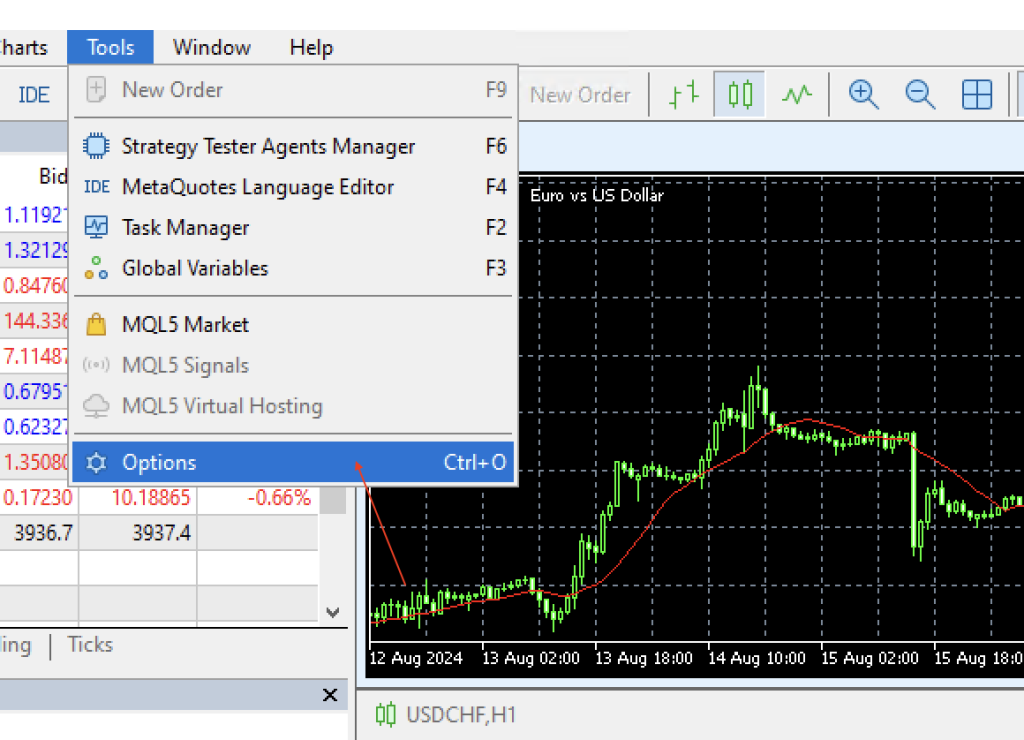
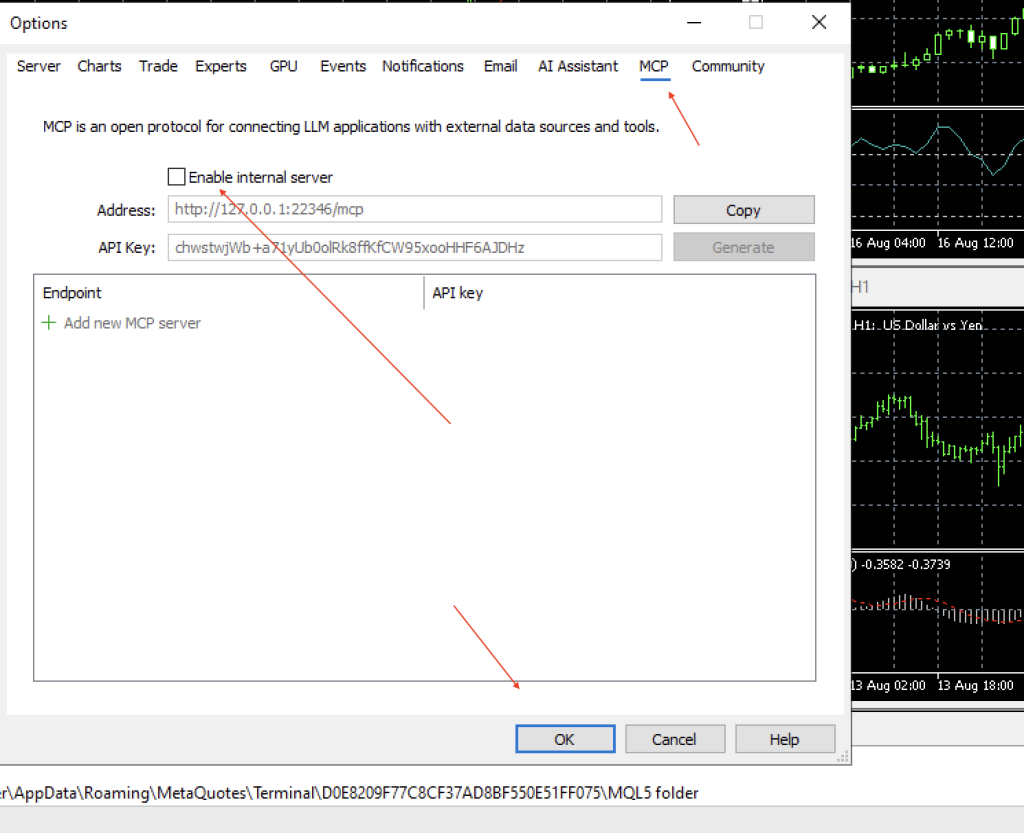
Once restarted, that terminal will no longer attempt to open a listener on port 22346, which resolves the bind conflict.
Will Disabling MCP Affect Trading or Expert Advisors?
No. Disabling the internal MCP server does not affect normal trading or usage of Expert Advisors.
It only disables MT5’s MCP interface – channel used by AI agents to interact with the terminal. Everything related to order execution, EA logic, and trade copying continues to work exactly as before.
Summary
The 127.0.0.1:22346 bind error is a simple port conflict, it happens when MT5’s internal MCP server tries to claim a port that’s already in use. Disabling “Enable internal server” on MT5 terminal clears the error with zero impact on trading. The setting only controls AI agent access to the terminal, so turning it off is safe for any MT5 instance that doesn’t need that connection.