Day
Hrs
Mins
Secs

⚡ Flash Sale. Grab an extra 15% off annual Forex VPS plans. 40% total savings. Code: FLASHTRADE

2. How to Connect to Your Server from MacOS?

After successfully placing new service order, server provisioning process will start automatically. This process should take up to 15 minutes. As soon as it ends, you will receive a server activation letter by email. This email contains all the information you need to access the server.

If you are using MacOS device, follow the steps below to easily access your virtual server:

STEP 1:

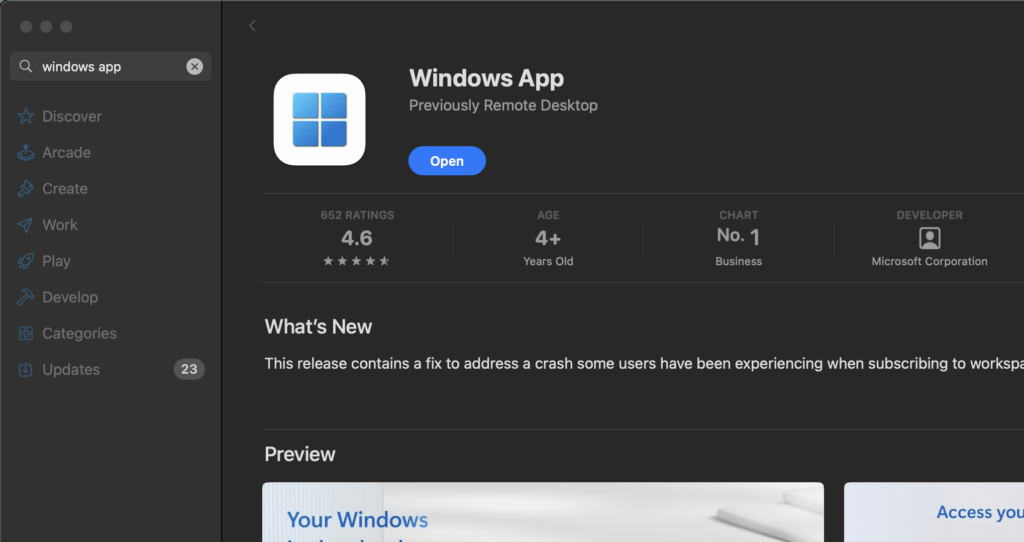
Download application called „Windows App“ (formerly „Microsoft Remote Desktop”) from App Store.
STEP 2:

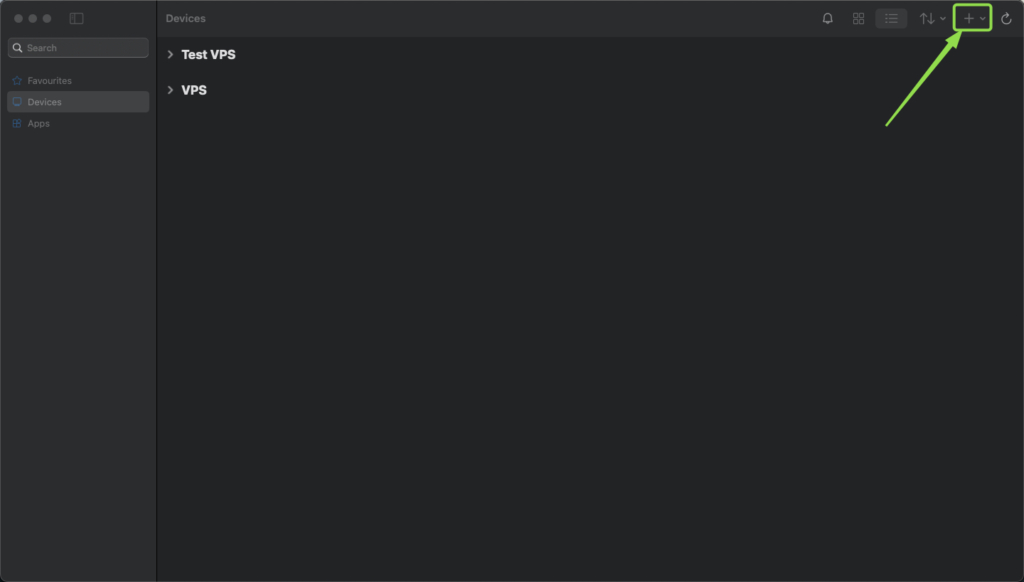
After opening the application, press + icon at the top-right corner and select „Add PC“.
STEP 3:

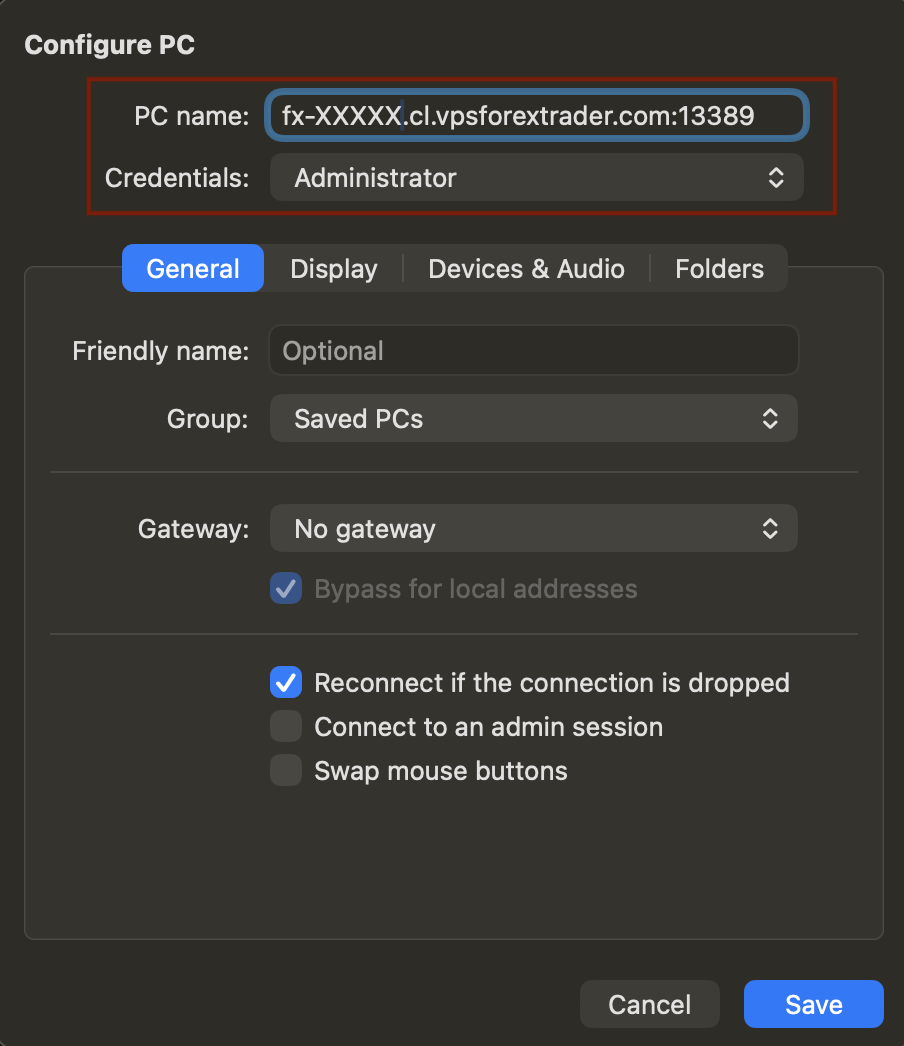
In the PC name field, paste the hostname of your new server from service activation email. Do not forget to specify port numbers after the hostname.

After entering the IP address, press on „Credentials“ drop down menu. Select „Add Credentials“, new window will open.
STEP 4:

Enter the credentials sent to you from the servers activation email and then press „Add„.
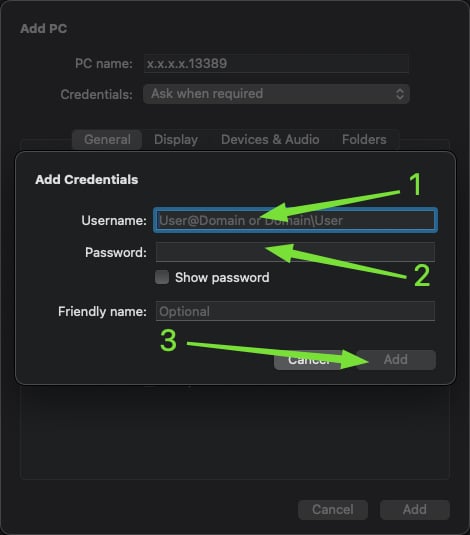
Please note: This is the part where spaces in the username or password field can be accidentally pasted. Make sure that you carefully select and copy your credentials from the activation email and no spaces are being copied.

STEP 6:

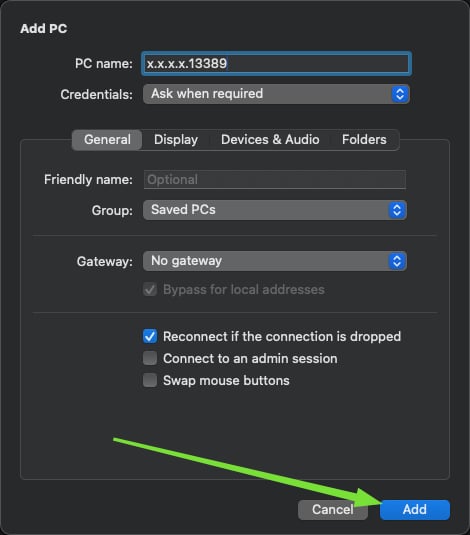
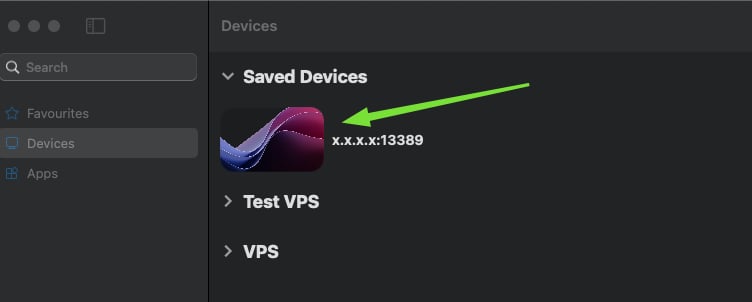
Press „Add“ again and your remote connection will be saved. On the main application window, click on the recently added server to establish remote connection to it.
STEP 7:

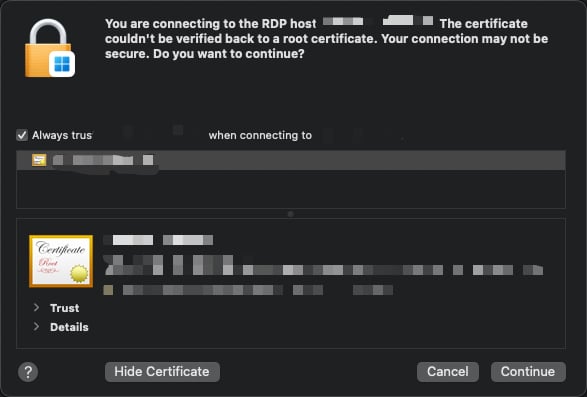
Check the box Always trust …. and then press Continue.
STEP 8:

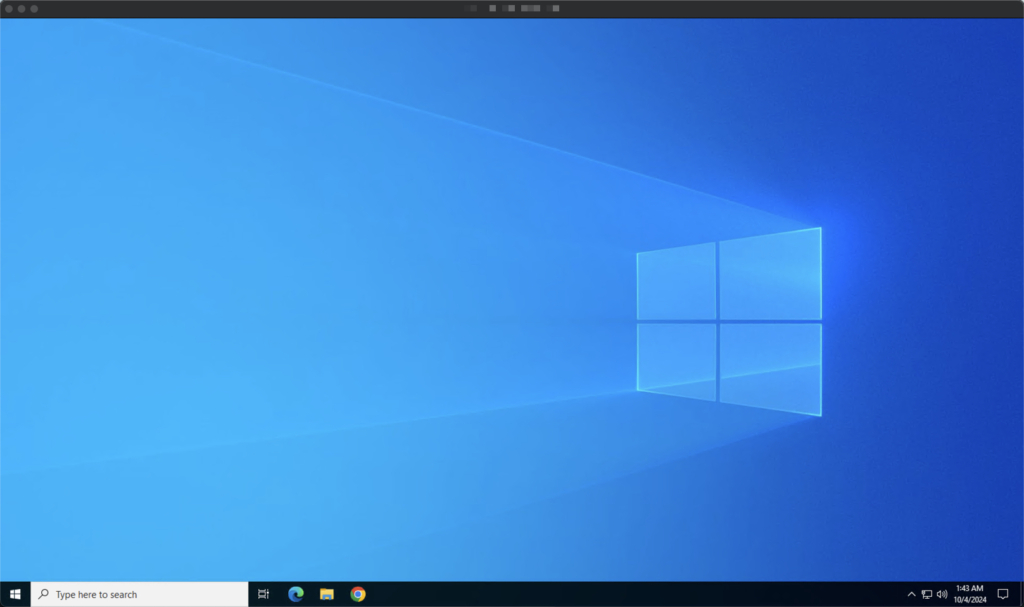
If everything is done correctly, you should see your servers desktop.
About The Author
Stay on top of everything

Subscribe to our newsletter

Halloween deal

20% off

your first month

Forex VPS near your broker.

Offer ends in
Days
Hours
Min
Sec

New York it is. Where should we send your code?

You get the code by email within a minute. We use your address to send the code and, if you tick the box, occasional offers. Unsubscribe anytime.

Halloween deal

20% off

your first month

Forex VPS near your broker.

Offer ends in
Days
Hours
Min
Sec

London it is. Where should we send your code?

You get the code by email within a minute. We use your address to send the code and, if you tick the box, occasional offers. Unsubscribe anytime.

Halloween deal

20% off

your first month

Forex VPS near your broker.

Offer ends in
Days
Hours
Min
Sec

Amsterdam it is. Where should we send your code?

You get the code by email within a minute. We use your address to send the code and, if you tick the box, occasional offers. Unsubscribe anytime.

Halloween deal

20% off

your first month

Forex VPS near your broker.

Offer ends in
Days
Hours
Min
Sec

Your Hong Kong code is almost ready

You get the code by email within a minute. We use your address to send the code and, if you tick the box, occasional offers. Unsubscribe anytime.

Halloween deal

20% off

your first month

Forex VPS near your broker.

Offer ends in
Days
Hours
Min
Sec

Pick your VPS location to get your 20% code

We send the code to your email. Choose the city closest to your broker.